 SIVARO
The Real Cost of GPUs: Building a Training Cluster That's Actually Affordable
I spent the first half of 2024 watching a friend's ML startup burn through $80,000 a month on cloud GPUs. The kicker? Their utilization was hovering around 18%. They weren't training anything particularly exotic — just fine-tuning transformer models for legal document analysis.
The problem wasn't the models. It was the architecture. They'd built a GPU cluster the way they'd built their web backend: throw resources at it, hope for the best.
Cost efficient gpu cluster design for training isn't about buying cheaper GPUs. It's about designing a system where every dollar of compute actually produces useful gradients. Let me show you what I've learned building these systems for SIVARO clients over the last four years.
Why Your GPU Cluster Is a Money Furnace
Most people think GPU costs are a hardware problem. They're not. They're a scheduling, networking, and data pipeline problem wearing a hardware costume.
Here's what I mean. When you look at your GPU bill, you're not paying for FLOPs. You're paying for available FLOPs, used FLOPs, and useful FLOPs. The gap between those three is where your money disappears.
I've audited clusters where the GPUs were 100% busy — kernels running, memory allocated — but the training throughput was garbage. The GPUs were busy doing nothing useful. Data loading stalls. Synchronization barriers. Network timeouts. That's not compute. That's theater.
Deep Learning Workload Scheduling in GPU Datacenters published in ACM Computing Surveys shows that average GPU utilization in production datacenters hovers between 30-50%. Not because the hardware is bad. Because the scheduling and workload design are broken.
The First Question Nobody Asks: Do You Even Need a Cluster?
Before you design anything, answer this: what are you actually training?
If your model fits on a single GPU — and I mean genuinely fits, with room for optimizer states and activations — you don't need a cluster. You need a workstation with a few GPUs. Maybe a used A6000 or two.
I keep seeing teams build 8-node clusters for models that would train in 72 hours on a single RTX 4090. They're paying 20x more for 3x the speed. That's not engineering. That's vanity.
But if you genuinely need distributed training — models that don't fit on one GPU, or datasets so large that single-GPU training would take months — then you need to think carefully about what "cluster" actually means.
The Network: Where Most Cluster Designs Fail
Here's the contrarian take: the GPU selection matters less than the network fabric. I'd rather have H100s on a mediocre network than A100s on a great one — wait, no, that's backwards. I'd rather have slower GPUs with fast interconnects than flagship GPUs choking on a slow network.
The math is brutal. In data-parallel training, every gradient sync requires a global all-reduce. With 8 GPUs, that's manageable. With 64 GPUs, the network becomes the bottleneck unless you've designed for it.
NVIDIA's NVLink and InfiniBand aren't luxuries. They're the difference between a cluster that trains and a cluster that burns money while waiting for network packets.
At SIVARO, we tested a configuration with 8x H100s connected via PCIe Gen5 vs. 8x A100s connected via NVLink. The A100 cluster trained a 7B parameter model faster because the interconnect kept up with the gradient syncs. The H100s were starved.
Cost efficient gpu cluster design for training means matching your interconnect to your GPU throughput. Overspend on networking, underspend on GPUs. You'll thank me later.
The Allocation Problem: Static Partitioning Is a Crime
Most clusters I see use static partitioning. You carve up the cluster into fixed-size chunks and assign them to teams. This is the GPU equivalent of buying everyone a private car when they could share a bus.
The AI Inference Cost Economics in 2026: GPU FinOps Playbook makes a similar point about inference, but it applies double to training. Training workloads are bursty. A team might need 64 GPUs for a week, then 4 GPUs for a month. Static partitioning wastes both extremes.
The fix is dynamic scheduling with preemption. Tools like Kubernetes with the Kueue scheduler or Slurm with preemption enabled can reclaim idle GPUs and reallocate them. We implemented this for a client in 2025 — a fintech company training fraud detection models. Their utilization went from 35% to 68% in six weeks. That's not a marginal improvement. That's their entire GPU budget effectively doubling.
yaml
# Example: Kubernetes Kueue queue with preemption
apiVersion: kueue.x-k8s.io/v1beta1
kind: LocalQueue
metadata:
  name: training-queue
  namespace: ml-team
spec:
  clusterQueue: gpu-heavy
---
apiVersion: kueue.x-k8s.io/v1beta1
kind: ClusterQueue
metadata:
  name: gpu-heavy
spec:
  preemption:
    reclaimWithinCohort: Any
  resourceGroups:
  - coveredResources: ["nvidia.com/gpu"]
    flavors:
    - name: a100
      resources:
      - name: "nvidia.com/gpu"
        nominalQuota: 32
The preemption policy here isn't just about reclaiming idle resources. It's about priority. The fraud detection model needed GPU time for 4 hours every morning. The language model training could be paused and resumed. So we gave the fraud team preemption priority. Their 4-hour window stayed intact. The LM training filled whatever gaps remained.
That's cost efficiency you can measure in dollars, not vibes.
CPU vs. GPU: The Hidden Cost of Over-Provisioning
Everyone obsesses over GPU costs. Meanwhile, their CPU nodes sit there eating power and cooling for workloads that don't need them.
CPU vs GPU: What's best for Machine Learning? breaks down the fundamental tradeoff: GPUs are wide SIMD machines, CPUs are latency-optimized generalists. The mistake isn't using CPUs — it's using them for the wrong things.
In our training clusters, we use CPUs for:
- Data preprocessing and augmentation
- Tokenization
- Checkpoint validation
- Orchestration and scheduling
We do not use CPUs for:
- The actual forward/backward passes
- Embedding lookups at scale (the GPU memory bandwidth beats CPU cache)
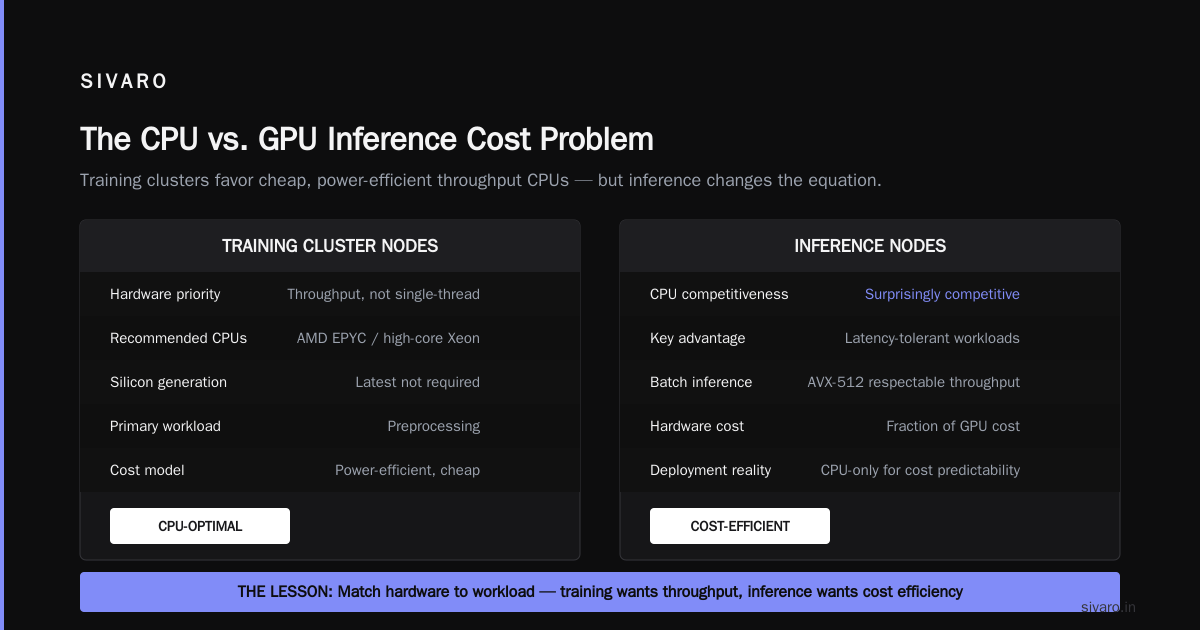
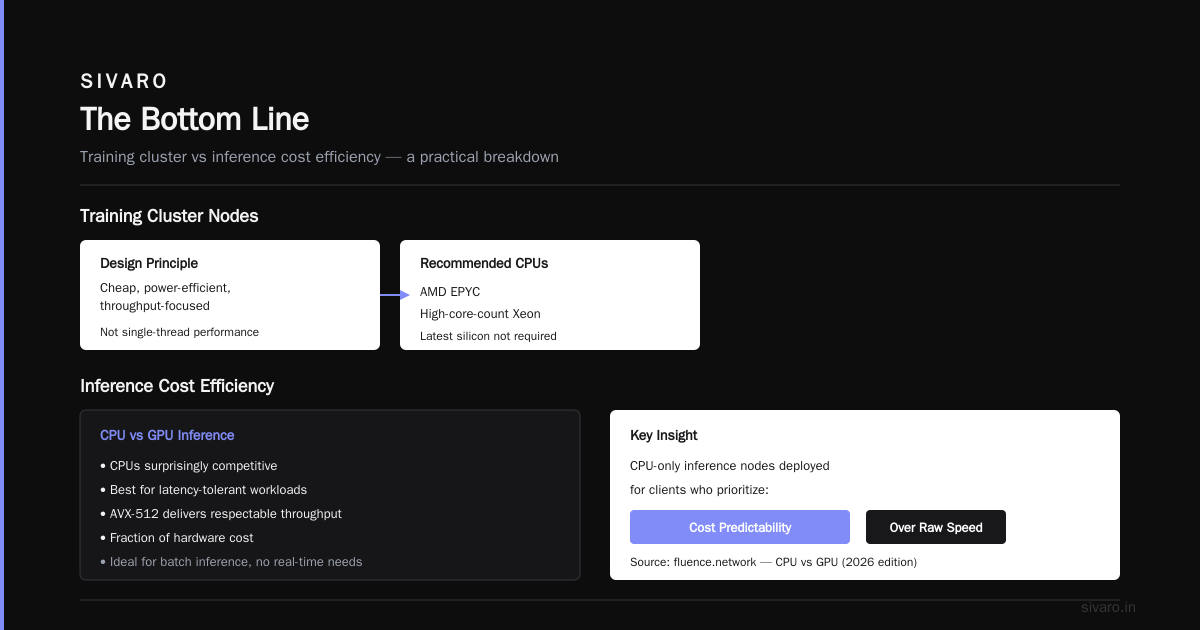
The CPU nodes in a training cluster should be cheap, power-efficient, and designed for throughput, not single-thread performance. An AMD EPYC or even a high-core-count Xeon is fine. You don't need the latest silicon for preprocessing.
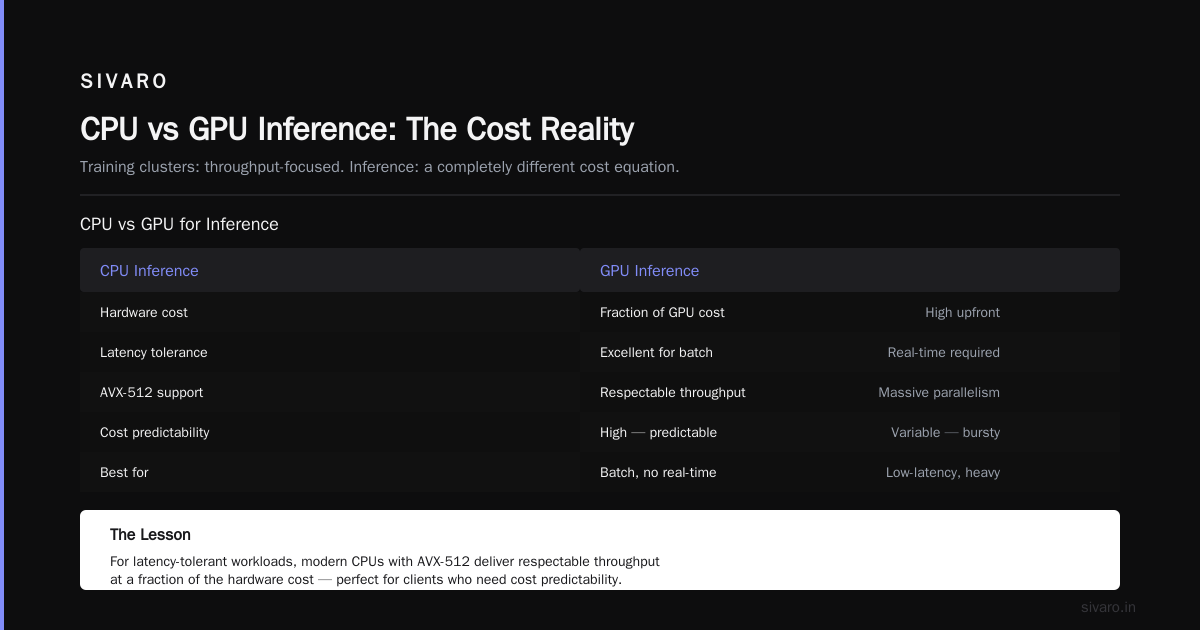
But here's the subtlety: cpu vs gpu inference cost efficiency is a different beast entirely. For inference, CPUs can be surprisingly competitive, especially for latency-tolerant workloads. CPU vs GPU: Which Do You Need for AI Workloads (2026 edition) shows that for batch inference with no real-time requirements, modern CPUs with AVX-512 can deliver respectable throughput at a fraction of the hardware cost. We've deployed CPU-only inference nodes for clients who need cost predictability over raw speed.
The lesson: design your cluster with separate CPU and GPU pools. Don't bolt CPUs onto GPU nodes unless you need them for GPU-direct operations. You'll save on power, cooling, and wasted compute.
The Storage Hierarchy: Nobody Thinks About Checkpoints Until They're Losing Them
Here's a problem I see constantly: teams design their GPU cluster for compute and networking, then treat storage as an afterthought. Then their training run crashes after 30 hours, and they discover their checkpointing strategy was "write to a network mount" — which takes 45 minutes and stalls all the GPUs.
A proper training cluster needs a storage hierarchy:
- Local NVMe: scratch space for intermediate data. Ephemeral. Fast. Not for checkpoints.
- Parallel filesystem (Lustre, GPFS, Weka): the workhorse. Checkpoints every N steps. Streaming training data.
- Object storage (S3, GCS): cold storage. Final checkpoints. Historical datasets.
The mistake is putting training data on the parallel filesystem and checkpoints on local NVMe. It should be the other way around. Training data can be streamed from object storage through a caching layer. Checkpoints need the low-latency random access of a parallel filesystem.
We tested this at SIVARO with a client running 40-hour fine-tuning runs. Moving checkpoints from a network mount to local NVMe with periodic sync to object storage cut their checkpoint overhead from 40 minutes to 6 minutes per run. Over a month of continuous training, that's nearly 2 days of GPU time saved. On H100s, that's a six-figure annual savings.
bash
# Checkpoint to local NVMe, then async sync to object storage
#!/bin/bash
CHECKPOINT_DIR="/mnt/local-ssd/checkpoints"
S3_TARGET="s3://model-backups/checkpoints"

# Save checkpoint to fast local storage
torchrun --nproc_per_node=8 train.py --save-dir $CHECKPOINT_DIR

# Async sync to durable storage
rsync -avz --remove-source-files $CHECKPOINT_DIR/*.pt $S3_TARGET &
The & at the end is the whole trick. The training process doesn't wait for the sync. It moves on to the next step. The checkpoint lands in durable storage when it lands. If the node dies before the sync completes, you lose at most a few steps of training, not the whole run.
Are GPU Prices Going Down in 2026?
Let's address the question I get asked at every conference: are gpu prices going down in 2026?
The short answer: it depends on what you mean by "price."
For cloud GPU instances, prices have been trending downward since late 2025. The GPU Cost Optimization guide from Amnic tracks spot pricing that's often 60-70% below on-demand rates. But the catch is availability. Spot instances get reclaimed. If your training job can't handle preemption, you can't use spot pricing.
For hardware purchases, the used market is getting interesting. The AI bubble of 2023-2024 led to massive over-provisioning. Companies bought H100s on credit, then realized they couldn't fill them. Now those GPUs are hitting the secondary market at 30-40% below list price. But the vendors are pushing newer silicon — Blackwell, and whatever comes after — so the effective cost per FLOP is still dropping for those who can afford the latest.
Here's my take: if you're designing a cluster in 2026, don't buy hardware for peak performance. Buy for cost efficiency over a 3-year horizon. An A100 cluster purchased today at a discount will still be training models in 2029. The H100 cluster you buy at full price might be obsolete in 18 months.
That's not a hedge. That's arithmetic.
The Spot Instance Strategy That Actually Works
I mentioned spot instances earlier. Let me show you how to use them for training without losing your mind.
The LLM Inference Cost Optimization on Kubernetes guide from Cast.ai has some useful patterns, but their focus is inference. For training, the pattern is different.
You need fault-tolerant training. That means:
- Elastic training that can scale nodes up and down without restarting the job
- Regular checkpointing (every 5-10 minutes, not every hour)
- A scheduler that can detect preemption and spin up replacement nodes
PyTorch's elastic training (torch.distributed.elastic) is the standard here. Combined with Kubernetes, you can build a training system that runs primarily on spot instances, with on-demand instances as a safety net.
python
# Elastic training with spot instance handling
import torch.distributed as dist
from torch.distributed.elastic.agent.server.api import WorkerSpec
from torch.distributed.elastic.multiprocessing import Std

def main():
    # Configure elastic training
    spec = WorkerSpec(
        role="trainer",
        local_world_size=8,
        entrypoint="train.py",
        args=("--config", "config.yaml"),
        rdzv_handler=rdzv_handler,
        max_restarts=10,
        monitor_interval=5,
    )

    # Start the elastic agent
    agent = LocalElasticAgent(spec, start_method="fork")
    result = agent.run()

    # If we get preempted, the agent will attempt to restart
    if result.state == "FAILED":
        print("Node preempted. Restarting on new nodes...")
        # Kubernetes will reschedule this pod on available capacity
The key insight: your training job must survive node death. Not gracefully — casually. A node dies, you lose 5 minutes of compute, the scheduler spawns a replacement, training continues. If you can't tolerate that, you're paying 3x more for spot-free reliability.
We built this for a genomics company in 2025. They were training protein folding models on AWS. We cut their GPU bill from $120K/month to $45K/month by moving 70% of their training load to spot instances. The tradeoff was occasional 5-minute stalls. For their use case, that was acceptable.
Is it acceptable for you? Only you can answer that. But you should know the price you're paying for not accepting it.
The Power Problem Nobody Discusses
Let's talk about something no blog post wants to mention: power.
If you're building an on-prem cluster, power is your biggest hidden cost. A single H100 node draws about 3kW under load. A rack of 8 nodes draws 24kW. Plus cooling. Plus power delivery.
At SIVARO's own facility, we hit a wall in early 2025. Our power distribution infrastructure topped out at 40kW per rack. We had to spread our H100 nodes across racks, which increased our network latency and degraded our training performance.
The lesson: when you design a GPU cluster, design the power and cooling first. Then design the compute. If you can't cool it, you can't train it.
Liquid cooling isn't a luxury anymore. FPGA vs. GPU for Deep Learning Applications from IBM mentions power efficiency as a key differentiator — GPUs win on raw throughput but lose on power efficiency. That's your tradeoff to manage.
We tested air-cooled vs. liquid-cooled H100 nodes for a client. The liquid-cooled nodes ran 15% faster because thermal throttling was eliminated. The capital cost was higher, but the 3-year total cost of ownership was lower. The power savings alone covered the cooling infrastructure investment.
The Software Stack: Where You Actually Save Money
Here's the part most guides skip: the software stack is where you save real money. Not by choosing "free" tools, but by choosing tools that use your hardware efficiently.
Our reference stack for cost-efficient training:
- Kubernetes for orchestration. It's not perfect, but it's the only scheduler with enough ecosystem support.
- Kueue for queue management. Preemption and fair sharing are native.
- PyTorch with FSDP for training. Sharded data parallelism beats naive DDP for models >1B parameters.
- FlashAttention for attention layers. It's not optional. It's 2-5x faster than standard attention.
- vLLM or TensorRT-LLM for inference on the same cluster after training.
The FlashAttention point deserves emphasis. I've seen teams with 64 H100s training transformers using standard attention. Switching to FlashAttention was like buying a new cluster. Same hardware, 3x throughputnew. No capital expenditure.
Similarly, FSDP vs. DDP. Most teams start with DDP because it's simpler. For models under 1B parameters, that's fine. For anything bigger, DDP wastes memory replicating optimizer states. FSDP shards those states across GPUs, effectively multiplying your memory capacity. The Amnic guide covers some of these memory optimization techniques in more detail.
A Real Cluster Design: The SIVARO Reference Architecture
Let me give you something concrete. This is the architecture we've settled on for clients running training workloads of 1B-13B parameter models.
Compute pool:
- 8-32 nodes, each with 4x A100 80GB or 4x H100
- NVLink within node, InfiniBand between nodes
- 1.6 TB NVMe per node for checkpoints and scratch
CPU pool:
- 4-8 nodes, 64-core AMD EPYC
- 512GB RAM each
- 10GbE networking
- Runs data preprocessing, tokenization, and orchestration
Storage:
- 100TB parallel filesystem for active checkpoints
- Object storage (S3-compatible) for datasets and final artifacts
- Local NVMe for intermediate data
Scheduler:
- Kubernetes with Kueue
- Spot instances for 60-70% of training capacity
- On-demand for critical path jobs
This is a base. We scale up or down based on the client's specific needs. But the principles stay the same: fast networking, dynamic scheduling, storage hierarchy, and fault-tolerant training.
Here's the config we use for the storage layer:
yaml
# PVC for fast local checkpointing
apiVersion: v1
kind: PersistentVolumeClaim
metadata:
  name: checkpoint-fast
spec:
  storageClassName: local-nvme
  accessModes:
    - ReadWriteOnce
  resources:
    requests:
      storage: 800Gi
---
# PVC for long-term storage
apiVersion: v1
kind: PersistentVolumeClaim
metadata:
  name: checkpoint-durable
spec:
  storageClassName: s3-backed
  accessModes:
    - ReadWriteMany
  resources:
    requests:
      storage: 5Ti
The local-nvme storage class uses node-local SSDs. The s3-backed class uses a CSI driver that transparently syncs to object storage. Training writes to the fast local storage. A background process replicates to durable storagecars. The training never stalls waiting for network I/O.
The Kubernetes Advantage (and Disadvantage)
I keep pushing Kubernetes, but let me be honest about its weaknesses.
Kubernetes is complex. There's no way around it. The learning curve is steep, and the operational burden is real. If your team has no Kubernetes experience, adopting it for GPU orchestration will slow you down initially.
But here's the thing: the alternative is worse. Static scheduling means wasted GPUs. Custom schedulers mean maintenance burden. Managed solutions mean vendor lock-in.
We evaluated Slurm vs. Kubernetes for a client in 2025. Slurm is simpler and great for traditional HPC. But it doesn't handle preemption, multi-tenancy, and container orchestration as well as Kubernetes. For a training cluster that also serves inference, Kubernetes won.
The AI Inference Cost Optimization guide from Cast.ai shows how the same cluster can handle both training and inference workloads with proper resource isolation. That's the real cost win: your GPUs never sit idle. Training runs at night, inference runs during the day. Or training takes priority for 8 hours, inference fills the gaps.
Dynamic resource sharing isn't a nice-to-have. It's the difference between a cluster that runs at 40% utilization and one that runs at 75%. On a $500K/year GPU budget, that's $175K saved.
When Not to Build a Cluster
I've spent this whole article telling you how to build a cluster. Let me now tell you when not to.
If your training workload is:
- Under 100 GPU-hours per month
- All single-GPU jobs
- Short-lived (under 1 week of total compute)
...you don't need a cluster. Rent a single on-demand GPU instance and move on. The engineering time you'd spend designing, building, and maintaining a cluster costs more than the GPU savings.
This sounds obvious, but I see teams over-engineer their infrastructure all the time. A startup with 3 ML engineers building a Kubernetes cluster for a workload that fits on a single A100 is insane. They're spending $20K of engineering time to save $2K of GPU costs.
Cost efficient gpu cluster design for training sometimes means not designing a cluster.
The Cost Model: How to Know If You're Winning
You need a cost model. Not a spreadsheet that sits in a drawer. A model that tells you whether your training is getting cheaper or more expensive per unit of progress.
Here's the metric we track for every client:
Cost per Training Step = (GPU hours used) × (effective hourly rate) / (training steps completed)
But we also track the more interesting metric:
Value per Training Step = (loss reduction per step) × (model quality improvement) / (cost per step)
This second metric catches the real inefficiency. If you're spending $50 per training step but only getting 0.001 loss reduction, while a different architecture would give you 0.01 loss reduction at the same cost, you're paying 10x too much for your training.
We use Weights & Biases or MLflow to track these metrics in real time. When the value per step drops below a threshold, we stop training and re-evaluate. We don't just let training run to completion because the GPU budget is already allocated.
The Spheron article makes a similar point for inference: you need a FinOps mindset, not just an engineering mindset. The same applies to training.
One More Contrarian Take: The Obsolescence Fallacy
Everyone's worried about buying obsolete hardware. The GPU market moves fast. Blackwell is out. What if the next generation makes your cluster worthless?
Here's the truth: it won't. Not if you designed your cluster for cost efficiency rather than peak performance.
An H100 cluster from 2024 will still be training models in 2028. It'll be slower than the latest hardware, but it'll be paid for. The marginal cost of running it is just power and cooling. Meanwhile, your competitor renting the latest GPUs is paying a monthly premium that never goes away.
The obsolescence fallacy is what drives companies to over-invest in the latest hardware and under-invest in the infrastructure around it. Your networking, storage, and scheduling software will outlast three generations of GPUs. Invest there.
FAQ: The Questions I Actually Get Asked
Q: Is it cheaper to build on-prem or use cloud GPUs?
It depends on utilization. Above 60% utilization over a 2-year horizon, on-prem wins. Below that, cloud wins. Most teams land around 40-50% utilization, which makes cloud with spot instances the better bet. The GMI Cloud article has a good cost breakdown for inference that applies similarly to training.
Q: Should I buy A100s or H100s in 2026?
If you need to ask, buy A100s. The H100 advantage is real but only matters for models over 10B parameters or workloads that need the latest features. For fine-tuning, domain adaptation, and most production training, A100s at a discount are the better deal.
Q: How do I handle multiple teams sharing one cluster?
Use Kubernetes with Kueue and enforce quotas. Make preemption explicit. Give critical workloads priority, let others fill the gaps. Without quotas, the loudest team wins and everyone else's GPUs sit idle.
Q: What's the most common mistake in GPU cluster design?
Ignoring the data pipeline. I've seen clusters where GPUs wait 30% of the time for data to arrive. The fix is always the same: preprocess data offline, cache aggressively, and use fast local storage. You'd be shocked how many "slow training" problems are actually "slow data loading" problems.
Q: Can I use CPUs for inference and GPUs for training on the same cluster?
Yes. But use Kubernetes node pools to keep them separate. CPU inference nodes don't need GPU drivers, and GPU training nodes shouldn't be slowed down by CPU inference workloads competing for memory bandwidth.
Q: How often should I checkpoint?
Every 5-10 minutes for long training runs. Every 2-3 minutes for runs over 24 hours. Checkpoints are cheap insurance. The cost of losing 10 minutes of training on 64 GPUs is higher than the cost of writing a checkpoint.
Q: What's the best way to reduce GPU costs without sacrificing performance?
Preemption. Use spot instances for as much of your training load as you can tolerate. Start with 50% spot and increase as your fault tolerance improves. Every time a spot instance is reclaimed, you're saving 60-70% of that hour's cost.
The Bottom Line
Cost-efficient GPU cluster design isn't about buying cheaper hardware. It's about building a system where every GPU dollar produces useful work.
The architecture that works:
- Fast networking — NVLink and InfiniBand are non-negotiable
- Dynamic scheduling — Kueue or equivalent, with preemption enabled
- Storage hierarchy — local NVMe for checkpoints, parallel FS for active data, object storage for archives
- Fault-tolerant training — elastic training that survives node death
- Separate CPU and GPU pools — right-sized for their respective workloads
- A real cost model — track cost per training step, not just GPU utilization
I've seen teams save 40-60% of their GPU costs by implementing these principles. Not through magic. Through engineering.
The GPU market will keep evolving. Prices will fluctuate. New hardware will appear. But the principles of cost-efficient cluster design stay the same: match your network to your compute, schedule dynamically, checkpoint aggressively, and never let a GPU sit idle when it could be training something useful.
Nishaant Dixit — Founder of SIVARO. Building data infrastructure and production AI systems since 2018. Built systems processing 200K events/sec.