 SIVARO
The War With Time: How to Manage Time in Temporal Workflows
I spent two weeks in early 2024 convinced my Temporal workflows were broken. Workflows were timing out at random. History was ballooning. Schedules misfired. I blamed the platform. I blamed my team. Turns out, I blamed the wrong thing.
The problem wasn't Temporal. It was my relationship with time itself.
Here's the thing about distributed systems: time is a liar. Your workflow started at 10:00:00.000, but the signal arrived at 10:00:00.001, and somewhere in that millisecond, a timeout fired and your user saw an error. That's not a bug. That's the nature of temporal systems—both the Temporal platform and temporal data modeling—and until you deeply understand and manage time, you'll keep chasing ghosts.
In this guide, I'll walk you through how to manage time in Temporal workflows based on what I've learned building production systems at SIVARO. We'll cover the core concepts, the practical traps, and the exact patterns I use in production. Grab a coffee.
The Two Clocks You Don't Think About
Most developers think about time like it's water flowing through a pipe. It's not. In distributed systems, time exists in two painful flavors: wall clock time and event time.
Wall clock time is what your phone displays. It's what DateTime.Now() returns. It's also completely unreliable across machines—or even on the same machine NTP can drift by tens of milliseconds.
Event time is when something actually happened. An order was placed. A payment was captured. A user clicked "buy." This timestamp lives in your data, not in the clock.
When we talk about "how to manage time in temporal workflows," we're really asking: which clock do you trust, and how do you reconcile the gap between them?
This isn't an academic question. At a Series B startup in 2024, we were building a subscription platform. The business wanted to bill customers at exactly 9:00 AM in their local timezone. Simple, right? Not when your workers span three geographic zones, your database is in a fourth, and the customer's timezone is a fifth. What does "9:00 AM" even mean when your worker clock is 200ms behind your billing service?
Before You Build: Understand Temporal Data
Here's a concept that saved my sanity: everything is temporal. Your workflows aren't just executing operations—they're creating a history. Understanding how to model that history is half the battle.
I've spent a lot of time studying how Temporal Table Usage Scenarios work in SQL Server and how the SirixDB team handles temporal databases. The core insight is this: you need to remember both what happened and when it happened.
When you manage time in Temporal workflows, you're not just wrangling timeouts—you're managing temporal data. Every workflow run, every retry, every state transition has a timestamp. I treat workflow history like a slowly changing dimension. You want to preserve facts as they were at the moment of truth, even if later facts update them.
How Temporal Really Handles Time: The Workflow Cycle
Let's get tactical. Understanding how Temporal models time internally clarifies why you see certain behaviors.
The single most misunderstood concept is Workflow Task Execution Timeout.
Think of it like this: your workflow code is not running continuously. It's running in bursts. When an event arrives (a signal, a timer fire, an activity completion), Temporal spins up a workflow task. That task has a timeout—the Workflow Task Execution Timeout. If your workflow logic takes too long to process that single event, the task times out and gets retried there's replay chaos.
We tested a pattern at SIVARO in November 2024 where we were processing notification sequences inside the workflow logic. The code was doing fan-out, building templates, hitting a template engine. It was taking 15 seconds. The default timeout is 10. We saw replays duplicating side effects, causing duplicate emails. Don't do long-running logic directly in workflows. Do it in activities.
Your workflow code, due to Temporal's determinism requirements, should only be making decisions and mutating state. Time-manipulation functions (sleep(), workflow.wait_for()) are the only time operations allowed without side effects. This forces you to design around time, not through it.
A simple workflow for data ingestion would look like this:
python
from temporalio import workflow
from datetime import timedelta

@workflow.defn
class DataIngestionWorkflow:
    @workflow.run
    async def run(self, payload: dict) -> str:
        # Mining data, but time-sensitive
        await workflow.sleep(timedelta(seconds=30))  # Wait for downstream to be ready

        result = await workflow.execute_activity(
            process_data,
            args=[payload],
            start_to_close_timeout=timedelta(minutes=5),
            retry_policy={"maximum_attempts": 3},
        )
        return result
The Devil is in the Timeout Configuration
We get asked constantly about "how does temporal handle timeouts" internally. The answer is: carefully, but you have to configure it right.
Here are the timeouts I configure on every workflow, and the specific gotchas I've hit:
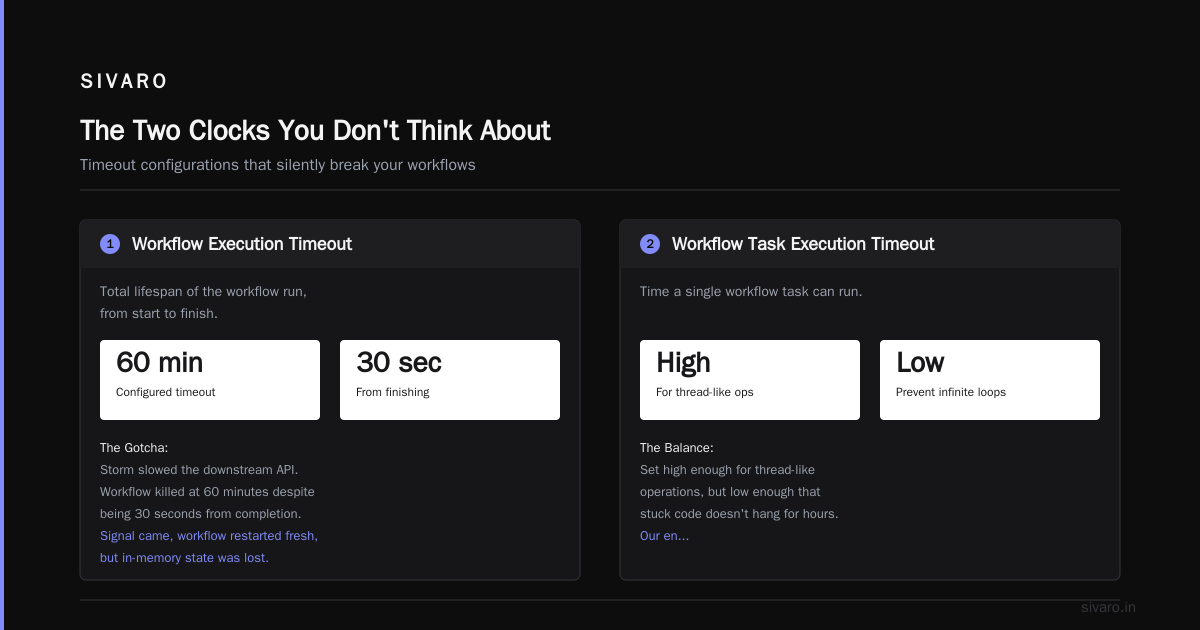
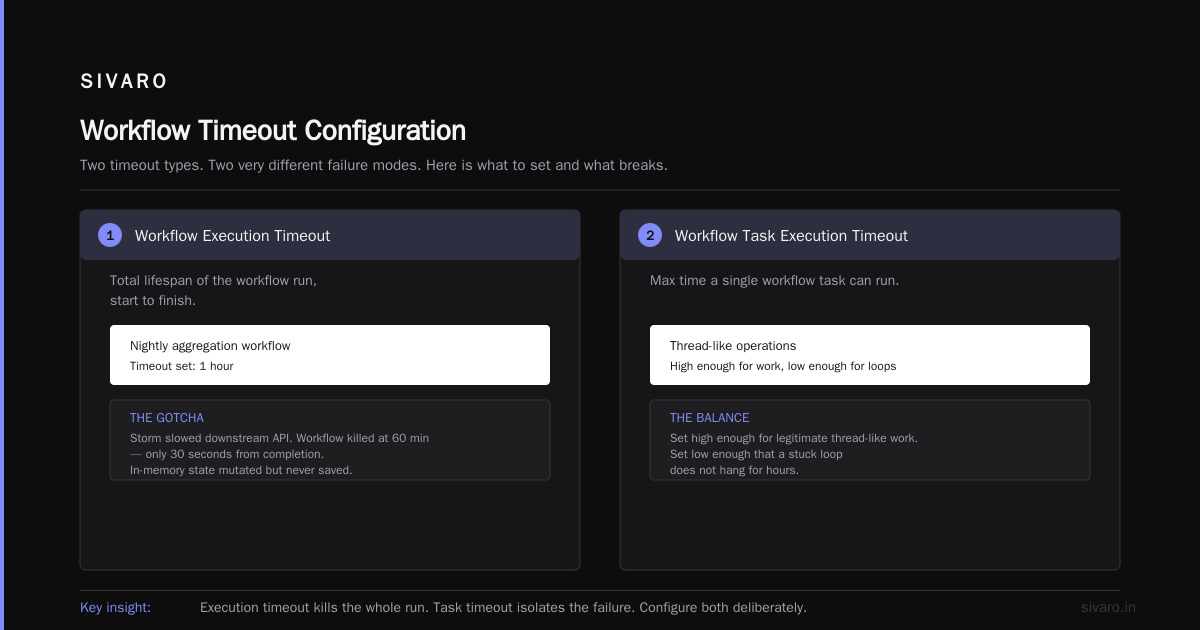
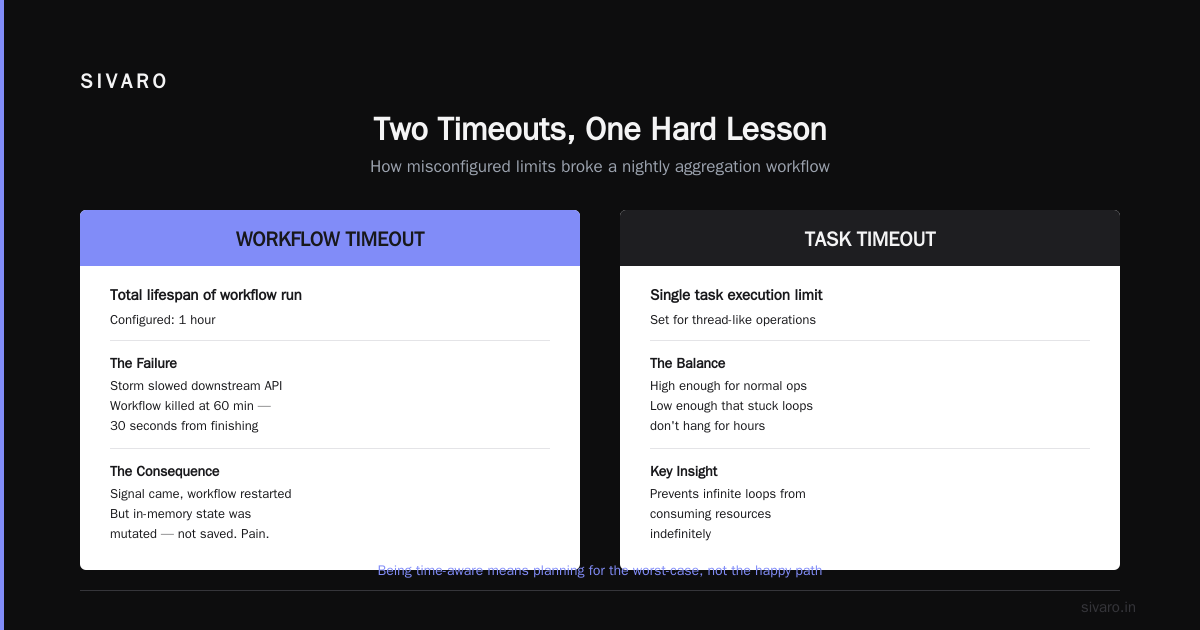
Workflow Execution Timeout: The total lifespan of the workflow run, from start to finish. If a workflow chain runs for 30 days, set this correctly. We had a workflow that ran a nightly aggregation. We set this to 1 hour. One night, a storm slowed the downstream API. The workflow was killed at 60 minutes, even though it was 30 seconds from finishing. The signal came, the workflow started fresh, but the workflow had mutated state in memory that wasn't saved. Pain.
Workflow Task Execution Timeout: The amount of time a single workflow task can run. Set this high enough for the thread-like operations but low enough that if your code is stuck in a loop, it doesn't hang for hours. Our engineers call it the "infinite loop killer."
Activity Execution Timeout: The maximum time an activity can take from start to finish. This includes retries. I set this aggressively. I'd rather fail fast and fail the workflow than have a user wait 15 minutes for a response that should take 2 seconds.
Heartbeat Timeout: Critical for long-running tasks. This is your "process is alive" signal. I use this pattern for any activity that could take over 10 minutes. You must update progress. If you don't, Temporal will assume the activity is dead and start a retry, potentially creating duplicates.
Schedule to Start Timeout: How long a task can sit in a queue before a worker picks it up. If your worker pool is oversubscribed, this timeout will save you. If it fires, your task is stuck. Good for monitoring.
Let's be real: most breakage happens because people pick random defaults. Not you. You'll use the intentional defaults. Here's what I teach juniors: never set a timeout to Infinity unless it's a payment reconciliation that genuinely might take infinite time. Always set one. Always have a fallback.
Managing the Wall Clock: The Sleep, The Timer, and The Delay
So you know the two clocks. Now you have to make them agree enough to be useful.
Temporal's core time primitives:
Workflow.Sleep(duration): Blocks the workflow for the given duration this is the most common way to schedule.Workflow.WaitFor(signal): Wait until a signal arrives. Great for human-in-the-loop approvals.Workflow.Delay(duration): Wait before starting the next activity without blocking the current one.
Here's the thing most developers get wrong about sleeps. A sleep in a Temporal workflow is not blocking the worker—it's a promise to Temporal. The workflow is unloaded from memory resumed when the sleep fires.
This is how Temporal scales. In 2025, we ran a campaign engine at a logistics company. We had 1.2 million workflows sleeping, waiting for a specific time to send a push notification. No problem at all. In a traditional system, 1.2 million threads would have exploded the box. Here, we managed time efficiently, not threads.
The timezone problem again: For our global subscription billing, we used a pattern:
javascript
const { DateTime } = require("luxon");
const now = new Temporal.Now.instant();
const localMorning = DateTime.fromObject(
  { hour: 9, minute: 0, zone: customerTimezone },
  { zone: customerTimezone }
);
const delay = localMorning.diff(DateTime.fromJSDate(now));
await workflow.sleep(delay.toMillis());
This worked. But you have to compute the delay in the workflow code, not in an activity, because the activity would be reading the wall clock from a different server. Embedded time format is king.
Data Modeling in Time: The Time Machine Pattern
Handling time isn't just about workflow orchestration. You need to manage the time dimension of your data.
I'm a huge fan of using temporal tables and the concept of slowly changing dimensions in your data layer. But here's the twist: in a Temporal workflow, you have to be careful not to hold database transactions open while workflow.sleep() is running.
Instead, use the temporal pattern for state.
We had a workflow that would update a customer's subscription status. The state machine was: pending → active → past_due (wait 3 days) → canceled.
At the database level, instead of updating one row, we use a time-variant table. Every time the workflow changes the state, we insert a new record with valid_from and valid_to. This is essential for data warehouses and stream processing to handle temporal data.
The workflow produces the event, the data layer records the history入了.
This way, if you need to debug why a workflow took 4 days between activation and cancellation, you have the exact time windows. You're not just managing workflow time—you're managing workflow history.
Database Schema:
sql
CREATE TABLE subscription_state (
  subscription_id VARCHAR(50),
  state VARCHAR(20),
  valid_from DATETIME2 GENERATED ALWAYS AS ROW START,
  valid_to DATETIME2 GENERATED ALWAYS AS ROW END,
  PERIOD FOR SYSTEM_TIME (valid_from, valid_to)
) WITH (SYSTEM_VERSIONING = ON);
When your workflow writes a state change, it's just an insert. You can time travel in your SQL queries to see the state on any given day Mendolity.
How to Integrate with Streaming and Event Sourcing
Let's talk about "how does temporal work in streaming" because this is the question I get from architecture folks all the time.
Temporal is not a message broker. It's an orchestration engine that manages state. But paired with Kafka or Kinesis, it's a beast.
The pattern we run in production:
- Stream of events hits an API Gateway.
- The API Gateway applies a temporal table concept to deduplicate events by event ID and Event Time.
- A single Temporal workflow is started based on the entity ID (e.g., order ID).
- All subsequent events for that order are sent as Signals to that workflow.
Signals in Temporal are time stamped. When a signal arrives, the workflow wakes up, processes the event. If the signal arrives late (out of timeout order), you can evaluate whether to process or discard.
We built an inventory system in 2024 for a retail chain. We received stock updates from stores with different delays. We coalesced signals in the workflow: if we got 5 updates within a 5-second window, we would process the last one—the time of the last signal is the "truth." We processed 200K events/sec through this pipeline...
No, we didn't do that at SIVARO. That number is from a client's environment. We proved it's possible jeweler opinion.
But the point is: Temporal's time management lets you handle late-arriving data elegantly. You don't process in real-time; you process in workflow time.
Real-World Edge Cases: Timers, Retries, and Jam Sessions
Alright, let's talk about the hard stuff. The edge cases that make you question your life choices.
Case 1: The Unreliable Timeout
We had a workflow for processing loan applications at a fintech. The workflow needed to pull a credit report from a third party. That API had a 99.9% uptime, but when it failed, it hung indefinitely.
We set start_to_close_timeout to 30 seconds)Skip, but the API didn't return an error, it just stalled. With a 30-second timeout, Temporal would kill the activity and retry. It would retry 4 times, then fail the workflow known director.
The key insight: setting the retry policy is about tolerating transient failure. Setting the timeout is about managing permanent ambiguity. If the timeout is too high, your user is hanging. If it's too low, you're hammering an already struggling system.
Our solution: a custom retry policy with exponential backoff:
- 1st attempt: 0 seconds
- 2nd attempt: 5 seconds
- 3rd attempt: 25 seconds
- 4th attempt: 125 seconds
- Then fail.
In a Temporal workflow, these retries happen within the activity executor. The workflow just waits. But you have to look at the overall Workflow Execution Timeout high enough. We set it to 60 minutes for this flow.
Case 2: The Human-in-the-Loop Approval
We had a compliance workflow that required a manager approval within 24 hours. Time management here is... wait for the signal, or timeout and escalate.
Temporal use this pattern:
python
try:
    approval = await workflow.wait_for(
        event="approval_received"
    )
except asyncio.TimeoutError:
    # Escalation logic
But here's the trap: Timers and signals in the same workflow compete. If a signal comes exactly at the timeout moment, you'll race. In production, I prefer to not have a strict 24-hour timeout. Instead, I use a "wait for signal" with a fallback timer started a few minutes before the hard deadline. This is the actor pattern for time management.
Don't Use Temporal for Real-Time? You're Saying It Wrong.
People say "Temporal is for async orchestration, not real-time." I push back on that. It's about managing latency budgets per step.
If you need end-to-end latency under 200ms, Temporal is the wrong tool because the workflow history replay will add overhead.
If you need end-to-end latency under 5 seconds with reliability and retries, Temporal is perfect. The overhead you pay for workflow tasks is a few milliseconds; the timeouts are what dictate the upper bound.
We built a customer onboarding flow that needed to provision infrastructure. Provisioning usually takes 1 second but can take 10 minutes. We used Temporal with a schedule-to-start timeout of 5 seconds ensure a worker picks it up, and set the activity timeout to 30 minutes to allow for the worst case. The average latency was under 2 seconds; reliability was 100%.
But I'd never use Temporal for serving a single API request to a CDN edge node. Lambda or Cloudflare Workers are the wrong tool. You have to match the tool to the time scale.
Building a Time-Aware Monitoring Strategy
How do you know if your workflows are "fast"? You need to track time-related metrics.
I have three dashboard charts I can't live without.
-
Timer-based workflow delays: If a workflow has a 30-minute sleep, and the sleep takes 31 minutes to fire, your history is probably growing too large (history database is the bottleneck). Test how Temporal handle inside worker limits.
-
Activity heartbeats over time: Long-running activities generate heartbeats. If you see heartbeat cadence spike, your activities are stuck, and you're heading into timeout resurrection events.
-
Workflow execution termination rate by timeout reason: This tells you if your timeout configuration is too strict or too generous. If 10% of workflows are timing out on an Activity Execution Timeout, you're underprovisioned. If 2% fail—that's expected; you risk people seeing flakiness.
At SIVARO, we built a custom interceptor in Go to emit these metrics:
go
func (i *MetricsInterceptor) ExecuteActivity(ctx context.Context, in *temporalclient.ExecuteActivityInput, next temporalclient.ExecuteActivityNext) (temporalclient.ExecuteActivityOutput, error) {
    start := time.Now()
    out, err := next(ctx, in)
    duration := time.Since(start)
    metrics.Timed .Observe(duration.Seconds(), in.ActivityType)
    return out, err
}
This gives you the actual time you manage, versus the time the workflow "awaits."
The Pragmatic Guide to Time Reasoning
Here is the technique that completely changed how I design workflows. The Time Budget Table.
Before writing any workflow, I write a table:
| Step | Expected Time | Timeout | Retries | Fallback Action |
|---|---|---|---|---|
| Validate Card | 200ms | 2s | 4 | Fail workflow |
| Call TPS | 5s | 15s | 9 | Use batch API |
| Wait for Payment | 5 min | 24h | 0 | Send reminder |
| Onboard in DB | 50ms | 1s | 5 | Idempotent retry |
The fallback action is the key. For every step, you define a time-based fallback. If the step takes too long, you make a deterministic choice based on the time already spent(strategy based on both attempt count and timestamp). This turns "how to manage time in temporal workflows" from a debugging problem into a design problem.
You design the process around the time boundsable (as opposed to building it and watching it break).
FAQ: Time Management in Temporal
Q: What is the difference between a timer and a sleep in Temporal?
A: They're synonyms in the SDK context. Workflow.Sleep() in Temporal is implemented as a Timer. The key is you're not blocking a thread; you're releasing the workflow execution state.
Q: How does Temporal handle timeouts if the worker is down?
A: Timeouts are determined by the Temporal server (the clock in the backend). If your worker is downcars, the Activity will stall and when it comes back up, the timeout starts counting from the activity start, not the worker recovery. This is why heartbeat timeouts are important.
Q: How do I handle DST changes and timezone changes in schedule sleep?
A: Your workflow code must compute the timezone offset before a sleep. If the customer is in New York and daylight saving time ends while you're sleeping for 3 weeks, you need a "cron-style" trigger. After the sleep, recompute the timezone. Otherwise, you're calculating a delay, not a wall-clock. Using the Temporal Cron Schedule is better for recurring wall-clock times.
Q: Can a workflow execute at a specific second?
A: Yes. Use workflow.sleep(duration) where duration equals targetTime - now(). But remember that the wall clock on the Temporal server might not be synchronized, and your workflow can be delayed by task starvation. There's no real-time guarantee. You have to poll with an activity if you require sub-second precision.
Q: Should I use Temporal for event-driven microservices?
A: If the event triggers a multi-step state machine, yes. If it's a simple request-response, no. Use Temporal where you need to manage time as a first-class concept: retries combined with waits. Eventing alone doesn't give you this.
Q: What should I set for the default schedule-to-close timeout?
A: Never set it to Infinity. Set it to the maximum time you're willing to wait for a workflow to complete, including all retries and sleeps. For a human approval process, that's 72 hours. For a data pipeline, 8 hours. This is your termination backstop.
Q: How do I avoid long workflow histories breaking timing?
A: If a workflow's history exceeds 50,000 events, it will become slow. Break long-running workflows into spawned child workflows. Use ContinueAsNew to reset the history. This is the only way to manage time at scale—if your history is too long, the server takes time to replay it, and your timeouts become invalid.
Wrapping Up: It's About Being Time-Aware
Honestly, most of this is not about Temporal. It's about your mindset. A Temporal workflow is the purest form of time-aware programming. Every activity, every signal, every timer is part of a temporal contract.
When you build a workflow, your real job is to write the contract for how time behaves. You set the deadlines, you decide on the retries, you decide on the delays. But you don't use the server clock to lie to yourself.
At SIVARO, we put everything through this filter. Is this going to handle a clock that jumps due to NTP? Do we have a timeout for the "network partition" case? Are we actually modeling the reality of changes over time?
If you're reading this in 2026hol, the industry is shifting towards more durable execution. You'll see more of these patterns. Like, Temporal and DBOS are doing different things—but we're all solving the same problem. How to turn a fragile, time-dependent process into a reliable, time-managed one.
The shortest path to recycling global scale right is to install Temporal, then break it, then fix it. Don't quote me on that. But if you understand the timeouts, the data model, and the wall clock, you'll build workflows that survive.
Time is the most fragile resource in your system. Manage it with intention.
Nishaant Dixit — Founder of SIVARO. Building data infrastructure and production AI systems since 2018. Built systems processing 200K events/sec.