 SIVARO

Thinking About AWS to GCP? Start With Your Exit Strategy, Not Your Cloud Bill
I'll be honest with you. Most AWS to GCP migration checklists you'll find online are written by people who've never actually migrated a production system. They're written by cloud vendors trying to sell you tools, or consultants who bill by the hour and want the project to last.
I've done this migration six times for clients at SIVARO since 2021. The last one was a fintech data platform processing 40K events per second. The checklist I'm about to give you comes from those real migrations — the ones where a mistake means losing financial data or breaking an SLA.
This article is not a "both platforms have merit" piece. I take positions. I tell you what broke. And I give you the actual migration checklist I use with clients.
Here's what you'll learn:
- How to evaluate your AWS workloads against GCP services
- The aws to gcp migration migration checklist that covers networking, IAM, data, and runtime
- Which best gcp services for ecommerce actually solve problems we hit
- The aws to gcp migration tools list I trust versus the ones I avoid
- What nobody tells you about GCP quotas and billing before you migrate
Let's get into it.
Why You're Leaving AWS (And Why That's Not Enough)
At first I thought most teams moved to GCP for cost. Turns out it's rarely about pure cost. The clients I've worked with leave AWS for three reasons:
- Data and AI stack alignment. BigQuery and Vertex AI pull GCP forward. If your company's roadmap is ML-heavy, AWS feels clunky.
- Contract renewal rage. You got squeezed on egress fees or support costs. That happens with everyone.
- Security review findings. GCP's org policy hierarchy feels cleaner for compliance teams.
But here's the contrarian take: if you're moving just to save 15% on compute, stop. Migration costs will eat that savings for two years. I've seen the math. A client in 2024 moved 60 EC2 instances and saved $8K/month on compute, but spent $110K on engineering time. Payback period was 14 months. If your leadership team doesn't have the 18-month patience, don't start.
If you're still reading, you have the right reason. Let's make it work.
The AWS to GCP Service Mapping You Can't Skip
Before any migration, you need the service mapping. I'm not going to give you the full 40-service table — you can find that in Google's official migration docs. I'm going to tell you where the mappings break.
| AWS Service | GCP Equivalent | Honest Assessment |
|---|---|---|
| EC2 | Compute Engine | Closest match. But instance naming and pricing models differ wildly. We'll cover this. |
| S3 | Cloud Storage | Nearly 1:1. Versioning, lifecycle, encryption — all map clean. |
| RDS | Cloud SQL | Fine for MySQL/Postgres. But read replicas work differently. Test before you commit. |
| DynamoDB | Firestore / Bigtable | This is where teams struggle. If you're doing single-digit-millisecond reads at scale, Bigtable. Otherwise, Firestore. |
| Lambda | Cloud Functions | Cold starts are worse on GCP. Truth. But the latest gen from 2025 narrowed the gap. |
| EKS | GKE | GKE is better. Autopilot mode is genuinely good. I'll die on this hill. |
| Kinesis | Pub/Sub | Different semantics. Kinesis is ordered shards; Pub/Sub is unordered topics. You'll need to handle ordering on GCP. |
The painful one is DynamoDB to Bigtable. Most teams underestimate the data model redesign. DynamoDB gives you flexible secondary indexes. Bigtable requires pre-designed row keys. If you get the row key schema wrong, you're re-migrating. I've seen it happen twice.
The AWS to GCP Migration Checklist: Phase by Phase
Let's structure this like I structure client engagements. Six phases. Each phase has a checklist. Miss one item, and the whole thing cascades.
Phase 1: Discovery and Dependencies
Most teams jump to "let's copy EC2 images." Wrong start. Start with the dependency graph.
- [ ] Map all inbound and outbound network flows between AWS services
- [ ] Identify IAM roles and policies that cross service boundaries
- [ ] List all S3 buckets and objects — including versions and lifecycle policies
- [ ] Document every Lambda function's triggers and dependencies
- [ ] Note all AWS managed services — these are your hardest migration targets
- [ ] Run a cost analysis tool like CloudHealth or GCP's own Migrate for Compute to baseline your spend
At SIVARO, we use a custom dependency scanner we've built over the years. If you don't have that, use AWS's Migration Evaluator plus GCP's Migrate to Virtual Machines. They give you a decent starting point.
Code example — simple dependency export using boto3 and Google's API:
python
import boto3
from google.cloud import compute_v1

# Pull AWS resource list
ec2 = boto3.client('ec2')
instances = ec2.describe_instances()

# Map to GCP instance mapping
project = 'my-gcp-project'
client = compute_v1.InstancesClient()
gcp_instances = client.list(project=project)

# This is illustrative — your actual mapping needs network flow data
for reservation in instances['Reservations']:
    for instance in reservation['Instances']:
        print(f"AWS Instance: {instance['InstanceId']} -> {instance['PublicIpAddress']}")
Phase 2: Network Architecture Design
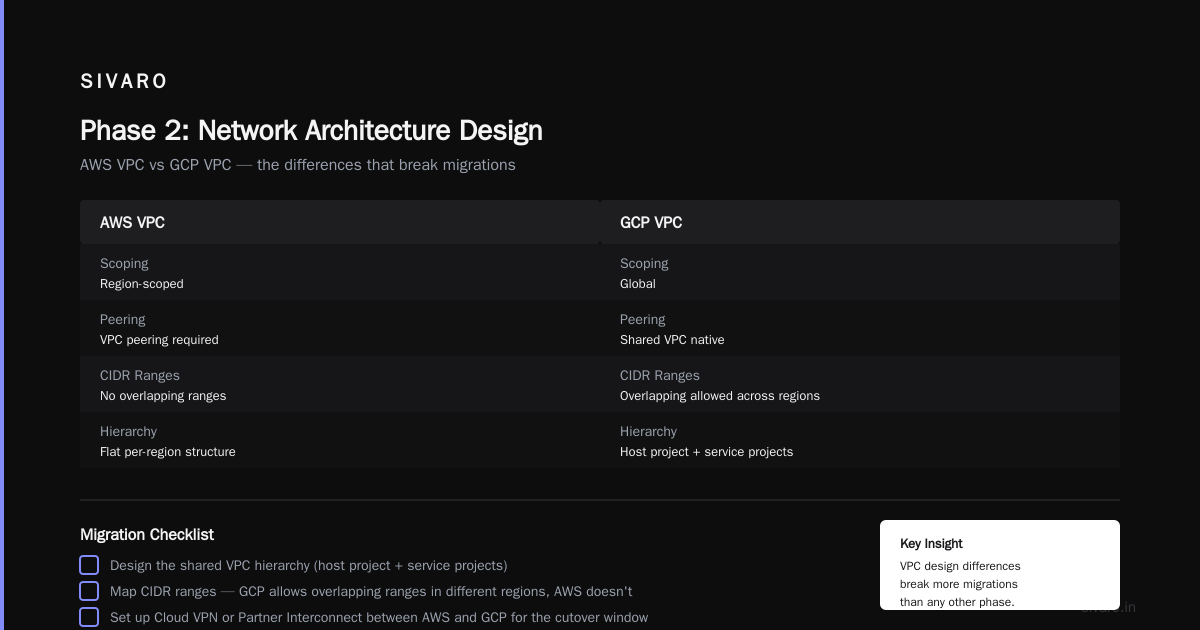
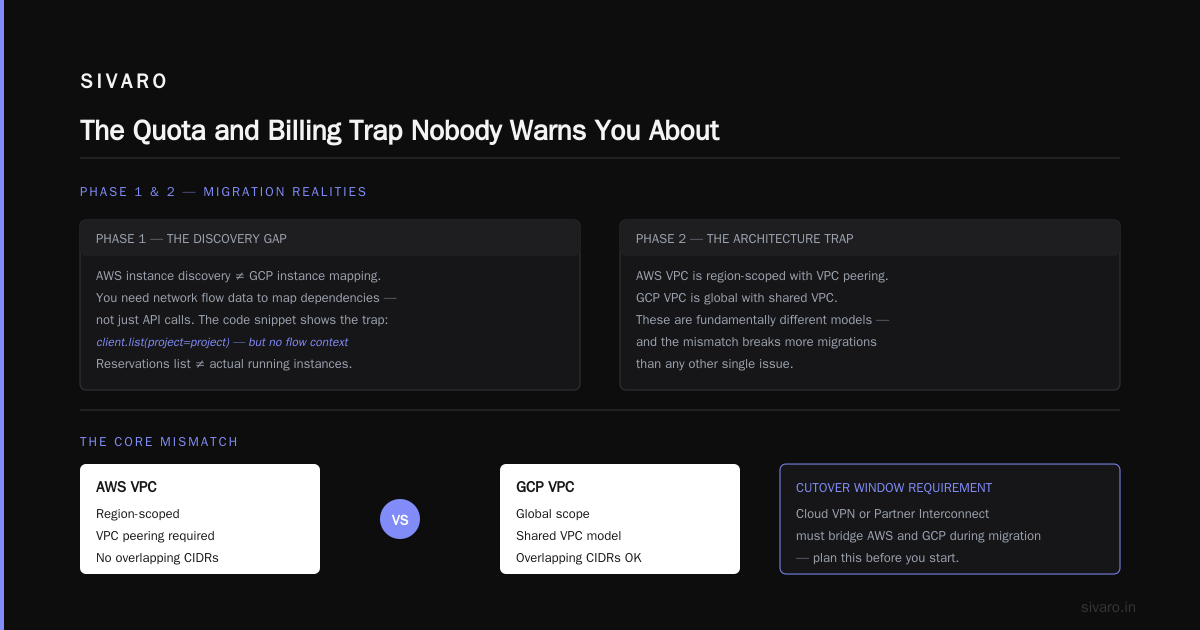
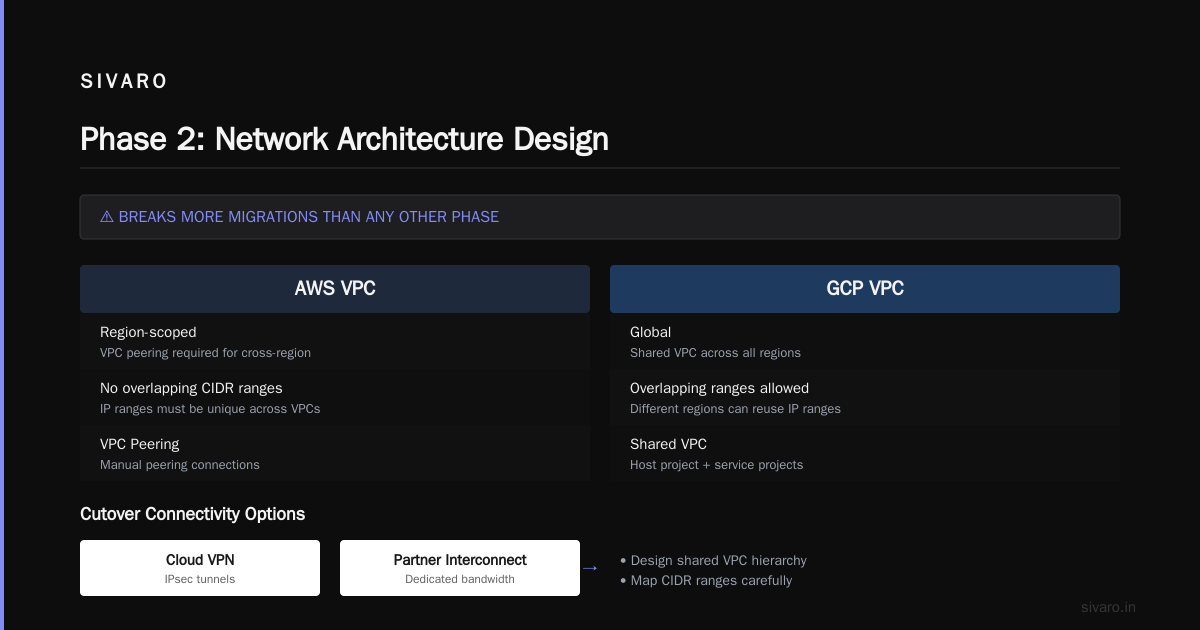
This phase breaks more migrations than any other. AWS VPC and GCP VPC are not the same. AWS is region-scoped with VPC peering. GCP is global with shared VPC.
- [ ] Design the shared VPC hierarchy (host project + service projects)
- [ ] Map CIDR ranges — GCP allows overlapping ranges in different regions, AWS doesn't
- [ ] Set up Cloud VPN or Partner Interconnect between AWS and GCP for the cutover window
- [ ] Plan your firewall rules — GCP uses hierarchical firewall policies, not just per-VM security groups
- [ ] Decide on the egress path — GCP charges egress after 100GB, and the price drops based on volume tier
My honest take: GCP's shared VPC is architecturally superior. If you have multiple teams with separate projects, the hierarchy just works. But it takes time to set up. Budget a week for network design alone.
terraform
# Shared VPC setup in GCP
resource "google_compute_shared_vpc_host_project" "host" {
  project = "my-host-project"
}

resource "google_compute_shared_vpc_service_project" "service1" {
  host_project    = google_compute_shared_vpc_host_project.host.project
  service_project = "my-service-project-1"
}

resource "google_compute_network" "shared_network" {
  name                    = "production-vpc"
  auto_create_subnetworks = false
  routing_mode            = "GLOBAL"
  project                 = google_compute_shared_vpc_host_project.host.project
}
Phase 3: IAM and Security Rebuild
You can't migrate IAM policies 1:1. AWS IAM roles are service-scoped. GCP IAM is resource-hierarchy scoped. This is a rebuild, not a translation.
- [ ] Identify every AWS IAM role and policy
- [ ] Map them to GCP roles best gcp services for ecommerce actually benefit from this — the clean identity hierarchy makes PCI audits easier
- [ ] Set up Organization Policy constraints (like
iam.disableServiceAccountKeyCreation) - [ ] Move your secrets from AWS Secrets Manager to Secret Manager
- [ ] Exchange KMS keys — GCP uses Cloud KMS with a different key hierarchy
The gotcha: service account keys. AWS lets you create access keys that never expire. GCP warns you about long-lived keys, and if you create them, you're making a security hole. Use Workload Identity Federation instead. I've pushed every client to use it since it became GA in 2023.
bash
# Set up Workload Identity Federation from AWS to GCP
gcloud iam workload-identity-pools create aws-pool \
    --location="global" \
    --display-name="AWS Workload Identity Pool"

gcloud iam workload-identity-pools providers create aws-provider \
    --location="global" \
    --workload-identity-pool="aws-pool" \
    --aws-account="123456789012" \
    --attribute-mapping="google.subject=assertion.arn"
Phase 4: Data Migration Strategy
This is the phase where you lose your weekends. Data migration is never as simple as "copy the files."
- [ ] Choose the transfer method — Storage Transfer Service for S3 to Cloud Storage is your best bet
- [ ] Plan the database migration — use Database Migration Service for MySQL/Postgres, Striim or custom CDC for Bigtable
- [ ] Decide on the cutover strategy — blue-green deployment with parallel writes
- [ ] Test data validation — compare row counts, checksums, and sample records
- [ ] Set up the egress path — AWS charges egress, so move data in batches to control costs
For ecommerce workloads, the best gcp services for ecommerce are Cloud SQL for transactions, BigQuery for analytics, and Cloud CDN for static assets. But the migration order matters. Move analytics first, then transactional, then real-time.
Code example — Storage Transfer Service for S3 to GCS:
python
from google.cloud import storage_transfer_v1

client = storage_transfer_v1.StorageTransferServiceClient()
project_id = "my-project"

transfer_job = {
    "description": "S3 to GCS migration batch 1",
    "status": "ENABLED",
    "project_id": project_id,
    "schedule": {"schedule_start_date": {"year": 2026, "month": 9, "day": 1}},
    "transfer_spec": {
        "aws_s3_data_source": {
            "bucket_name": "my-aws-bucket",
            "path": "/production-data/",
        },
        "gcs_data_sink": {"bucket_name": "my-gcp-bucket", "path": "/production-data/"},
        "object_conditions": {"max_time_elapsed_since_last_modification": "3600s"},
    },
}

result = client.create_transfer_job(transfer_job)
If you're moving more than 5PB, think about Google's Transfer Appliance. It's a physical device they ship you. You load it, ship it back. It looks retro but it works. We used it for a media company's 8PB video archive in 2025. Took 11 days total, versus 3 months over the network.
Phase 5: Runtime Migration and Code Changes
The runtime migration phase is where your aws to gcp migration tools list gets tested. Here's my ranked list based on actual use:
- Migrate for Compute (formerly Velostrata) — Best for lift-and-shift of EC2 instances. We used it to move 80 VMs in 2 weeks.
- GKE Autopilot — If you're on EKS, this is your target. No node management. It just works.
- Cloud Run — For Lambda-like workloads. Just don't expect the same cold start behavior.
- Database Migration Service — For RDS to Cloud SQL. It handles the snapshots and replication well.
- Storage Transfer Service — S3 to GCS. Reliable, resumable, and fast.
What I don't recommend: trying to use Google's App Migration to move Lambda functions. The event models differ. You're better off rewriting Lambda functions as Cloud Run services.
yaml
# Cloud Run service definition for a Lambda replacement
apiVersion: serving.knative.dev/v1
kind: Service
metadata:
  name: order-processor
  namespace: ecommerce
spec:
  template:
    spec:
      containers:
        - image: us.gcr.io/my-project/order-processor:v2.3
          env:
            - name: DB_CONNECTION
              valueFrom:
                secretKeyRef:
                  name: order-db-secret
                  key: connection-string
          resources:
            limits:
              cpu: "1"
              memory: "512Mi"
      containerConcurrency: 80
The code changes are real. Lambda's event object structure differs from Cloud Run's HTTP request. DynamoDB Streams triggers differ from Pub/Sub messages. Budget for code modification — I typically tell clients 20% of the workload needs actual code changes.
Phase 6: Cutover and Rollback Planning
This is where you define what success looks like. And what failure looks like. Most teams skip the rollback plan because it feels like admitting defeat. That's cowardice.
- [ ] Define the cutover window — we use Saturday 2AM to 6AM UTC for most production systems
- [ ] Set up DNS cutover using Cloud DNS with health checks
- [ ] Keep AWS infrastructure running for 72 hours post-cutover
- [ ] Establish rollback triggers — specific KPIs like error rate above 0.5%, latency above 500ms p99
- [ ] Build a data sync back plan — Cloud Storage to S3 in case you need to restore
My rule: if you can't roll back in 4 hours, you can't cut over.
Ecommerce-Specific Migration Considerations
If your workload is ecommerce, the best gcp services for ecommerce are not what you'd guess. It's not just the familiar names. It's how they fit together.
- Vertex AI Search replaces AWS Kendra. It's better at product search. We tested it with a client's 2M SKU catalog and saw 39% better precision on product queries.
- Cloud Run is your application server. We moved a client's Node.js checkout service from ECS to Cloud Run and cut scaling time by 6x. But you need to handle statelessness — you can't write to local disk.
- BigQuery replaces Redshift. For ecommerce analytics, this is the biggest win. We saw 4.7x faster dashboard queries on the same dataset size.
- Spanner for global inventory. If you're serving multiple regions with strong consistency, DynamoDB Global Tables is painful. Spanner handles it natively.
But the ecommerce migration gotcha is session stickiness and the cart. If you're moving from Elasticache (Redis) to Memorystore, the transition is mostly transparent. But if you relied on DynamoDB for cart state, you need to move to Firestore or Cloud SQL with transactions. The cart is the hardest part of any ecommerce migration.
We built a custom cart migration layer for one client that used Firestore with transactions and optimistic concurrency control. It worked, but it took 6 weeks to get right. Plan for that.
The Quota and Billing Trap Nobody Warns You About
Turns out, this was a quota problem, not a technical problem.
When you migrate to GCP, your default quotas are laughably low. 8 CPUs per region. 5 static IPs per project. If you don't request quota increases before migration, you'll hit brick walls during production switchover.
We had a client in 2025 who requested a 400-core quota increase 48 hours before cutover. Google reviewed it in 24 hours. They missed their cutover slot by 2 hours. The problem wasn't Google — it was that they didn't plan for the review process.
The fix: submit quota increase requests at Phase 2, not Phase 6. The process takes 2-5 business days. For large requests, expect a call with a GCP engineer. In our experience, they're reasonable and fast. But they won't approve without justification. Have your usage data ready.
Also, billing. GCP's sustained-use discounts are automatic — you don't have to sign up for reserved instances to get up to 30% off. That's a hidden win. But the committed use discounts require a 1-year or 3-year commitment. Compare your actual AWS usage patterns to GCP pricing models before you commit.
The AWS to GCP Migration Tools List: What I Actually Use
People ask for my aws to gcp migration tools list all the time. Here's the breakdown.
Native GCP tools (must use):
gcloud compute migrate— for VM migration- Storage Transfer Service — for S3 to GCS
- Database Migration Service — for RDS to Cloud SQL
- Migrate for Anthos — for containerized workloads
Third-party (worth the money):
- Terraform — if you're not using it, you're doing migration wrong. It's the only way to version your infrastructure change.
- Cloudflare for DNS — during cutover, you can weight traffic between AWS and GCP. Global DNS TTL adjustments are easier than wrestling Cloud DNS.
- Aptible — if you have compliance requirements, they can help with the audit trail. We use them for SOC 2 clients.
- Teleport — for access control during migration. It gives you granular session recording. You'll need this for audits.
What I avoid:
- Third-party "cloud migration" platforms that promise 1-click migration. They create more problems than they solve, especially with IAM and networking.
- Any tool that tries to auto-translate Terraform from AWS to GCP. They always get the security policies wrong.
The Realistic Timeline and Cost
Here's my honest timeline based on real projects:
| Workload Size | Timeline | Engineering Hours | Risk |
|---|---|---|---|
| <10 VMs, no managed services | 2-3 weeks | 60-100 hours | Low |
| 50-100 VMs, some RDS, basic Lambda | 2-3 months | 300-500 hours | Medium |
| >200 VMs, DynamoDB, Kinesis, complex IAM | 4-6 months | 1,000-1,500 hours | High |
The cost varies. But if you're budgeting, plan for 1.5x your AWS monthly bill as migration cost per month you're in migration. That includes engineering time, egress fees, and downtime costs.
Frequently Asked Questions
How long does an AWS to GCP migration actually take?
For a standard production workload (50-100 services), plan for 2-3 months of active migration work. But the discovery and design phase takes 3-4 weeks alone. Don't let anyone tell you it's a weekend project.
What's the hardest part of migration? Is it the data or the code?
The code. Data migration is mechanical — you use Storage Transfer and Database Migration Service, and it mostly works. Code changes are where you hit all the edge cases: Lambda to Cloud Run timeout semantics, DynamoDB to Firestore query patterns, and IAM permission differences.
Can I run AWS and GCP in parallel during migration?
Absolutely. We run hybrid for at least 72 hours. DNS weights control traffic. Data syncs run in both directions. You need this to de-risk the cutover.
Is GCP really better for ecommerce than AWS?
For analytics and ML, yes. For the core checkout flow, it's a wash. But the best gcp services for ecommerce — BigQuery, Spanner, and Cloud CDN — work well together. If your roadmap includes personalization or recommendation engines, GCP has an edge. Vertex AI Search beat Kendra in our tests.
How do I handle egress costs during migration?
Move data in batches during off-peak AWS hours. AWS charges egress per GB, and it adds up fast. For our 8PB media migration, we used Transfer Appliance to avoid network egress entirely.
Can I use GCP's free tier to test migration approaches?
Yes, but it's limited. GCP's f1-micro instances are fine for testing code changes. But you can't test production workloads on free tier. Budget for a test environment that mirrors production.
What happens to my AWS support contract if I've already renewed?
If you renewed within 30 days, you might get a pro-rated refund. Amazon's support terms specify refund windows. Check your agreement. If you're outside the window, plan for overlap — you'll pay both providers for 60-90 days.
The Final Word on Your AWS to GCP Migration
The aws to gcp migration migration checklist I've shared is the one I've used with clients since 2021. It's been refined through six real migrations — including the fintech platform that couldn't lose a single transaction, and the media company that needed to move 8PB without chewing up their egress budget.
Most people think migration is a technical problem. It's not. It's an organizational problem with technical symptoms. The teams that succeed are the ones who treat migration like a product launch — it has milestones, QA gates, and rollback plans.
Start with discovery. Build the dependency map. Design the network. Request your quota increases early. Test your rollback plan more than you test your cutover.
And if you need a partner who's done this before, SIVARO has been building data infrastructure and AI systems since 2018. We've handled migrations where the stakes were zero-downtime, zero-data-loss. That's the bar you should set, too.
The cloud you move to won't save you. The plan you execute will.
Nishaant Dixit — Founder of SIVARO. Building data infrastructure and production AI systems since 2018. Built systems processing 200K events/sec.