 SIVARO

What Does Kafka Stand For? (And Why You Should Care)
I remember the first time I heard the name. It was 2018, and I was sitting in a co-working space in Bangalore, hacking together a data pipeline for an e-commerce client. A senior engineer said, "We're moving everything to Kafka." I nodded like I knew what that meant. I didn't.
Turns out, the name isn't an acronym. It's a writer. A Czech writer who died in 1924, alone, in a sanatorium. Franz Kafka. (Wikipedia) The system's creators at LinkedIn picked the name because they saw a connection: dealing with data streams felt like navigating a Kafkaesque bureaucracy. A labyrinth of logs, retries, and partitions. You're never sure if the message got through. Sound familiar?
So what does Kafka stand for? On the surface: a distributed streaming platform. But dig deeper, and it's a philosophy. A bet on immutability and replayability. A rejection of the traditional database hammer for every nail.
This guide will walk you through the real answer—the origin story, the technical core, and the practical choices you'll face when using Kafka in production. No fluff. Just what I've learned from running Kafka clusters that process 200K events per second at SIVARO.
The Name: Franz Kafka, Bureaucracy, and the Absurd
Most people think "Kafka" stands for something like "Keyed Asynchronous Fault-tolerant ... something." It doesn't. It's named after the author of The Metamorphosis and The Trial.
Why that name? Jay Kreps, one of the original creators, said they needed a name that evoked a "system optimized for writing." Kafka's stories are about oppressive, opaque systems where you can't see the full picture—exactly how data pipelines felt back then. (Making Sense of Philosophy)
But there's a deeper layer. Franz Kafka's work is obsessed with isolation. The character Gregor Samsa wakes up as an insect, cut off from human connection. The protagonist of The Trial is arrested without knowing why, fighting an invisible court. That feeling of isolation? It's what you get when your message queue goes down and you have no idea where the data went.
Was Kafka alone when he died? Yes. He died of tuberculosis, isolated from his family, most of his manuscripts unpublished. That's grim. But Kafka the system is the opposite: it's built to never be alone. Replication factor 3, leader election, ISR lists. It's resilient because it expects failure.
So when we ask what does Kafka stand for?, it's not a technical acronym. It's a reminder that your data infrastructure needs to handle absurdity—network partitions, broker crashes, consumer lag—without losing its mind.
Is Kafka a Frontend or Backend?
I get this question at least once a month from junior devs. The answer is clear: backend. Hard backend. No HTTP endpoints for browsers. No React components. Nothing visual.
Kafka sits in the middle of your data stack. It's the circulatory system for real-time events. Your frontend (React, Vue, whatever) talks to an API gateway, which writes to Kafka. Then backend services consume those events, process them, and maybe write results back to a database.
But I've seen teams try to use Kafka as a frontend message bus. Big mistake. You don't want client devices producing directly into Kafka topics—too many connections, no auth, no backpressure. That's what API gateways (Kong, Envoy) are for.
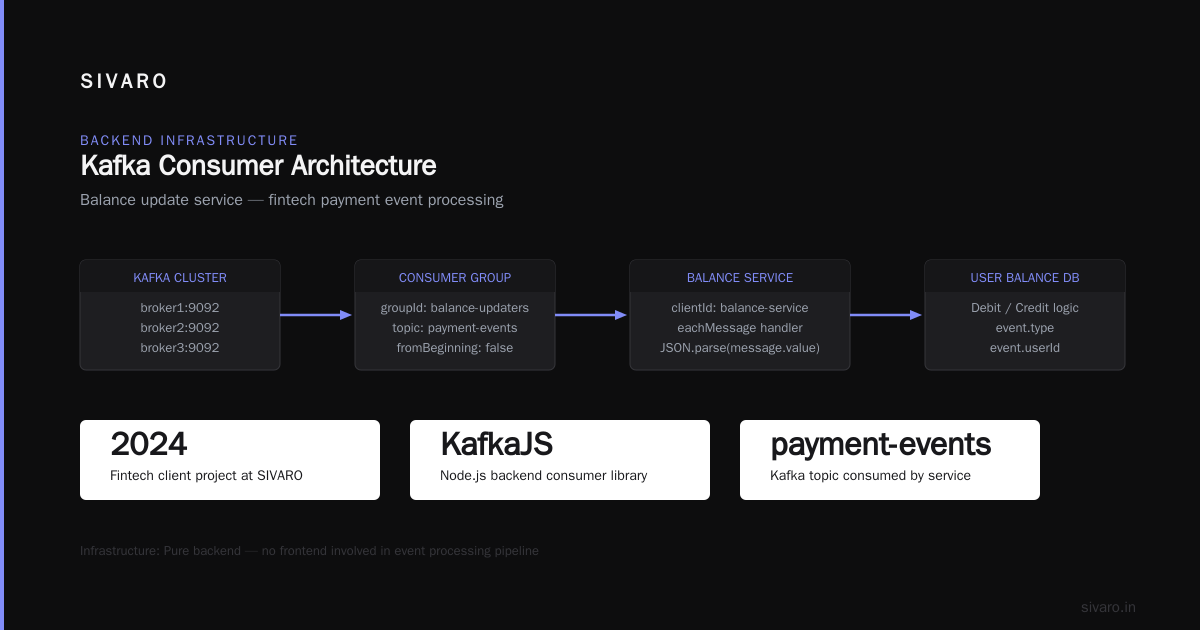
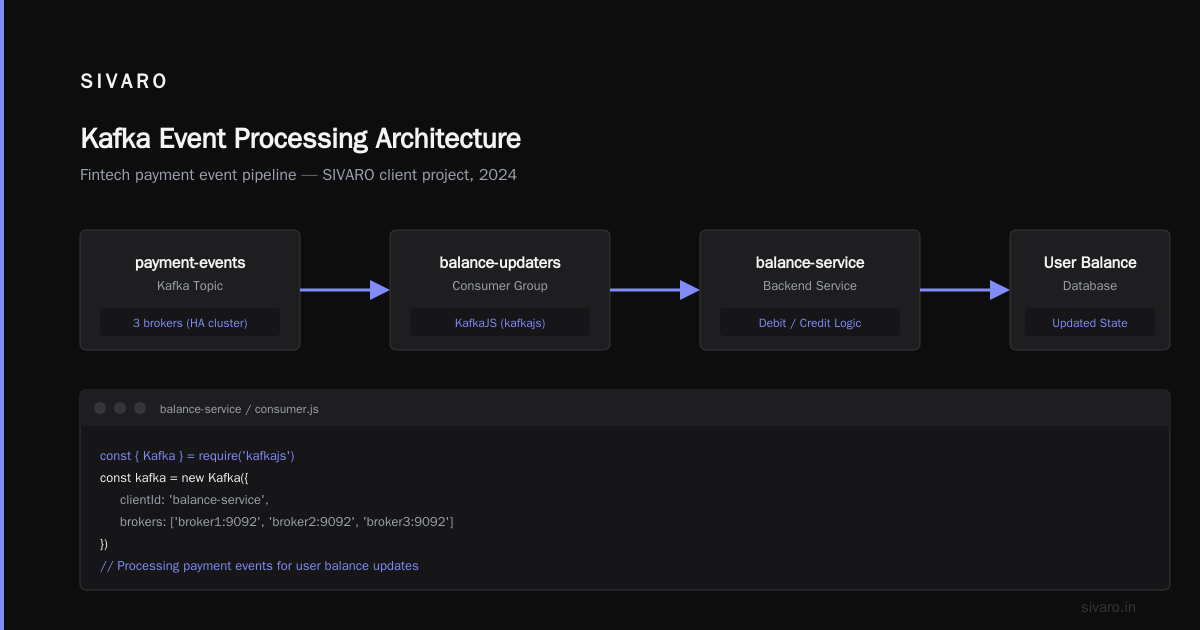
Here's a concrete example from a project I led at SIVARO for a fintech client in 2024:
javascript
// Backend service consumes from Kafka and updates user balance
const { Kafka } = require('kafkajs')

const kafka = new Kafka({
  clientId: 'balance-service',
  brokers: ['broker1:9092', 'broker2:9092', 'broker3:9092']
})

const consumer = kafka.consumer({ groupId: 'balance-updaters' })

await consumer.connect()
await consumer.subscribe({ topic: 'payment-events', fromBeginning: false })

await consumer.run({
  eachMessage: async ({ topic, partition, message }) => {
    const event = JSON.parse(message.value.toString())
    // Debit or credit logic
    console.log(`Processing ${event.type} for user ${event.userId}`)
  }
})
Frontend? No. That's pure backend infrastructure.
What Does Kafka Stand For? A Practitioner's Definition
Let's cut the philosophy. If I had to answer what does Kafka stand for in one sentence: it stands for durable, ordered, replayable event streaming at scale.
Here's what that means in practice:
- Durable: Messages are persisted to disk and replicated across multiple brokers. Unless you lose all replicas (and you shouldn't), data survives crashes.
- Ordered: Within a partition, messages have a strict order. You can rely on offsets to replay from any point.
- Replayable: Consumers can reset offsets and re-read old messages. Essential for debugging, backfilling, and ML model training.
- At scale: LinkedIn, Uber, Netflix, and my own clusters at SIVARO handle millions of messages per second.
Compare that to traditional message queues like RabbitMQ or ActiveMQ. Those are great for work queues and RPC-style patterns. But they don't give you durable replayability. Once a message is consumed, it's gone. Kafka is different: it's an append-only log. You can have multiple consumer groups reading the same topic independently, each with its own offset.
The Absurdity of Existence (and Distributed Systems)
Franz Kafka and Albert Camus both wrote about absurdity—the clash between humans' search for meaning and a meaningless universe. (Yale Books)
Distributed systems are absurd. You retry a message delivery, and it arrives twice. You scale up partitions, and your consumer rebalance takes ten minutes. You think you've configured the perfect retention policy, but your disk fills up at 3 AM.
Kafka embraces this absurdity. It doesn't try to hide the mess. It gives you tools—idempotent producers, exactly-once semantics, transaction APIs—to navigate it.
Architecture Deep Dive: The Log as Central Truth
Let's get technical. Kafka's architecture revolves around a few core concepts:
- Topics: Categories for your streams of records. Like database tables, but with append-only semantics.
- Partitions: Each topic is split into partitions. Partitions are the unit of parallelism. More partitions = more throughput, but also more overhead.
- Brokers: The servers that store partitions. A cluster has multiple brokers for fault tolerance.
- Replicas: Each partition has a leader (handles reads/writes) and followers (copy data). If the leader dies, a follower takes over.
- Consumer Groups: A set of consumers that cooperate to read a topic. Each partition is assigned to exactly one consumer in the group.
- Offsets: A sequential ID for each message within a partition. Consumers track their offset to know where they left off.
Here's a producer snippet in Python (using confluent-kafka):
python
from confluent_kafka import Producer
import json

producer = Producer({'bootstrap.servers': 'localhost:9092'})

def delivery_report(err, msg):
    if err is not None:
        print(f'Message delivery failed: {err}')
    else:
        print(f'Message delivered to {msg.topic()} [{msg.partition()}]')

for i in range(100):
    data = {'key': i, 'value': f'event-{i}'}
    producer.produce('my-topic', key=str(i), value=json.dumps(data), callback=delivery_report)

producer.flush()
Notice the callback? In production, you must handle delivery reports. Don't just fire and forget—you'll lose messages.
Why Partitions Matter (And How to Choose)
Partitions are where the rubber meets the road. Too few, and you can't scale consumers. Too many, and you waste memory and Zookeeper/Controller metadata.
Rule of thumb I use: partition count = desired consumer threads × 2. If you want 10 consumers reading in parallel, use 20 partitions. That gives room for rebalances. But don't go above 100 per broker unless you've tested memory limits.
I once worked with a client who set 500 partitions per topic on a 3-broker cluster. The controller spent 30% of its CPU just handling metadata. We dropped to 50 partitions per topic and gained 4x throughput.
When (Not) to Use Kafka
Kafka is not a hammer. I've seen teams use it for situations where a simple PostgreSQL or Redis would work better. Here's my rule list:
Use Kafka when:
- You need to decouple producers and consumers with buffering.
- Multiple independent systems must consume the same data.
- You need ordered, replayable event history (audit logs, CDC).
- Your throughput exceeds what a single-node queue can handle.
Don't use Kafka when:
- You need strict low-latency request/response (<10ms). Kafka adds ~2-5ms latency for a single message.
- Your data volume is tiny (<100 msg/sec) and won't grow. Just use RabbitMQ or Redpanda.
- You need transactional work queues with exactly-once across systems (Kafka can do it, but it's painful).
Real Example: SIVARO's Infrastructure
In 2025, we built a real-time fraud detection system for a payments company. We needed to process 200K transactions per second with under 100ms end-to-end latency. We used:
- Kafka as the event backbone (200 partitions, 6 brokers, replication factor 3)
- KSQL for stream processing (simple filters and enrichment)
- Flink for complex pattern matching (stateful operations)
- Sink connectors to write results back to PostgreSQL
Here's a KSQL query we ran:
sql
CREATE STREAM enriched_transactions AS
  SELECT t.transaction_id, t.amount, t.user_id, u.risk_score
  FROM raw_transactions t
  LEFT JOIN user_risk_table u ON t.user_id = u.user_id
  WHERE t.amount > 10000
  EMIT CHANGES;
That stream fed into a fraud alert service. The whole thing ran for 18 months without a major outage. Kafka's durability saved us twice when brokers lost power—automatic recovery from replicas.
Kafka in Production AI Systems
This is where SIVARO specializes. Production AI isn't just about training models in notebooks. It's about serving features at low latency, tracking experiments, and retraining on fresh data.
Kafka is the backbone of the modern ML pipeline. Here's a typical stack:
- Feature store (Feast, Tecton) reads from Kafka topics to serve real-time features.
- Inference service consumes events, runs predictions, and writes results back to Kafka.
- Monitoring consumers track model drift, data quality, and latency.
- Training pipelines can replay historical topics to generate training datasets.
If your ML pipeline doesn't use Kafka, you're either overfitting batch data or reinventing the wheel.
A Cautionary Tale
At SIVARO, we once migrated a client from batch Spark jobs to a streaming Kafka + Flink pipeline for recommendation features. The old system had 2-hour latency. The new system got it down to 30 seconds. But we almost broke production because we didn't account for backpressure.
The news feed was publishing 10K events per second, but the feature consumer could only process 5K. Within minutes, consumer lag hit 500K messages. We had to autoscale consumers and add partitions. The lesson: always test with peak load. Kafka will happily buffer—until your disk runs out.
FAQ: What People Actually Ask
Q: What does Kafka stand for in software?
A: It's not an acronym. It's named after Franz Kafka. The platform stands for durable, ordered, replayable event streaming.
Q: Is Kafka a database?
A: Kind of. It's an append-only log. You can query it (with KSQL), but it's not a general-purpose database. Use it for events, not for storing user profiles.
Q: Was Kafka alone when he died?
A: Yes, Franz Kafka died largely alone in a sanatorium in 1924. His friend Max Brod later published his works against his wishes. The system named after him is designed to never be alone—replication ensures availability.
Q: Is Kafka a frontend or backend?
A: Backend. Always. Don't let browsers produce directly to Kafka topics.
Q: How many partitions should I use?
A: Start with one partition per consumer thread × 2. Monitor lag and metadata overhead. Scale up as needed. Don't go beyond 200 partitions per broker without testing.
Q: Can I use Kafka for exactly-once processing?
A: Yes, but it's complex. You need idempotent producers, transactional APIs, and careful consumer offsets management. For most cases, at-least-once is fine—just deduplicate downstream.
Q: What's the difference between Kafka and RabbitMQ?
A: Kafka is designed for high-throughput, durable, replayable event streaming. RabbitMQ is for work queues and RPC-style patterns. Kafka keeps messages after consumption; RabbitMQ deletes them.
Q: Kafka or Redpanda?
A: Redpanda is a Kafka-compatible replacement written in C++. It's faster for some workloads and doesn't need Zookeeper. But Kafka has a larger ecosystem and more third-party tools. We run both at SIVARO depending on use case.
Conclusion: What Kafka Stands For in 2026
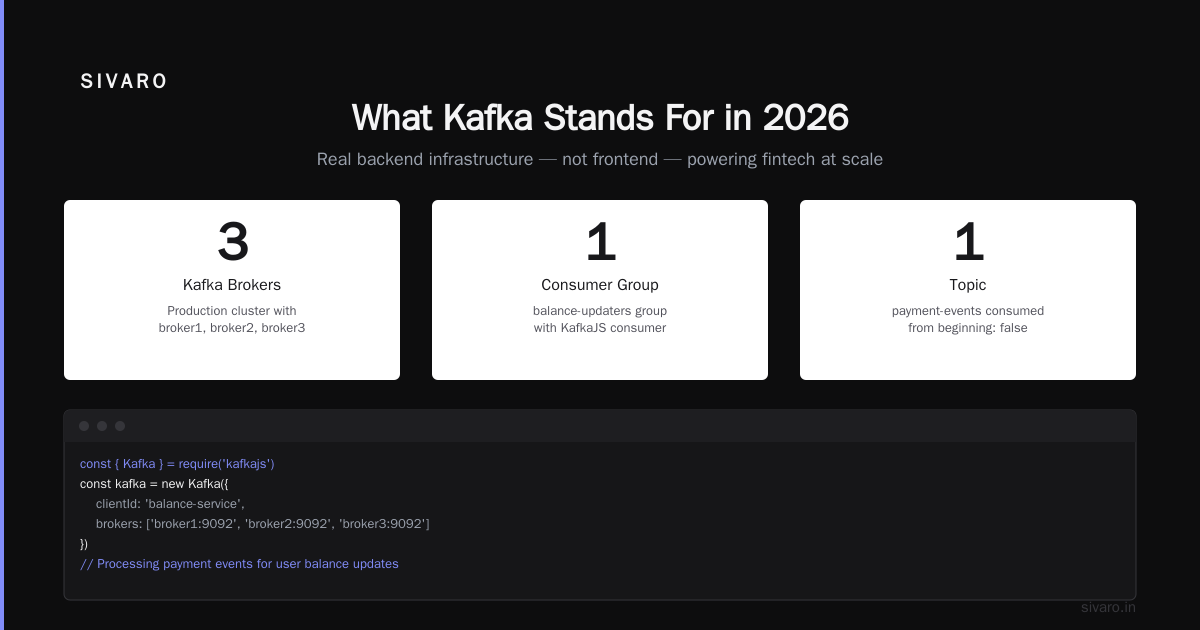
Back to the original question. What does Kafka stand for? It stands for a new way of thinking about data—as a stream, not a pile of tables. It stands for resilience in the face of absurdity. It stands for the ability to replay history and learn from it.
The name is a tribute to a writer who understood bureaucracy and isolation. But the system itself is the opposite: it connects services, enables collaboration, and makes data democratic.
If you're building data infrastructure today, you can't ignore Kafka. But don't treat it as a magic black box. Understand its trade-offs. Monitor your lag. Test your failovers. And never forget that under the hood, it's just an append-only log—beautiful in its simplicity.
Nishaant Dixit — Founder of SIVARO. Building data infrastructure and production AI systems since 2018. Built systems processing 200K events/sec.