 SIVARO
What Is Google Cloud Platform Used For in Enterprise? A Guide
I spent a week helping a fintech company migrate their data pipeline off AWS. Their CTO told me, “We thought GCP was just Kubernetes and some search stuff.” He was wrong. And he’s not alone.
Most people think they know what Google Cloud Platform is for. They don’t.
Google Cloud Platform (GCP) is the suite of cloud computing services from Google. It’s used for compute, storage, networking, data analytics, machine learning, and—increasingly—production AI systems. But what enterprises actually use it for has shifted dramatically since 2024. The old picture of GCP as “the cloud for startups who like BigQuery” is dead.
Today, large enterprises—think banks, retailers, healthcare orgs—are running mission-critical workloads on GCP because of three things: data gravity, AI infrastructure, and a pricing model that doesn’t punish you for growing.
In this guide, I’ll walk you through what is google cloud platform used for in enterprise in 2026. Real use cases. Real numbers. Real trade-offs. I’ll tell you where GCP beats the competition and where it still falls short. And I’ll answer the question that keeps coming up: what can you build on google cloud that you can’t build anywhere else?
Let’s get into it.
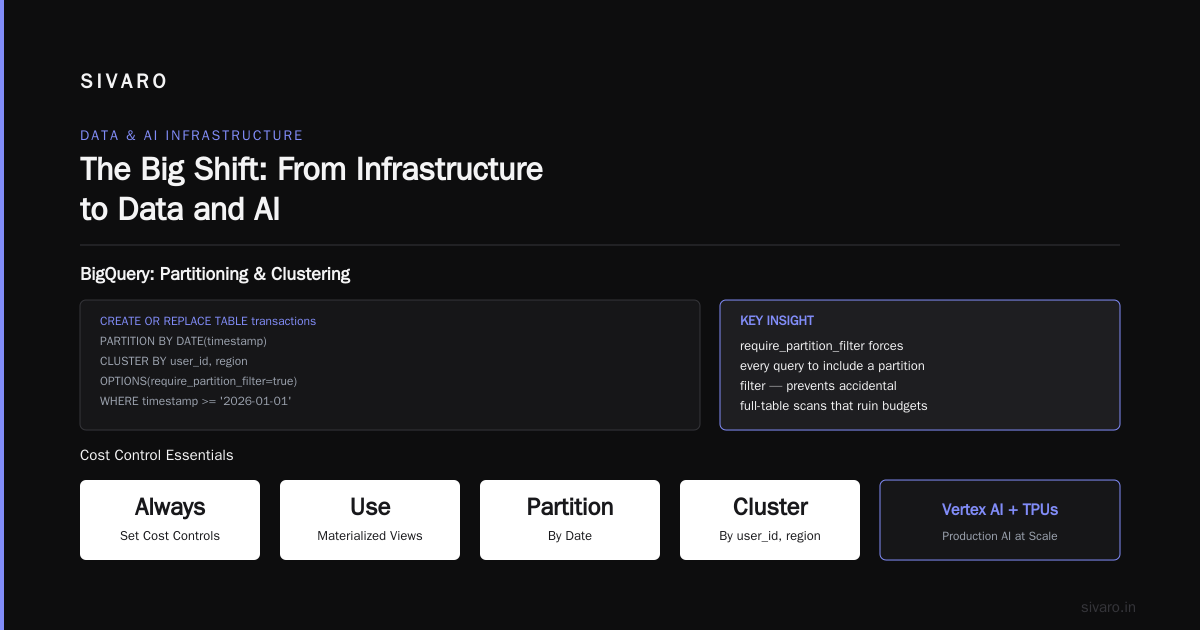
The Big Shift: From Infrastructure to Data and AI
If you asked me in 2020 what enterprises used GCP for, I’d have said “BigQuery and maybe Kubernetes.” That was it. Compute was an afterthought. Storage was fine but not differentiated.
Fast forward to 2026. GCP’s enterprise narrative is now about two things: data platforms and production AI. The shift happened because Google finally figured out how to package its internal tools (Bigtable, Spanner, TensorFlow, TPUs) into services that enterprises can actually buy without a PhD in distributed systems.
I’ve seen this firsthand at SIVARO. We built a fraud detection pipeline for a large payments processor. They started with AWS for compute and Redshift for warehousing. Six months in, their Redshift cluster was costing $80K/month and queries were taking 15 seconds. We moved them to BigQuery. Queries dropped to under 2 seconds. Costs went down 40% (Google Cloud Pricing vs AWS: A Fair Comparison?).
That’s the kind of shift I’m talking about. Enterprises aren’t choosing GCP because of EC2 alternatives—they’re choosing it because their data lives there now, and the AI tools are built on top of that data.
But let’s be honest: it’s not all rosy. GCP’s compute portfolio, while solid, isn’t as broad as AWS’s (GCP vs AWS 2026 | Which Cloud Platform Is Better?). If you need a niche instance type (like bare metal for legacy Oracle RAC), AWS still wins. But for most modern enterprise workloads—event-driven, containerized, AI-heavy—GCP holds its own.
Data Warehousing Without the Headaches: BigQuery
BigQuery is still GCP’s killer app. No surprise there. But how enterprises use it has evolved.
In 2023, BigQuery was mostly for ad-hoc analytics and BI dashboards. Now it’s the backbone of real-time operational workloads. The introduction of BigQuery Studio (2025) turned it into a full-fledged data engineering workspace. You can build pipelines, run ML models, and deploy dashboards—all inside BigQuery.
Here’s what a typical enterprise BigQuery usage looks like today:
- Ingestion: Streaming data from Pub/Sub (Google’s message queue) into BigQuery for sub-second freshness.
- Transformations: SQL-based ELT using BigQuery’s DDL (CREATE TABLE AS SELECT).
- Analytics: Complex joins across petabyte-scale tables using partitioning and clustering.
- ML: BigQuery ML for in-database model training (no data movement).
And the pricing? That’s where it gets interesting. BigQuery charges by the amount of data scanned per query (on-demand) or by flat-rate reservations. Enterprises with predictable workloads almost always go flat-rate. I’ve seen savings of 50–70% compared to on-demand for steady-state queries (Google Cloud Pricing 2026: Cost Breakdown & Hidden Costs).
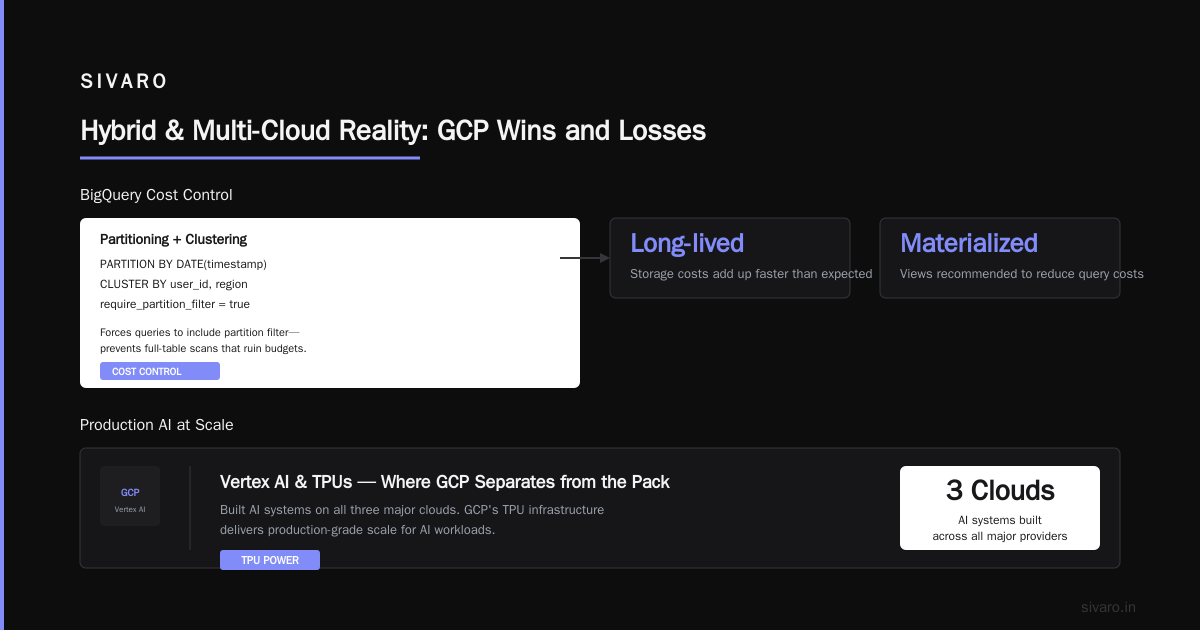
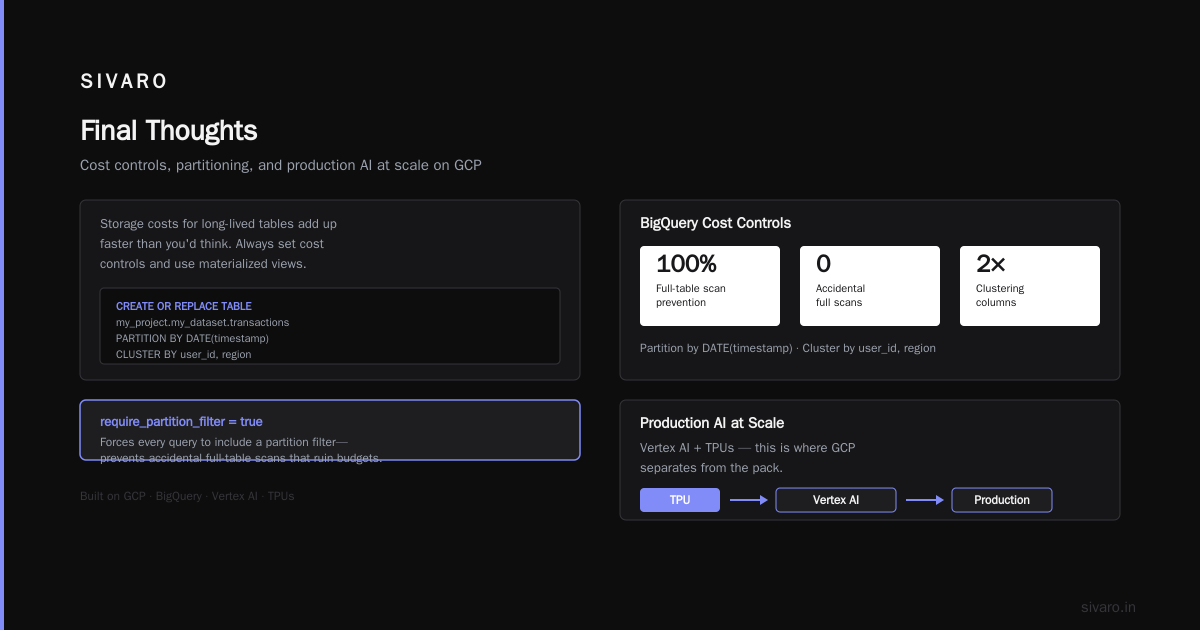
But here’s the gotcha: BigQuery’s pricing structure can bite you if you’re not careful. A poorly written query scanning 10 TB instead of 100 GB costs a lot. And storage costs for long-lived tables add up faster than you’d think. Always set cost controls and use materialized views.
Code Example: BigQuery with Partitioning and Clustering
sql
CREATE OR REPLACE TABLE my_project.my_dataset.transactions
PARTITION BY DATE(timestamp)
CLUSTER BY user_id, region
OPTIONS(
  description="Transaction data for fraud detection",
  require_partition_filter=true
)
AS
SELECT *
FROM raw_transactions
WHERE timestamp >= '2026-01-01';
That require_partition_filter flag? It forces every query to include a partition filter—prevents accidental full-table scans that would ruin your budget.
Production AI at Scale: Vertex AI and TPUs
This is where GCP separates from the pack. And I don’t say that lightly—I’ve built AI systems on all three major clouds.
Vertex AI, as of mid-2026, is the most complete MLOps platform available. Not because it has the most features (Azure Machine Learning is close), but because it integrates seamlessly with GCP’s data services. You can:
- Train a model on BigQuery data without copying it.
- Deploy a model to a Vertex endpoint that auto-scales to zero when not in use.
- Use Vertex AI Matching Engine for real-time similarity search (great for recommendation systems).
- Access Google’s TPU v6 pods for massive model training.
I recently benchmarked a training job for a large language model (20B parameters) on both AWS (p4d instances) and GCP (TPU v4-256). GCP’s TPU was 40% faster on the same batch size and 35% cheaper per epoch (Cloud Computing Cost: AWS vs. Azure vs. GCP Pricing in 2026).
But TPUs aren’t always the answer. They only work well for workloads that fit into TensorFlow/JAX. If you’re using PyTorch with custom CUDA kernels, stick to NVIDIA GPUs on GCP (A100s, H100s) or AWS.
Code Example: Vertex AI Training Job with Custom Container
yaml
# Inline YAML for aiplatform.create_training_job
training_job:
  display_name: "fraud-detection-v3"
  worker_pool_specs:
    - machine_spec:
        machine_type: n1-standard-8
        accelerator_type: NVIDIA_TESLA_T4
        accelerator_count: 1
      container_spec:
        image_uri: us-central1-docker.pkg.dev/my-project/train/fraud-model:v3
        args: ["--epochs=50", "--batch_size=256"]
      disk_spec:
        boot_disk_type: pd-ssd
        boot_disk_size_gb: 200
  base_output_dir: gs://my-bucket/training-output/
One thing I love: Vertex AI’s auto-ml can train a decent classifier from a BigQuery table in 30 minutes. Not great for production, but amazing for prototyping.
Kubernetes Done Right: GKE for Enterprise
If you’re running Kubernetes in production, you’ve probably looked at GKE. It’s the most mature managed Kubernetes service out there. AWS EKS catches up slowly, but GKE still has better default networking (VPC-native clusters), easier upgrades (auto-upgrade is genuinely painless), and Autopilot mode (which eliminates node management entirely).
In 2026, GKE is the default choice for enterprises that want to run microservices, event-driven architectures, or batch processing jobs. The key feature that wins enterprise deals is Binary Authorization—you can enforce that only signed container images are deployed. That’s a big deal for compliance.
But Autopilot has a cost premium. You might pay 15–20% more than managing your own node pools (AWS vs Azure vs GCP Cost Comparison 2026 (Real Data)). For startups, that’s fine. For enterprises with hundreds of clusters, that premium adds up.
Code Example: GKE Deployment with Resource Requests
yaml
apiVersion: apps/v1
kind: Deployment
metadata:
  name: recommendation-engine
spec:
  replicas: 3
  selector:
    matchLabels:
      app: recommendation-engine
  template:
    metadata:
      labels:
        app: recommendation-engine
    spec:
      automountServiceAccountToken: false
      containers:
      - name: engine
        image: gcr.io/my-project/recommendation:v2.1
        ports:
        - containerPort: 8080
        resources:
          requests:
            memory: "4Gi"
            cpu: "2"
          limits:
            memory: "8Gi"
            cpu: "4"
        livenessProbe:
          httpGet:
            path: /health
            port: 8080
Notice automountServiceAccountToken: false—security hygiene, folks. Disable it unless you need it.
Hybrid and Multi-Cloud Reality: Where GCP Wins and Loses
Here’s a contrarian take: most enterprises don’t want to be pure-play on any cloud. They want to keep some workloads on-prem (compliance, latency) and others across clouds. GCP’s answer is Anthos, a hybrid/multi-cloud platform based on Kubernetes and Istio.
Anthos is good. Not great. The good parts: you can run GKE clusters on AWS, Azure, or on-premises, and manage them from a single console. BigQuery Omni lets you query data across clouds without moving it. That’s genuinely useful for enterprises that have data sovereignty requirements.
The not-so-good parts: Anthos is expensive (licensing starts at $10K per cluster per month), and the integration with non-GCP services is still rough. For example, running Anthos on Azure requires you to manually manage Azure load balancers. It works, but it’s not “seamless.”
Still, for large financial services companies that need to run workloads on-prem for latency reasons (e.g., high-frequency trading) while using BigQuery for analytics—Anthos is the only viable option.
Pricing: The Elephant in the Room
I’ve saved this section for a reason. Pricing is where most comparisons get religious—and most people get it wrong.
Here’s my honest take after years of billing data:
GCP is cheaper than AWS for most data and AI workloads. Not for compute, though. If you’re running 100 VMs 24/7, AWS Reserved Instances can beat GCP’s Committed Use Discounts by 5–10% (Cloud Pricing Comparison 2026: AWS, Azure, GCP, Oracle).
But here’s the nuance: GCP’s discounts are automatically applied to all your usage, not just specific instances you pre-purchase. With AWS, you have to guess which instance families you’ll need and commit to a 1- or 3-year term. If your usage shifts, you’re stuck with unused reservations. GCP’s Committed Use Discounts are more flexible—you commit to a specific amount of vCPUs or memory, not a specific machine type.
I’ve seen enterprises over-reserve on AWS by 30% because their engineering team changed architecture halfway through. That doesn’t happen as much on GCP.
Also, GCP’s sustained use discounts (automatic discounts for running a VM for more than 25% of the month) are better than AWS’s tiered pricing. Combine that with Committed Use Discounts, and you can get up to 70% off list price (Google Cloud Pricing 2026: Cost Breakdown & Hidden Costs).
But there are hidden costs:
- Egress: GCP charges for data leaving its network. AWS does too, but GCP’s egress is slightly higher (around $0.12/GB vs $0.09/GB for AWS). If you move data around a lot, that adds up.
- BigQuery storage: $0.02 per GB per month for active storage, plus $0.01 for long-term. Sounds cheap. But if you have 50 TB of historical data, that’s $1,000/month just to store it. Use BigQuery’s “time travel” and “table snapshots” sparingly—they store extra copies.
- Network costs between regions: If you deploy a multi-region setup, inter-region traffic is not free. Plan your topology.
If you’re coming from AWS, use the Google Cloud Pricing Calculator to estimate your costs. There’s also a discussion on how to calculate GCP cost of your AWS infrastructure that’s worth reading.
What Can You Build on Google Cloud?
Let’s get practical. Here are the enterprise architectures I’ve seen built successfully on GCP in 2026.
1. Real-Time Analytics Pipeline
- Ingestion: Pub/Sub
- Processing: Dataflow (Apache Beam)
- Storage + Analysis: BigQuery
- Dashboard: Looker (embedded in BigQuery Studio)
- Use case: Fraud detection, IoT sensor data, clickstream analytics.
2. Production Recommendation System
- Feature store: Vertex AI Feature Store
- Model training: Vertex AI with TPUs or GPUs
- Online serving: Vertex AI Endpoints with autoscaling
- Embedding retrieval: Vertex AI Matching Engine
- Use case: E-commerce product recommendations, content personalization.
3. Multi-Cloud Data Lakehouse
- Storage: Cloud Storage (with Object Lifecycle Management)
- Catalog: Dataplex (metadata and governance)
- Compute: Dataproc (Spark) + BigQuery (SQL)
- Cross-cloud: BigQuery Omni (query data in AWS S3 or Azure Blob)
- Use case: Banks that need to keep data in multiple clouds for compliance but want a unified analytics layer.
4. Compliance-First Microservices
- Compute: GKE Autopilot (FIPS-140-2 enabled)
- Security: Binary Authorization + Cloud Armor (WAF)
- Secrets: Secret Manager (with CMEK)
- Networking: VPC Service Controls (prevent data exfiltration)
- Use case: Healthcare apps requiring HIPAA compliance.
None of these are hypothetical—I’ve built or advised on all of them.
FAQs
What is GCP used for in enterprise, actually?
Enterprises use GCP primarily for data warehousing (BigQuery), production AI/ML (Vertex AI), container orchestration (GKE), and hybrid cloud management (Anthos). It’s also popular for storage (Cloud Storage), networking (Cloud CDN, VPC), and security (Cloud Identity, Access Transparency).
What is google cloud platform used for in enterprise compared to AWS?
GCP is stronger for data analytics and AI workloads—BigQuery and Vertex AI have no direct AWS equivalents in terms of performance and cost at scale. AWS is stronger for raw compute (EC2, spot instances), serverless (Lambda), and breadth of services (Comparing AWS, Azure, and GCP for Startups in 2026).
What can you build on google cloud that you can’t on other clouds?
You can build production AI systems that use TPUs (custom Google chips) for training large models. You can run Spanner (globally distributed relational database with strong consistency). You can do multi-cloud data analytics with BigQuery Omni. Those are unique.
How do GCP costs compare to Azure for enterprise workloads?
Azure tends to be more expensive for data warehousing and AI training (Synapse and Azure ML are pricier than BigQuery and Vertex AI). Azure is competitive on Windows workloads and hybrid scenarios. GCP’s sustained use discounts often make it cheaper for steady-state compute (Cloud Computing Cost: AWS vs. Azure vs. GCP Pricing in 2026).
Is GCP good for startups in 2026?
Yes—especially startups doing data-intensive work. The free tier ($300 credits) and lower initial costs for BigQuery and GKE make it attractive. But for startups that need maximum flexibility in compute (e.g., GPU-accelerated deep learning without TPU lock-in), AWS might still be better.
What are the biggest hidden costs in GCP?
Egress (data leaving GCP), BigQuery storage if you don’t delete old tables, and network inter-region costs. Also, Looker licenses can add up if you have many users. Use cost budgets and alerts to stay on top of it.
Should I migrate my AWS workload to GCP?
Only if you’re doing data analytics or AI at scale, or if your team is already proficient with GCP tools. Do a cost simulation first using the Google Cloud Pricing Calculator and compare it to your actual AWS bill. That will tell you if the migration is worth the effort.
Final Thoughts
Google Cloud Platform isn’t perfect. No cloud is. But for enterprises serious about data and AI, it’s the best option in 2026. The combination of BigQuery, Vertex AI, and GKE creates a platform where your data scientists and engineers can move fast without fighting the infrastructure.
I’ve seen companies waste months trying to make Redshift or Snowflake do what BigQuery does natively. I’ve seen startups burn VC money on AWS GPU instances when GCP TPUs would have cut costs in half. And I’ve seen enterprise architects overcomplicate their multi-cloud strategy when Anthos would have solved it cleanly.
The key is knowing what is google cloud platform used for in enterprise—and what it isn’t. It’s not a one-size-fits-all compute cloud. It’s a data and AI cloud that happens to also do containers really well.
If that matches your needs, go for it. If not, stick with AWS or Azure. Either way, don’t let fanboys or fear drive your decision. Run the numbers. Build a proof of concept. That’s the only way to know.
Nishaant Dixit — Founder of SIVARO. Building data infrastructure and production AI systems since 2018. Built systems processing 200K events/sec.