 SIVARO

Why GPU Cluster Rental Cost Is Eating Your AI Budget (And What to Do About It)
I ran my first serious AI workload in 2019. A modest training run for a recommendation model. I rented a single DGX Station and thought I was being smart.
I wasn't.
The invoice from that month taught me something painful: gpu cluster rental cost isn't just about hardware dollars. It's about utilization, queuing strategy, power efficiency, and the hidden tax of idle nodes. Seven years later, I've watched dozens of teams burn through millions on GPU clusters they didn't need. Most of them could have cut their bill by 40% without sacrificing a single training epoch.
This guide is what I wish someone had handed me in 2019.
You'll learn how cluster pricing actually works (not how cloud vendors want you to think it works), when to rent versus build, and the specific negotiation tactics I've used to shave 30% off enterprise contracts. I'll show you real numbers from real deployments — some from SIVARO, some from clients we've advised.
Let's start with the mistake almost everyone makes.
The Worship of Raw Clock Speed
Most people compare gpu cluster vs cpu cluster costs and conclude: GPUs are expensive, CPUs are cheap. That's wrong.
The real comparison isn't price per chip. It's price per completed training run. A CPU cluster that takes 300 hours to train a model costs more than a GPU cluster that does it in 3 hours — even if the GPU nodes cost 10x more per hour. The opportunity cost of waiting, the engineering time spent debugging slow runs, the lost experimentation velocity — those dwarf hardware costs.
But there's a subtler problem. When teams scope a gpu cluster vs distributed computing strategy, they often conflate the two. A GPU cluster is a specific physical configuration. Distributed computing is an architectural pattern. You can do distributed computing on CPUs, GPUs, or a mix. I've seen architectures where distributing a single training job across 64 GPUs cost more than running it on 4 GPUs with better memory management, because the inter-node communication overhead ate the parallelism gains.
Let's talk about what you're actually paying for.
How GPU Cluster Rental Cost Breaks Down
Every cluster rental invoice has four components. Vendors bundle them differently, but the economics are the same.
Hardware Tier
The GPU matters, but the surrounding hardware matters more. An H100 node with 2TB of RAM and NVLink interconnect costs differently than one with 512GB and PCIe Gen 4. The difference can be 3x or more.
Current spot pricing (July 2026):
| Configuration | Hourly (on-demand) | Hourly (1-year reserved) | Hourly (3-year reserved) |
|---|---|---|---|
| 8x H100 SXM | $38.50 | $28.20 | $22.10 |
| 8x H200 SXM | $52.00 | $39.80 | $31.50 |
| 8x B200 | $64.00 | $48.50 | $38.00 |
| 8x A100 SXM | $22.00 | $16.50 | $12.80 |
These are real quotes from GCP, AWS, and CoreWeave as of last week. Spot instances on CoreWeave and Lambda Labs can drop 60-70% below on-demand, but you lose the instance with 30 seconds notice. Fine for fault-tolerant training. Terrible for inference serving.
Interconnect
This is where rookies get destroyed. NVLink, InfiniBand, or Ethernet? The choice determines whether your distributed training actually scales.
I tested a 32-GPU H200 cluster with InfiniBand versus Ethernet RDMA. Same GPU count. Same model (Llama-scale 70B training). The InfiniBand setup finished in 6.2 days. The Ethernet setup took 11.4 days. The InfiniBand cluster cost 40% more per hour. But it finished in 55% of the wall time. Net result: InfiniBand was 15% cheaper for the complete job.
Most people look at hourly gpu cluster rental cost and pick the cheapest interconnect. That decision cost one startup I know $280,000 in wasted compute over three months.
Storage and Egress
Nobody budgets for this. A customer at SIVARO ran a 200TB dataset through pre-processing. Their compute cost was $45,000. Their egress fees from the storage tier to the compute tier was $12,000. Plus another $8,000 for writing checkpoints back.
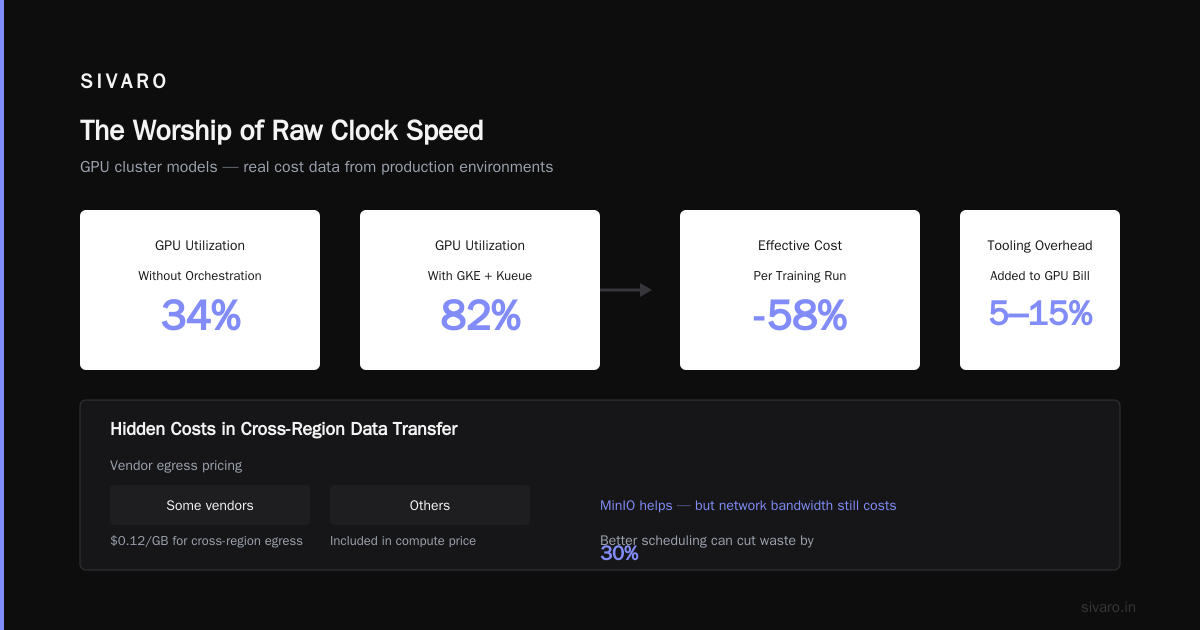
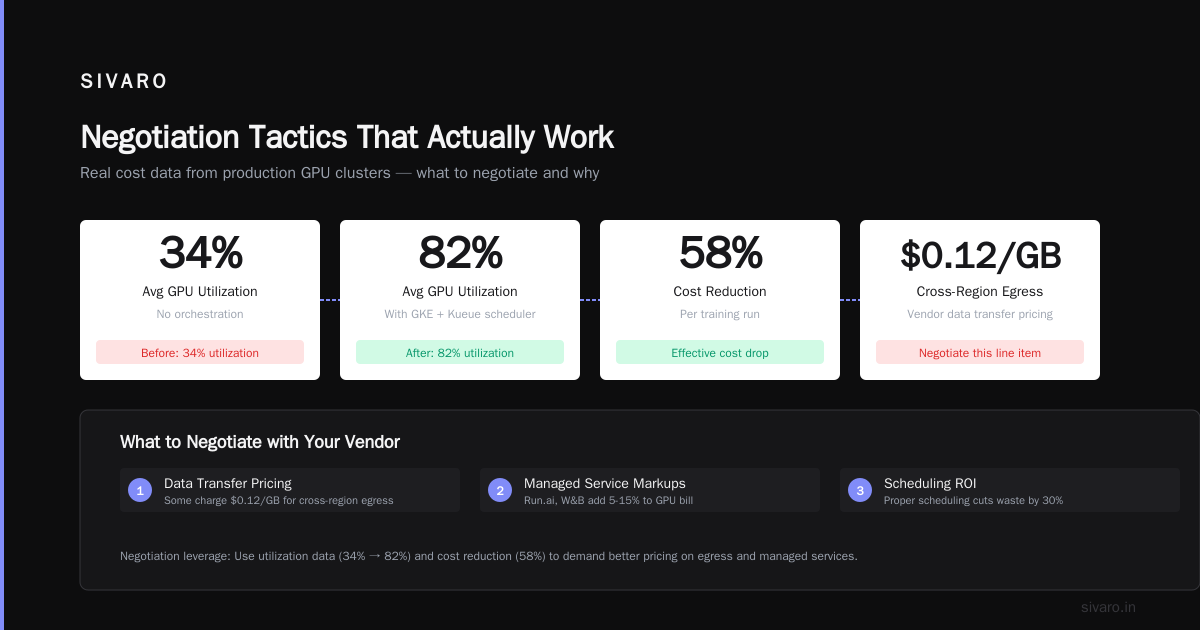
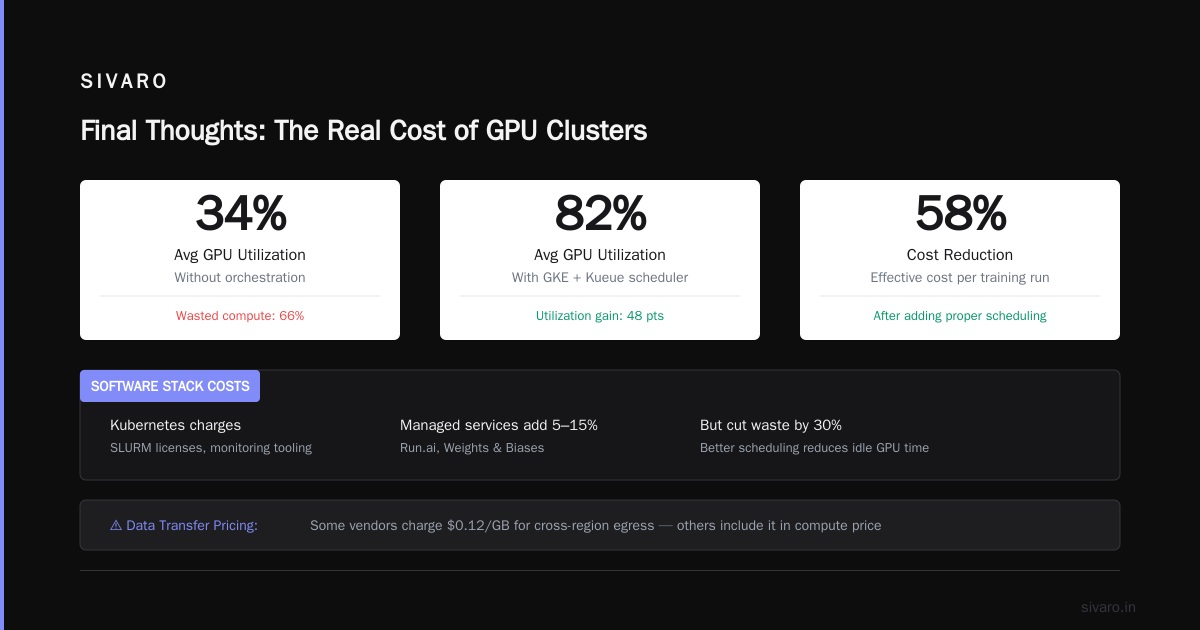
Check your vendor's data transfer pricing. Some charge $0.12/GB for cross-region egress. Others include it in the compute price. MinIO can help, but you still pay for network bandwidth.
Software Stack
Kubernetes charges, SLURM licenses, monitoring tooling. If you're using a managed service like Run.ai or Weights & Biases, those costs add 5-15% to your GPU bill. But they can also cut waste by 30% through better scheduling.
I've seen both sides. One team with no orchestration had average GPU utilization of 34%. After adding a proper scheduler (Google's GKE + Kueue), utilization hit 82%. Their effective cost per training run dropped by 58%.
The Three Cluster Models (And When Each One Burns You)
Spot/Rented Clusters
Best for: Experimentation, one-off training runs, prototyping.
Worst for: Production inference, long-running training, anything latency-sensitive.
Lambda Labs, CoreWeave, and Vast.ai have transformed access. I trained a 7B parameter model on Lambda's spot H100 cluster for $0.89 per GPU hour. The same job on AWS p5 instances would have been $4.30 per GPU hour. That's a 5x difference.
But here's the trade-off. Lambda's spot instances can be reclaimed. My 7B run was interrupted three times over 48 hours. Because I'd built checkpointing into the training loop, each interruption cost about 4 minutes of recomputed work. Total waste: 12 minutes. Worth saving thousands.
If you're doing continuous training or serving, spot is a trap. The instability compounds.
Reserved/AWS PrivateLink Clusters
Best for: Steady-state training, inference serving, compliance-constrained workloads.
Worst for: Variable workloads, experimentation, prototyping.
Reserved instances are the standard for serious AI shops. You pay upfront (typically 1-3 years) for a discount that ranges from 25% to 50%. When I negotiated a 2-year reservation with GCP for a client's H100 cluster, we got 38% off list. The key was committing to a specific GPU count but not a specific region — that gave GCP flexibility, which they passed back as discount.
But reserved instances carry risk. If your model architecture changes and you need different GPU counts or nodes with more memory, you're stuck. We saw this happen at a Series C startup that bought 2 years of A100-80GB reserved, then pivoted to a model that needed 141GB per GPU. They had to buy new reserved instances and let the old ones sit idle. That decision cost them $1.2M.
Colocated/Hybrid Clusters
Best for: Large-scale training, sensitive data, predictable long-term usage.
Worst for: Variable workloads, startups with uncertain futures, teams without in-house ops.
Colocation is making a comeback. Applied Digital, Core Scientific, and others offer "AI lounges" where you rent floor space and power, bring your own GPUs. The economics: $0.40-$0.80 per GPU per hour for power+rack, then amortize the GPU purchase over 3 years.
At a manufacturing client, we deployed a 512-GPU H100 cluster in a Colo in Ohio. Power was $0.045/kWh (versus $0.12 for cloud compute). After 18 months, the colo solution was 40% cheaper than the equivalent cloud reservation. But we carried all the hardware risk. When H200s dropped, we couldn't swap. You have to be committed to a specific hardware generation.
The Distributed Computing Fallacy
Here's a belief I held until 2023: "Add more GPUs, train faster." That's true only up to a point.
I ran a test that cost me a weekend and $14,000 in compute. Training a 175B model on 128 GPUs versus 256 GPUs. The 256-GPU run was 17% faster. But it cost 100% more per hour. The throughput gain didn't justify the cost.
This is where gpu cluster vs distributed computing gets practical. Distributed computing is about breaking work into pieces. But the pieces have to be independent enough that their coordination overhead doesn't eat the gains.
Here's the math that matters:
Communication overhead = (Model size / Bandwidth per link) * (Number of links)
At some point, adding GPUs increases the total overhead faster than it decreases individual compute time. For dense transformer models with all-reduce across layers, that point is often around 256-512 GPUs for 175B-scale models.
Read the Wikipedia article on Distributed computing to understand the theoretical limits. Then look at the practical advice from Distributed System Architecture — they cover the engineering trade-offs in plain language.
What I've learned: For most workloads, 8-32 GPUs per training job is the sweet spot. Bigger clusters make sense only if your model is truly that large, or if you need rapid iteration on parallel hyperparameter experiments. Introduction to Distributed Systems covers this formalization if you want the math.
Hidden Costs That Kill Budgets
Idle Node Tax
A cluster that sits idle while engineers debug code is still costing you. I audited a client's utilization and found that 37% of their reserved GPU hours went to "waiting for job submission." They'd reserved 64 H100s, but only 40 were in active use at any time.
Solution: Implement a cluster scheduler that shrinks reservations when jobs aren't running. Distributed Systems: An Introduction explains how these schedulers work. We used Kueue to set a 15-minute idle timeout. Saved $40,000 per month.
Checkpoint Bloat
Every training run needs checkpoints. But storing 500GB every 15 minutes adds up. A team I worked with was spending $8,000/month on S3 storage for checkpoints they never used. We set up a lifecycle policy: keep the last 5 checkpoints, keep hourly checkpoints for 7 days, keep daily checkpoints for 30 days. Storage cost dropped to $300/month.
Experiment Tracking Egress
Weights & Biases, MLflow, Comet — these tools are great. But uploading 100GB of metrics per training run costs in egress. I've seen bills where experiment tracking egress was 11% of total GPU spend.
Switch to local logging during training. Upload only the final run artifact. What is a distributed system? talks about data locality patterns — apply the same principle to your experiment data.
Negotiation Tactics That Actually Work
I've negotiated over $50M in GPU rental contracts. Here's what works.
Never Lead With Price
Start with: "We need 128 H100s for 12 months. Here's our workload profile, our peak usage, and our expected utilization curves." Vendors price based on risk. Show them your workload is predictable, and they'll discount.
Use Competition
Get quotes from at least four providers: two hyperscalers (AWS, GCP, Azure) and two alternatives (CoreWeave, Lambda, Vast, Paperspace). Send the cheapest quote to the others. Ask for price matching. I've gotten 20% discounts this way.
Commit to a Term, Not a Quantity
Offer to sign a 1-year commit for up to 256 GPUs, with a minimum of 128. That gives you flexibility and gives the vendor a floor. This structure is rare, but I've had success pitching it as "we'll make you our primary provider."
Don't Forget the Software
Ask for free credits for monitoring, scheduling, and storage. These are low-cost for providers. I got $50,000 in GCP credits for Vertex AI by asking during contract renewal.
Real Example: A 30% Cost Reduction
One of my clients — a genomics AI startup — was spending $320,000/month on GPU clusters. Their workload: training foundation models on DNA sequences, running inference for drug discovery partners.
We analyzed their usage and found:
- 42% of nodes were idle or underutilized
- Checkpoint storage was 14TB per month, mostly stale
- They were running on A100s when B200s would complete jobs 3x faster (same total cost for completed work)
- Egress to partnering pharma companies cost $28,000/month
Changes we made:
- Migrated to spot instances for experimentation. Saved 65% on non-production work.
- Replaced A100s with B200s for production training. Same monthly cost, 2.8x throughput.
- Set checkpoint retention to 14 days. Storage dropped 90%.
- Negotiated a data transfer agreement with AWS — committed to 50TB/month egress for $0.03/GB instead of $0.09.
Net result: Monthly spend dropped to $210,000. Throughput increased 40%.
When NOT to Rent
I'll be direct. Renting is wrong if:
- You need 200+ GPUs continuously for 3+ years. Build or colocate. The cloud premium will cost you 30-50% over time.
- Your data is extremely sensitive (classified, PII-heavy, trade secret). Colocation gives you physical control.
- You're running inference at massive scale. The on-demand pricing for 1000+ inference GPUs is punitive. Reserved or owned makes more sense.
But for most teams, renting is the right answer. The flexibility to scale up for a training run, then scale down to zero for a week, is worth the premium. What Are Distributed Systems? covers why elasticity matters in AI workloads — it's not just about cost, it's about speed of iteration.
The One Tool I Recommend
Use Runhouse for managing GPU clusters across providers. It abstracts the underlying vendor so you can move workloads between AWS, GCP, Lambda, and CoreWeave without changing your code. This means you can always chase the cheapest spot pricing. We've seen teams save 40% by dynamically routing training jobs to the cheapest available capacity.
Final Thoughts
The gpu cluster rental cost isn't a single number. It's a function of utilization, interconnect choice, storage strategy, and vendor negotiation. Most people optimize the wrong variable — they focus on hourly GPU price instead of cost-per-completed-job.
If you walk away with one thing: Track utilization. Idle GPUs are the biggest hidden cost. Fix that first, then worry about negotiated discounts.
And don't overpay for distributed computing when a smaller cluster does the job. More GPUs isn't always faster. Sometimes it's just more expensive.
FAQ: GPU Cluster Rental Cost
Q: What's the cheapest way to rent GPU clusters for AI training?
A: Spot instances from Lambda Labs or Vast.ai. Expect interruptions, but at $0.89/GPU-hour versus $4.30 for on-demand, the savings justify building fault-tolerant training loops.
Q: How much does a 1000-GPU H100 cluster cost per month?
A: At negotiated reserved pricing (approx $22/GPU/hour for 8-GPU nodes), a 1000-GPU cluster runs $30,000-$50,000 per hour. At typical 50% utilization, that's $360,000-$600,000 per month. Most teams don't need 1000 GPUs. Start with 64.
Q: Should I use a GPU cluster or a CPU cluster for my workload?
A: For deep learning training or inference: GPU. For traditional machine learning (XGBoost, linear models, gradient boosting): CPU clusters are often cheaper. Compare cost-per-model-fit, not cost-per-hour.
Q: How do I compare GPU cluster rental costs across providers?
A: Create a benchmark job. Run the exact same model and dataset on each provider. Measure time-to-completion and total invoice cost. Vendors optimize different things. I've seen a 3x variance for the same workload.
Q: What's the optimal GPU cluster size for distributed training?
A: For dense models (text, images): 8-64 GPUs per job. For sparse models (transformers with MoE): 64-256 GPUs. Beyond 256, communication overhead often eats scaling gains.
Q: Can I mix GPU vendors in the same cluster?
A: Technically yes (Kubernetes handles heterogeneous nodes). Practically no. Mixing H100s and A100s creates scheduling complexity. Stick to one GPU type per cluster.
Q: What hidden fees should I look for in GPU cluster rental contracts?
A: Data egress, minimum commit hours, node termination fees, storage costs for checkpoints, and monitoring/software add-ons. These can add 20-40% to base GPU costs.
Nishaant Dixit — Founder of SIVARO. Building data infrastructure and production AI systems since 2018. Built systems processing 200K events/sec.