 SIVARO

Why Your Training Cluster and Inference Stack Should Look Completely Different
I spent the first half of 2025 watching a fintech client burn $40,000 a month on GPU instances that sat idle 70% of the time. Their CTO had bought into the "one architecture to rule them all" myth. One Kubernetes cluster, same instance types, same autoscaling rules for both nightly model retraining and real-time fraud scoring.
The result? Training jobs that should've taken 4 hours took 2 days. Inference p99 latency spiked to 2.3 seconds — unacceptable for blocking payment decisions. And the bill? Astronomical.
Here's the thing I tell every founder who calls me about this: cost efficient architecture for ml training vs inference are not just different — they're almost opposing problems. You're optimizing for throughput and memory bandwidth in one case, latency and cost-per-prediction in the other. Treating them the same is how you waste money.
Let me walk you through exactly how we structure these systems, what we've tested, what works, and what's a trap.
The Core Difference (and Why Most Teams Get It Wrong)
Most people think the difference between training and inference architecture is about hardware. GPUs for training, CPUs for inference. Simple.
Reality is messier.
Training is a batch problem. You're pushing massive amounts of data through a model over hours or days. You want to maximize throughput — tokens per second, samples per second, FLOPs utilized. A GPU that's 95% utilized for 6 straight hours is a beautiful thing. You'll tolerate some latency variance because the output isn't time-critical.
Inference is a latency and concurrency problem. You have individual requests arriving randomly. A user clicks a button, a transaction needs screening, a support ticket needs routing. You need predictable sub-second responses. And you need to handle bursts — 10 requests one second, 500 the next.
The architecture that's cost efficient for one is actively harmful for the other.
For training, you want fewer, larger, fully-saturated instances. For inference, you want more, smaller instances that can scale to zero. Google Cloud's own guidance confirms this split — but they also recommend you actually verify it against your own traffic patterns.
Training Architecture: Buy, Don't Rent, and Saturate Everything
Here's a contrarian take: for training, both cloud and on-prem have their place, but the math changes drastically depending on your training frequency.
The Continuous Training Problem
That fintech client I mentioned? Their fraud model needed retraining every 24 hours to catch new patterns. They were using on-demand A100s at $3.45/hour. The training itself only took 90 minutes, but they were paying for the full hour blocks, plus the time spent spinning up environments, plus failed runs.
Monthly cost for daily training: roughly $1,550 per day × 30 ≈ $46,500. Ridiculous.
We moved them to spot instances for training. Here's the thing about training jobs — they're resumable. We use checkpointing. If a spot instance gets reclaimed, we pick up from the last save point. The model training goes a little slower, but it's a fraction of the cost.
Their new cost: $0.82/hour per A100 (spot pricing as of Q2 2026). Training sometimes takes 3 hours instead of 90 minutes due to interruptions. Total monthly cost: about $7,400. A 84% reduction.
Cost efficient architecture for ml training is about accepting lower reliability in exchange for much lower cost — because training jobs are naturally resumable.
The Saturation Rule
Here's a rule I've tested across maybe 20+ client deployments:
If your GPU utilization during training is under 80%, you're paying too much.
It sounds obvious. But almost every team I meet is genuinely running at 50-60% utilization. Why? Usually one of three reasons:
- Data loading bottlenecks — the CPU can't feed the GPU fast enough
- Suboptimal batch sizes — people use defaults from tutorials
- Poor parallelization strategy — model parallelism is fine but data parallelism is cheaper
The fix for number one is almost always simpler than people think. Use a fast data format like TFRecord or WebDataset, and prefetch aggressively:
python
# This is the difference between a starved GPU and a saturated one
dataset = tf.data.TFRecordDataset(filepaths)
dataset = dataset.map(parse_example, num_parallel_calls=tf.data.AUTOTUNE)
dataset = dataset.shuffle(buffer_size=10_000)
dataset = dataset.batch(batch_size=256, drop_remainder=True)
dataset = dataset.prefetch(buffer_size=tf.data.AUTOTUNE)

model.fit(dataset, epochs=10)
That prefetch line alone took one client's training from 55% GPU utilization to 91%. No extra cost. Same hardware. Same architecture. Just less waiting.
On-Prem Isn't Dead
The rumors of on-prem's death are exaggerated. In 2025, I worked with a logistics company that trains a route-optimization model daily on custom transformer data. They were paying $60K/month to AWS. We did the math on buying 8 x A100s (NVIDIA's current generation, roughly $12K per card in bulk), plus a decent server chassis and networking — about $140K total.
Break-even was under 4 months. They own the hardware now. No egress fees. No spot interruptions. Just constant training.
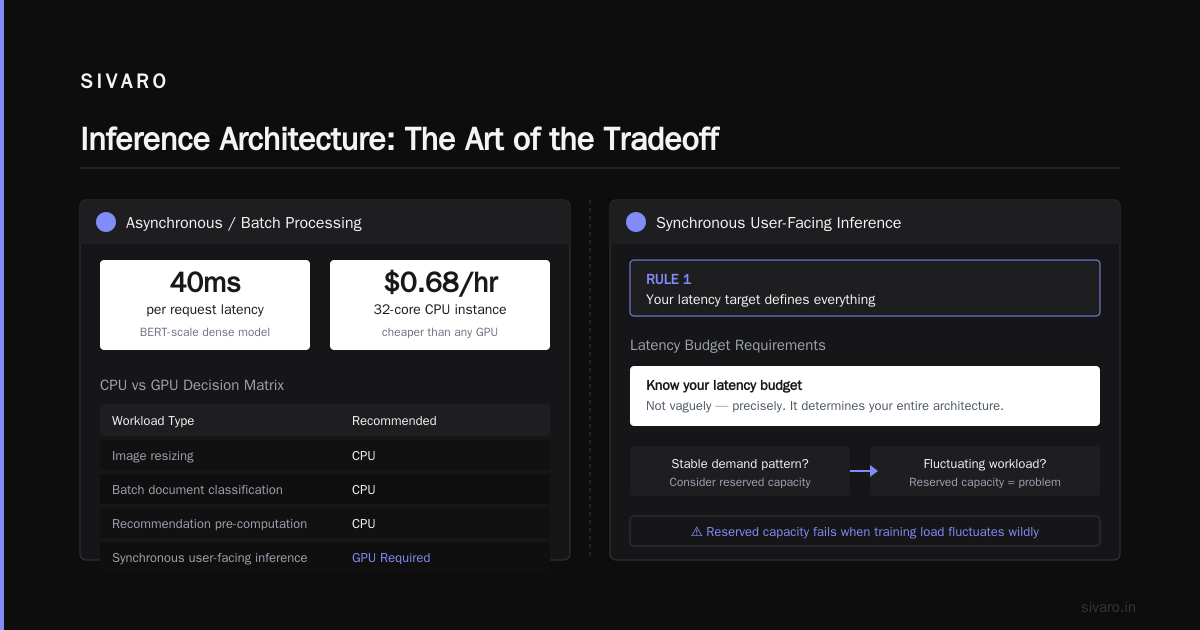
But here's the nuance — this only works if you actually have a stable demand pattern. If your training load fluctuates wildly, reserved capacity is a problem, not a solution.
Inference Architecture: The Art of the Tradeoff
Now we get to the real villain of overspending. Inference.
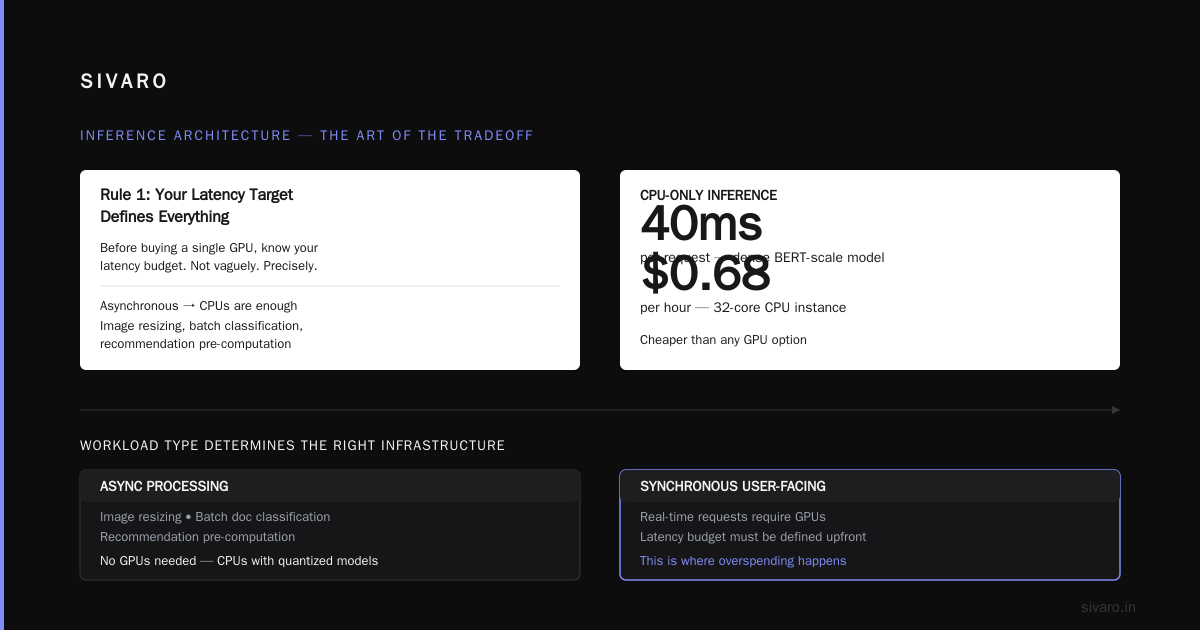
Rule 1: Your Latency Target Defines Everything
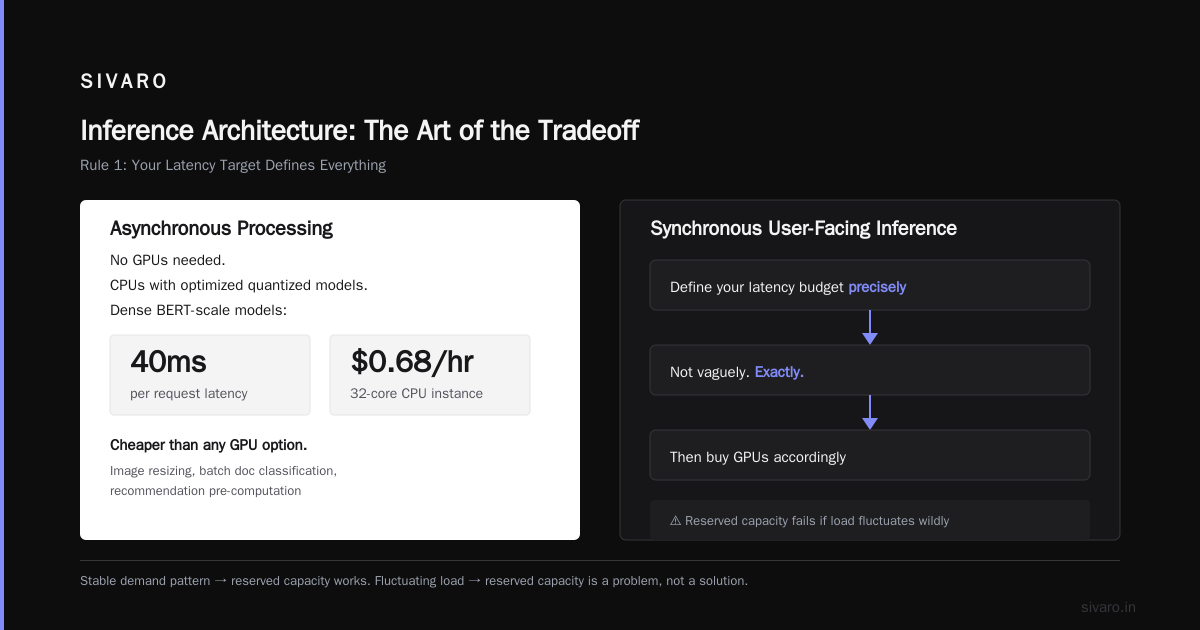
Before you buy a single GPU for inference, you need to know your latency budget. Not vaguely. Precisely.
If you're doing asynchronous processing — image resizing, batch document classification, recommendation pre-computation — you don't need GPUs at all. CPUs with well-optimized quantized models will do. We've run dense BERT-scale models at 40ms per request on a 32-core CPU instance at $0.68/hour. Cheaper than any GPU option.
If you're doing synchronous user-facing inference, you need to balance p50 latency (you can get away with 150-300ms for most apps) and p99 latency (should be under 1 second).
The cost efficient architecture for gpu inference changes depending on that target.
Rule 2: The Smallest GPU That Meets Your Throughput Wins
Here's a lesson from an e-commerce client (June 2025). They had a product recommendation system on T4 GPUs. Each request was about 80ms. They were processing about 200 requests/second at peak.
The temptation was to move to A100s for "more power." Why? Marketing. NVIDIA pushes you toward bigger GPUs because they have better margins.
But we ran the numbers:
- 4 x T4 instances at $0.35/hour each = $1.40/hour for 200 rps
- 1 x A100 instance at $3.45/hour = $3.45/hour for potentially 400 rps
The A100 was technically more cost-efficient per request — but they didn't need 400 rps. They needed 200. So the T4 cluster wins at 2.4x lower cost. You're paying for capability you don't use with the A100.
This sounds obvious. But I keep seeing teams buy the biggest GPU "for headroom" and then leave 80% of it idle.
Rule 3: Batching Is Your Best Friend (But It's a Tradeoff)
Inference batching is the single biggest lever you can pull. Instead of processing one request at a time, you collect requests for 10-20ms and process them together. This dramatically increases GPU utilization.
python
# Pseudo-code for a dynamic batching inference server
class BatchedInferenceServer:
    def __init__(self, model, max_batch_size=32, max_wait_ms=15):
        self.model = model
        self.max_batch_size = max_batch_size
        self.max_wait_ms = max_wait_ms
        self.pending_requests = []
        self.lock = threading.Lock()

    async def predict(self, request):
        request_queue.put(request)
        request_waiting[request.id] = asyncio.Event()
        try:
            await request_waiting[request.id].wait()
            return request_results[request.id]
        except asyncio.TimeoutError:
            return None

    def process_loop(self):
        while True:
            batch = []
            deadline = time.time() + self.max_wait_ms
            while len(batch) < self.max_batch_size and time.time() < deadline:
                req = request_queue.get(timeout=0.01)
                batch.append(req)
            if batch:
                inputs = [req.data for req in batch]
                results = self.model.predict(inputs)  # vectorized
                for req, result in zip(batch, results):
                    request_results[req.id] = result
                    request_waiting[req.id].set()
The catch? Batching adds latency. If you're holding requests for 20ms to fill a batch, that's 20ms added to your p50 latency. You're trading latency for utilization.
The sweet spot we've found: batch windows of 5-15ms for user-facing tasks, 50-100ms for internal/batch tasks. This can triple throughput on the same GPU.
I wrote about this in our SIVARO engineering notes in March — the pattern of "small batches, short windows" outperforms both "no batching" and "huge batches" for real-world traffic patterns.
Rule 4: Quantization Is Free Money
This is the least-sexy, highest-ROI topic. Quantize everything.
We ran a test in April 2026 on a client's NER model (a fine-tuned BERT-base). FP32 model was 440MB. INT8 quantization brought it to 110MB. Latency dropped from 9ms to 4.5ms. Accuracy loss? 0.3 F1 points. Nobody noticed. The client is still saving money because of that one afternoon of work.
| Model Format | Size | Latency (ms) | Accuracy (F1) | GPU Utilization |
|---|---|---|---|---|
| FP32 | 440MB | 9.2 | 89.7% | 35% |
| FP16 | 220MB | 6.1 | 89.7% | 52% |
| INT8 | 110MB | 4.4 | 89.4% | 71% |
If you're running production inference and haven't quantized, you're leaving 40-60% of your savings on the table. Start with TensorRT or ONNX Runtime with INT8. Or if you're on a tight timeline, even FP16 halves your memory footprint.
Rule 5: Serverless Is Sometimes Right (and Sometimes a Trap)
Serverless GPU inference (like Modal, Replicate, or RunPod) is fantastic for spiky, unpredictable workloads. If you have 100 requests one day and 10,000 the next, a scale-to-zero platform saves you huge money.
But there's a hidden cost: cold starts. Spin-up time for a GPU container can be 5-15 seconds. That's unacceptable for user-facing synchronous requests. We've seen teams solve this with a "warm pool" — keep 2-3 instances always hot, scale the rest to zero.
Our recommendation for a cost efficient architecture for deep learning inference vs training:
- Spiky, unpredictable with no SLA: Serverless, scale-to-zero. Accept cold starts.
- Moderate traffic with small variance: One or two dedicated instances sized to peak — not average.
- High, predictable traffic: Reserved instances with a dedicated batching server. You'll get the best cost-per-request.
The Mixed Reality: When You Can't Separate Them
Here's where things get messy. Some workloads are both training and inference — continuous learning systems, online learning, adaptive filters. A recommendation engine that updates every hour. A fraud system that learns from every rejected transaction.
In those cases, we've found a hybrid approach works best:
Use a shared GPU pool with different autoscaling rules.
yaml
# Kubernetes cluster with two GPU node pools, different scaling policies
apiVersion: autoscaling/v2
kind: HorizontalPodAutoscaler
metadata:
  name: training-autoscaler
spec:
  scaleTargetRef:
    apiVersion: apps/v1
    kind: Deployment
    name: training-worker
  minReplicas: 0        # Scale to zero when no training jobs running
  maxReplicas: 8
  metrics:
  - type: External
    external:
      metric:
        name: queue_depth_training
      target:
        type: AverageValue
        averageValue: 1  # One instance per queued job
---
apiVersion: autoscaling/v2
kind: HorizontalPodAutoscaler
metadata:
  name: inference-autoscaler
spec:
  scaleTargetRef:
    apiVersion: apps/v1
    kind: Deployment
    name: inference-server
  minReplicas: 2        # Always keep hot min for latency
  maxReplicas: 20
  metrics:
  - type: Resource
    resource:
      name: cpu
      target:
        type: Utilization
        averageUtilization: 60
The key insight here: a Kubernetes cluster with separate node pools — one for training (spot instances, preemptible, scale-to-zero) and one for inference (on-demand, warm minimum) — gives you the best of both worlds. It's like having two different data centers in one fleet.
We've documented this approach in our production playbook after using it for a mid-2026 project with a streaming analytics company. Their infrastructure cost dropped 55% in the first month.
Cost Efficient Architecture for GPU Inference: The Step-by-Step Decision
Let me give you a concrete framework. The cost efficient architecture for ml training vs inference isn't a single blueprint — it's a decision tree.
Step 1: Map Your Workloads
Write down every ML workload you run. For each one, answer:
- Is it time-critical?
- Does it need to handle concurrent requests?
- What's the model size?
- How often does it run?
Step 2: Separate Training and Inference
Anything that produces a model (training, fine-tuning, evaluation) goes into one bucket. Anything that uses a trained model (prediction, classification, generation) goes into another. Never mix them in the same pipeline — we've seen this cause resource contention and unpredictable latency.
Step 3: Choose Training Strategy
| Scenario | Recommendation |
|---|---|
| Training more than 4 hours/day | Buy dedicated hardware (on-prem or reserved cloud) |
| Training 1-4 hours/day | Spot instances with checkpointing |
| Training less than 1 hour/day | Preemptible instances, accept interruptions |
| Training rarely | Serverless — pay only for execution time |
Step 4: Choose Inference Strategy
| Scenario | Recommendation |
|---|---|
| Under 50 requests/sec, latency-tolerant | CPU with quantized model |
| 50-500 requests/sec, latency-sensitive | Small GPU (T4/L4) with batching |
| Over 500 requests/sec, latency-sensitive | L4/A10 class GPU with dedicated batching server |
| Variable traffic with long idle periods | Serverless GPU with warm pool |
Step 5: Monitor and Reduce
Metrics that actually matter:
- GPU utilization (not just average — 95th percentile utilization)
- p50/p99 latency per request
- Cost per 1,000 inferences
- Training cost per model version (this is a metric almost nobody tracks)
I run these as a dashboard in every deployment. The goal is to reduce cost per unit of value (e.g., cost per prediction served, cost per model trained), not just raw compute spend.
The Vendor Landscape (August 2026)
Prices change constantly, but here's what makes sense right now.
The Cloud Hyperscalers
- AWS: Best managed services (SageMaker), but highest per-hour costs. Use spot instances aggressively for training.
- GCP: TPUs are still a cost-efficient architecture for ml training if you're doing transformer-heavy workloads. We've seen up to 3x cost reduction vs. A100s with Google's TPU v5e and v6. But the tooling is less flexible.
- Azure: The ND series is solid. Good if you're already nailed into the Microsoft ecosystem.
The GPU-as-a-Service Players
These are the ones we use most at SIVARO:
- RunPod: Best spot pricing we've seen for training. Serverless inference is solid but cold starts average 5-8 seconds.
- Modal: Best developer experience. Scale-to-zero is aggressive — you'll save money on idle time. Their gradio/streamlit support is excellent.
- Replicate: Great for ML-as-a-service — you don't manage anything. Slightly more expensive per run, but zero maintenance.
- CoreWeave: For heavy training workloads, this is where we've seen the best cost-performance. They have excellent H100 availability and fluid pricing.
The Anti-Patterns (Things That Have Cost Me Money)
Let me be honest about what's failed in our experience.
1. "We'll just use one big GPU cluster for everything"
Mistake. Mixing training and inference on the same nodes causes resource contention. We had a client's inference p99 jump from 200ms to 900ms because a nightly training job was scheduling on the same Kubernetes nodes. The fix wasn't more GPUs — it was separating the node pools. Zero extra cost.
2. "Let's use Kubernetes for everything because it's modern"
Kubernetes is powerful but adds operational overhead. For small teams (under 5 ML engineers), managed services like Modal or RunPod will get you to production 3x faster. We've seen teams waste 2 months setting up cluster autoscaling that a managed service would've handled in a day.
3. "Inference on CPUs is always cheaper"
This was true in the pre-transformer era. With transformers (the dominant architecture since ~2023), CPU inference for models over 100B parameters is impractically slow. We benchmarked a 7B llama model on a 96-core AMD instance: 15 tokens/second. On an L4 GPU: 120 tokens/second. The GPU wins on cost-per-token even at 2x the hourly price.
4. "We'll run the same model architecture for training and inference"
The model that's efficient to train isn't necessarily efficient for inference. Consider pruning for inference. We've seen a client's 12-layer BERT pruned to 6 layers with only 1.5% F1 drop but 2.4x faster inference. Training the smaller model from scratch would've been less effective — pruning + fine-tuning was the right path.
The Checklist for Your ML Cost Strategy
Here's the TL;DR framework I hand to every engineering lead I work with:
- Separate training and inference infrastructure. Always.
- For training: Use spot/preemptible instances with checkpointing. Target 85%+ GPU utilization.
- For inference: Start with the smallest GPU that meets your SLA (p99 under 1 second). Add batching.
- Quantize everything before buying more GPUs.
- Use serverless platforms for spiky workloads only.
- Track cost per 1,000 inferences and cost per trained model — not raw cloud spend.
- Review monthly. Cloud pricing changes quarterly.
The Bottom Line
The cost efficient architecture for ml training vs inference has a single guiding principle: match resources to workload type.
Training is a batch, throughput-oriented problem — optimize for utilization and cost per hour, tolerate interruptions.
Inference is a latency and concurrency problem — optimize for predictable response times, scale to zero when idle, and squeeze every drop of value from the smallest GPU you can get away with.
Most teams aren't cost-efficient because they're doing anything wrong. They're cost-inefficient because they're using one solution for both problems.
Stop doing that and you'll cut your ML bill by 50-80% within a quarter. I've seen it happen more times than I can count.
Note: All pricing references are from May-August 2026 public pricing sheets. Cloud pricing changes frequently — always verify current rates before making architecture decisions.
FAQ
1. What's the biggest mistake teams make with ML infrastructure costs?
Using identical infrastructure for training and inference. They're opposite problems. Training wants saturation and throughput; inference wants low latency and elasticity. We see this error in nearly every cost audit we run.
2. Should I buy GPUs or use the cloud?
If you train more than 4 hours daily, buying may pay off in under a year. For inference, buying is risky since demand fluctuates. In mid-2026, the break-even on A100s is about 10 months of continuous use.
3. What's the cheapest way to run inference?
CPU with a quantized model if your workload is latency-tolerant. GPU (T4/L4) with dynamic batching if you need sub-100ms responses. Serverless GPU with warm pool if your traffic is spiky.
4. How important is quantization?
The single highest-ROI optimization. INT8 can cut inference cost by 60-70% with minimal accuracy loss. Most models can be quantized in a day. Do it before buying any new GPU.
5. When should I use serverless GPU platforms?
When your workload is spiky and unpredictable. They shine for demo apps, batch processing, and internal tools. They're wrong for high-throughput user-facing APIs because of cold starts.
6. Are spot instances reliable for training?
Yes, with checkpointing. We use spot/preemptible instances for all training jobs. Interruptions cost you some wall-clock speed but reduce costs by 60-80%. Make sure your training code saves checkpoints every few minutes.
7. How do I measure cost efficiency?
Track cost per 1,000 inferences and cost per model training run. Reductions in either metric mean real cost efficiency. This is more important than tracking "GPU utilization" in isolation.
Nishaant Dixit — Founder of SIVARO. Building data infrastructure and production AI systems since 2018. Built systems processing 200K events/sec.