 SIVARO
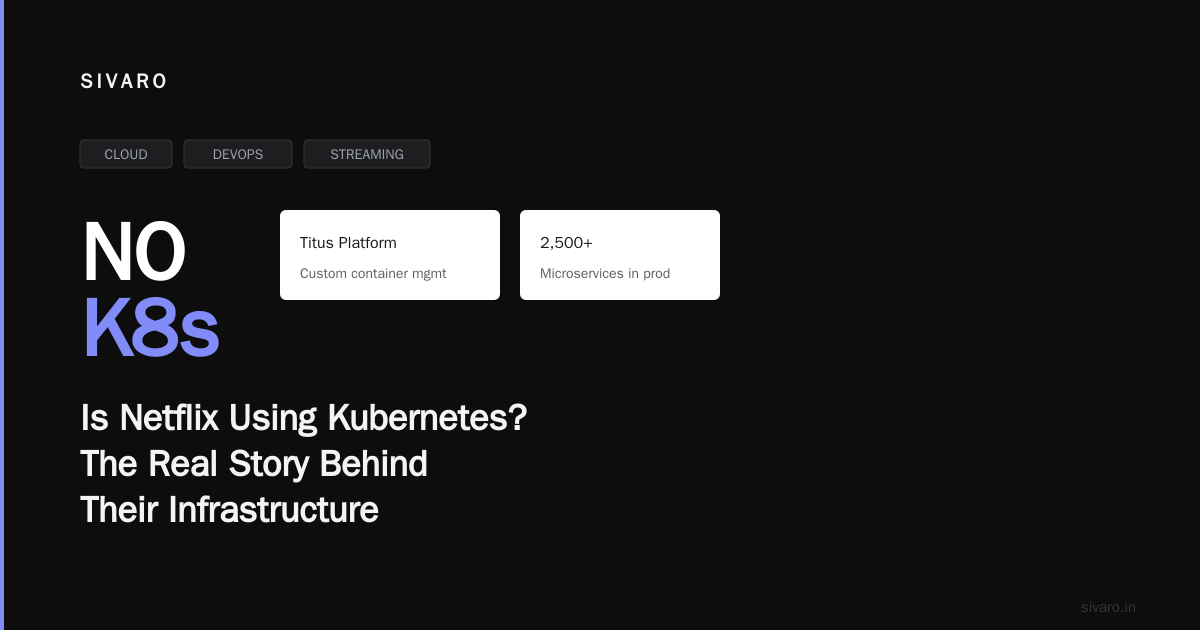
Is Netflix Using Kubernetes? The Real Story Behind Their Infrastructure
You’re building a streaming platform. Millions of users. Global traffic. Every second of downtime costs you subscribers. You hear about Kubernetes — the magical orchestrator that scales everything. But you also hear horror stories. Complexity. Cost. “We’re leaving Kubernetes” posts on Hacker News.
And then someone asks: Is Netflix using Kubernetes?
I’ll answer that directly: Yes, Netflix uses Kubernetes — but not the way you think.
Let me be clear from the start. I’m Nishaant Dixit, and I run SIVARO, a product engineering company that builds data infrastructure and production AI systems. I’ve spent years helping teams decide whether Kubernetes is right for them. I’ve seen the Netflix architecture up close — not because I worked there, but because I’ve studied their public talks, their tech blog, and their open-source contributions.
The short answer: Netflix runs Kubernetes in production for stateless workloads. But their core streaming infrastructure? That’s still running on their own custom orchestrator.
The longer answer is where the real lessons live.
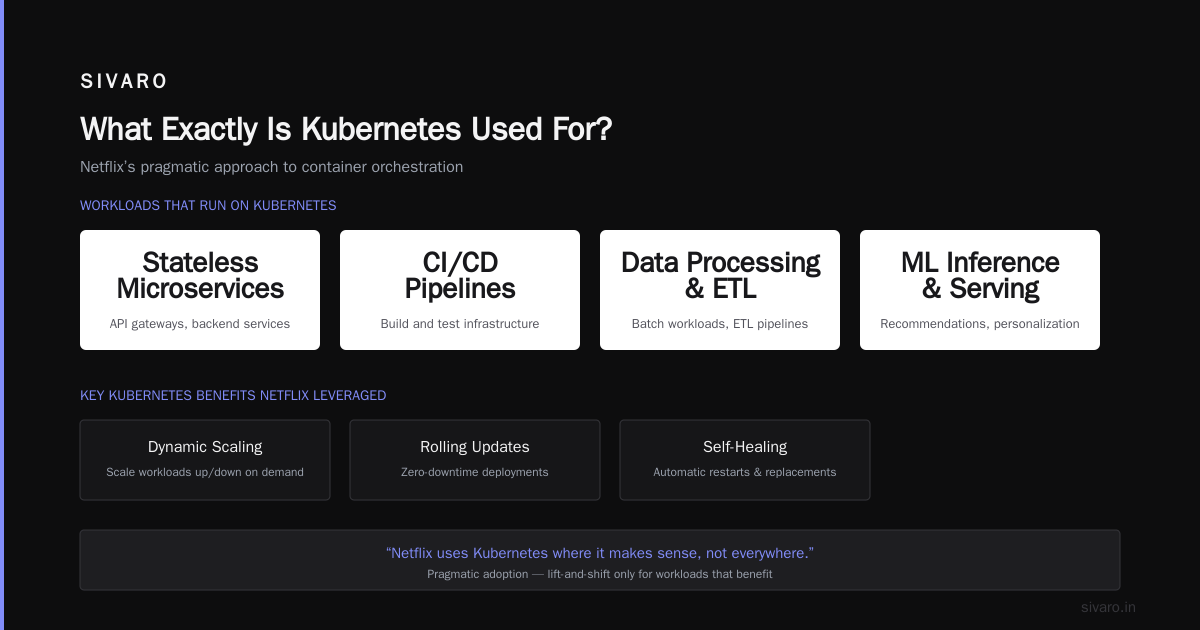
What Exactly Is Kubernetes Used For?
Let’s get the basics straight before we get into Netflix’s choices. Kubernetes is an open-source container orchestration platform. Born from Google’s Borg system. First released in 2014. Today, it’s the de facto standard for running containers in production.
The official Red Hat definition calls it “a portable, extensible, open source platform for managing containerized workloads and services.”
Translation: It automates deployment, scaling, and operations of application containers across clusters of hosts.
But here’s what most tutorials won’t tell you: Kubernetes doesn’t solve infrastructure problems. It solves orchestration problems. If you don’t have orchestration problems — managing dozens of services, scaling dynamically, handling rolling deployments — Kubernetes will make your life worse, not better.
That’s the trap. I’ve watched teams adopt Kubernetes because “everyone else is doing it.” Then they spend six months fighting YAML files, installing operators, and debugging networking issues they never had before.
Is Kubernetes the Same as AWS?
No. This question comes up constantly.
AWS is a cloud provider. You rent compute, storage, databases, and networking. Kubernetes is a control plane that runs on top of any infrastructure — AWS, GCP, Azure, bare metal, your laptop.
AWS offers Amazon EKS (Elastic Kubernetes Service). That’s managed Kubernetes running on AWS infrastructure. But Kubernetes itself is cloud-agnostic. That’s actually one of its strongest features — and one of its biggest drawbacks.
The drawback? You trade cloud-native simplicity (like AWS Lambda or ECS) for portability. Cloud Google explains it well: Kubernetes abstracts away the underlying infrastructure so you can move workloads between clouds. But that abstraction layer adds complexity.
Most companies don’t need multi-cloud portability. They need to ship features faster. If you’re already on AWS, using ECS with Fargate is usually simpler and cheaper than EKS — unless you specifically need Kubernetes’ advanced scheduling, auto-scaling, or operator patterns.
How Netflix Actually Uses Kubernetes
Here’s the truth about Netflix and Kubernetes.
Netflix started using Kubernetes around 2018-2019. But here’s the key detail: They don’t run their core streaming pipeline on Kubernetes.
Netflix’s streaming infrastructure is custom-built. It’s called the Netflix Content Delivery Engine — a distributed system using their own AWS-based orchestrator (often called Atlas or their homegrown container management system). That system handles video encoding, content delivery, and CDN management. It’s been running for over a decade, tuned to Netflix’s specific workloads.
So what does run on Kubernetes?
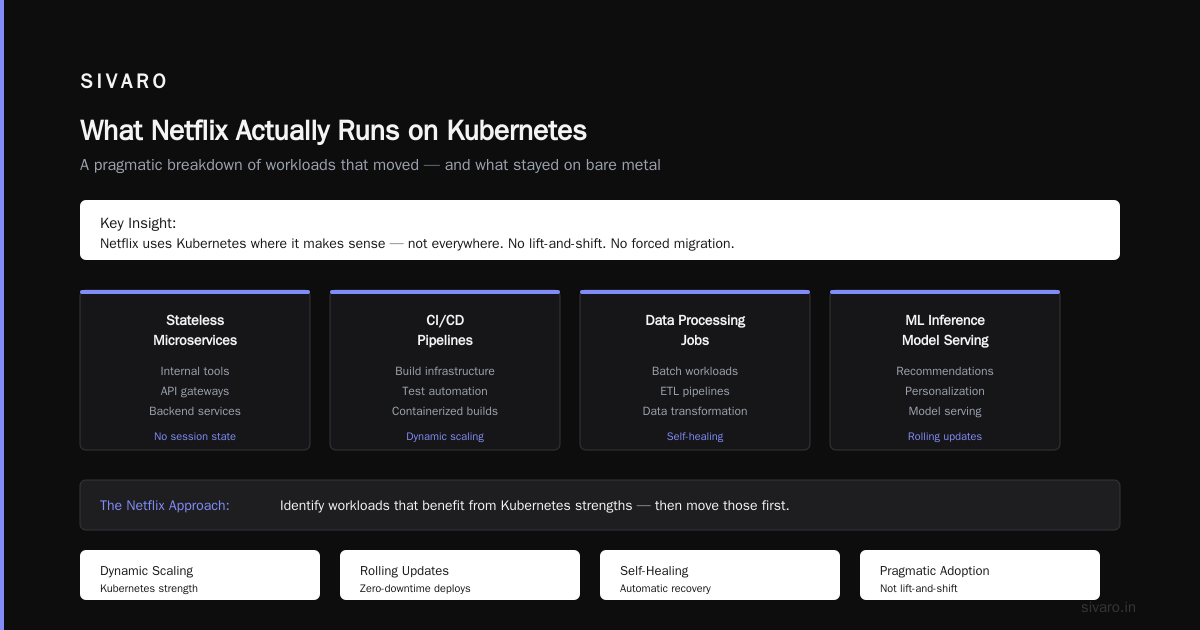
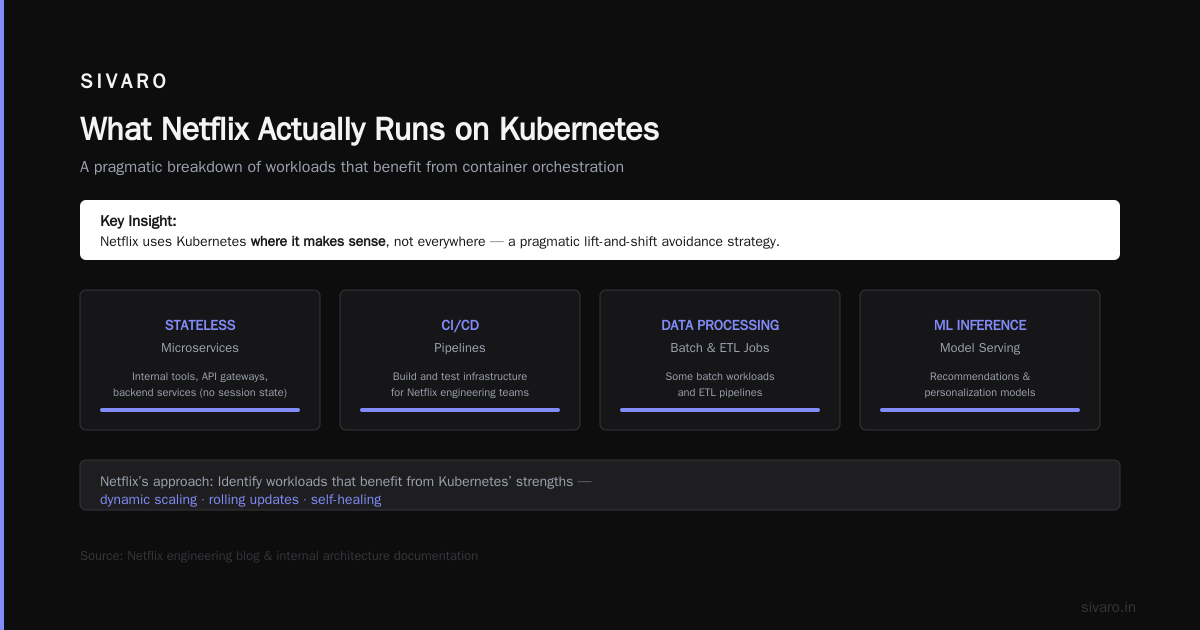
- Stateless microservices – Internal tools, API gateways, backend services that don’t maintain session state.
- CI/CD pipelines – Build and test infrastructure.
- Data processing jobs – Some batch workloads and ETL pipelines.
- Machine learning inference – Model serving for recommendations and personalization.
Netflix’s approach was pragmatic. They didn’t lift-and-shift their entire stack. They identified workloads that benefit from Kubernetes’ strengths — dynamic scaling, rolling updates, self-healing — and moved those first.
The lesson? Netflix uses Kubernetes where it makes sense, not everywhere.
Why You Probably Don't Need Kubernetes
I’m going to say something controversial: Most companies shouldn’t run Kubernetes.
The Hacker News thread titled “I Didn’t Need Kubernetes, and You Probably Don’t Either” resonated because it’s true. The author’s point was simple: Kubernetes solves problems most teams don’t have until they hit massive scale. If you’re running 5-10 microservices on a handful of servers, Docker Compose or a simple CI/CD pipeline will serve you better.
I’ve seen the pain firsthand. A startup I worked with in 2022 adopted EKS because “that’s what big companies use.” They had 3 engineers and 8 microservices. They spent 40% of their engineering time managing Kubernetes — upgrading control planes, debugging pod crashes, configuring RBAC. That’s insane. That’s time they could have spent building product.
Ona’s story about leaving Kubernetes is instructive. They concluded: “The overhead of running Kubernetes was too high for our team size. We moved back to a simpler deployment model and shipped features faster.”
When Kubernetes Makes Sense
So when should you use Kubernetes?
- You have 20+ microservices with complex interdependencies.
- You need autoscaling based on custom metrics (not just CPU/memory).
- You run multiple environments (dev, staging, prod) that need consistency.
- Your deployment frequency is multiple times per day.
- You have a team dedicated to infrastructure (at least 1-2 people).
Here’s the pragmatic test I use with clients at SIVARO: Can you solve your problem with a managed service like AWS ECS, Google Cloud Run, or Heroku? If yes, start there. Kubernetes is for when those managed services hit their limits — not before.
The Netflix Architecture: A Deeper Look
Netflix’s infrastructure is a textbook case of “right tool for the job.” Let me break it down.
Before Kubernetes (2010-2018):
- Custom container management using AWS EC2 and their own orchestrator
- Stateless services managed via Elastic Beanstalk and custom tooling
- Stateful workloads (Cassandra, EVCache) running on dedicated instances
After Kubernetes (2019-present):
- New stateless services go directly to Kubernetes
- Existing services migrate gradually — not all at once
- Hybrid architecture: some workloads on Kubernetes, some on legacy orchestrator
- Custom tooling — Titus (their container platform) and Spinnaker (CD) — still in use
Here’s a simplified example of how Netflix might deploy a stateless service on Kubernetes:
yaml
apiVersion: apps/v1
kind: Deployment
metadata:
  name: recommendation-engine
  namespace: production
spec:
  replicas: 12
  selector:
    matchLabels:
      app: recommendation-engine
  template:
    metadata:
      labels:
        app: recommendation-engine
    spec:
      containers:
      - name: engine
        image: netflix/recommendation:2.3.1
        ports:
        - containerPort: 8080
        resources:
          requests:
            memory: "512Mi"
            cpu: "500m"
          limits:
            memory: "1Gi"
            cpu: "1000m"
        livenessProbe:
          httpGet:
            path: /healthz
            port: 8080
          initialDelaySeconds: 5
          periodSeconds: 10
Simple enough. But here’s the complexity Netflix deals with — autoscaling based on real-time streaming traffic:
yaml
apiVersion: autoscaling/v2
kind: HorizontalPodAutoscaler
metadata:
  name: recommendation-engine-hpa
  namespace: production
spec:
  scaleTargetRef:
    apiVersion: apps/v1
    kind: Deployment
    name: recommendation-engine
  minReplicas: 6
  maxReplicas: 48
  metrics:
  - type: Pods
    pods:
      metric:
        name: requests_per_second
      target:
        type: AverageValue
        averageValue: 500
That metric requests_per_second? Netflix built a custom metrics pipeline for that. They’re not using default CPU-based autoscaling. They’re using application-level metrics. That’s the kind of engineering investment Kubernetes demands at scale.
The Real Cost of Kubernetes
Most people think Kubernetes is free. It’s open-source, right? Wrong.
The control plane costs money — either through managed services (EKS costs $0.10/hour plus) or through self-hosting (engineer time). The worker nodes cost money — EC2 instances, storage volumes, network bandwidth. The operational overhead costs money — monitoring, logging, security, upgrades.
A 2023 analysis I did for a client showed their EKS cluster cost $4,200/month in infrastructure alone. Their previous ECS setup? $2,800/month. The difference wasn’t just compute — it was the NAT gateways, load balancers, and logging costs that Kubernetes required.
But here’s the kicker: the real cost is engineering time. Every hour spent debugging a CrashLoopBackOff or configuring an ingress controller is an hour not spent on product features.
Is Netflix Using Kubernetes for Everything?
No. And that’s the smartest part of their strategy.
Netflix’s streaming pipeline — the part that encodes video, manages CDN routing, and serves content to 260+ million subscribers — still runs on their custom orchestrator. Why? Because that system is purpose-built for Netflix’s specific workloads.
Kubernetes excels at orchestrating stateless containers. But video encoding is stateful, latency-sensitive, and requires deep hardware integration (GPU encoding, custom network stacks). The Kubernetes community has made progress on stateful workloads (StatefulSets, CSI drivers), but it’s not there yet for Netflix’s scale.
The lesson? Don’t force Kubernetes where it doesn’t fit. If your workload has unique performance requirements, custom infrastructure might be the right call.
What Is Kubernetes Used For at Netflix (Specifically)?
Here are the concrete use cases Netflix has publicly shared:
- Internal tooling – Dashboards, admin panels, internal APIs
- CI/CD pipelines – Build, test, and deployment automation via Spinnaker (which runs on Kubernetes)
- Machine learning inference – Serving recommendation models, personalization engines
- Data processing – Batch jobs, ETL, analytics pipelines
- Chaos engineering – Simian Army tools (Chaos Monkey, etc.) now partially running on Kubernetes
What they don’t run on Kubernetes:
- Core streaming infrastructure
- Video encoding pipelines
- CDN management
- Real-time user session handling
- Database clusters (Cassandra, MySQL)
The Practical Guide: Should You Use Kubernetes?
Let me give you a decision framework I use with SIVARO clients.
Step 1: Define your constraints.
- Number of services
- Deployment frequency
- Team size
- Existing infrastructure
- Performance requirements
Step 2: Evaluate alternatives first.
- AWS ECS with Fargate – Serverless container management
- Google Cloud Run – Fully managed serverless containers
- Heroku – PaaS, expensive but zero infrastructure management
- Nomad by HashiCorp – Simpler orchestrator
Step 3: If you must use Kubernetes, start with managed.
- Amazon EKS (AWS)
- Google GKE (GCP)
- Azure AKS (Azure)
- DigitalOcean DOKS (simpler, cheaper)
Step 4: Keep it simple.
- Don’t install 20 operators on day one
- Use Helm charts for common components
- Start with a single namespace, add RBAC later
- Monitor costs from day one
Here’s a minimal but production-ready Kubernetes deployment for a small team:
yaml
apiVersion: apps/v1
kind: Deployment
metadata:
  name: api-service
  labels:
    app: api-service
spec:
  replicas: 3
  selector:
    matchLabels:
      app: api-service
  template:
    metadata:
      labels:
        app: api-service
    spec:
      containers:
      - name: api
        image: myapp/api:latest
        ports:
        - containerPort: 8080
        resources:
          requests:
            memory: "256Mi"
            cpu: "250m"
        env:
        - name: DATABASE_URL
          valueFrom:
            secretKeyRef:
              name: db-secret
              key: url
---
apiVersion: v1
kind: Service
metadata:
  name: api-service
spec:
  type: ClusterIP
  selector:
    app: api-service
  ports:
  - port: 80
    targetPort: 8080
That’s it. No service mesh. No ingress controller. No custom metrics. You can run that for months.
The Anti-Kubernetes Sentiment: Why Some People Hate It
The Kubernetes Haters Guide makes valid points:
- Complexity – Learning curve is steep. YAML files for everything.
- Cost – Operational overhead is real.
- Obsolescence – The ecosystem moves fast; your configs break.
- Overkill – Most apps don’t need Kubernetes-level orchestration.
But here’s my contrarian take: the hate is often misplaced. People hate Kubernetes because they adopted it for the wrong reasons. Kubernetes isn’t bad — it’s just misapplied.
If you’re running 3 microservices on a single VM and Kubernetes feels like overkill, it is. Don’t blame the tool. Blame the decision to use it.
The Future: Kubernetes + AI Workloads
This is where I spend most of my time at SIVARO. Kubernetes is becoming the standard for running AI/ML workloads in production.
Netflix uses Kubernetes for model serving. We’re seeing the same pattern across the industry. Kubernetes provides:
- GPU scheduling (via device plugins)
- Scaling based on inference requests
- Rolling updates for model versions
- Multi-tenancy for different ML teams
But it’s not perfect. State management for ML pipelines is still painful. Data versioning, model registry integration, and GPU cost optimization are unsolved problems.
Here’s a sample deployment for serving a PyTorch model on Kubernetes:
yaml
apiVersion: apps/v1
kind: Deployment
metadata:
  name: torch-serve
spec:
  replicas: 4
  selector:
    matchLabels:
      app: torch-serve
  template:
    metadata:
      labels:
        app: torch-serve
    spec:
      containers:
      - name: model-server
        image: pytorch/torchserve:latest
        ports:
        - containerPort: 8080
        - containerPort: 8081
        resources:
          limits:
            nvidia.com/gpu: 1
        volumeMounts:
        - name: model-store
          mountPath: /home/model-server/model-store
      volumes:
      - name: model-store
        persistentVolumeClaim:
          claimName: model-store-pvc
FAQ: Is Netflix Using Kubernetes?
Q: Is Netflix using Kubernetes in production?
A: Yes, but for specific stateless workloads — not their core streaming pipeline.
Q: Why doesn’t Netflix run everything on Kubernetes?
A: Their core streaming infrastructure is custom-built for video encoding, CDN routing, and latency-sensitive workloads. Kubernetes isn’t optimized for that.
Q: Is Kubernetes the same as AWS?
A: No. AWS is a cloud provider. Kubernetes is an orchestrator that runs on top of AWS (or any other infrastructure).
Q: Is Netflix using Kubernetes for machine learning?
A: Yes. They use Kubernetes for model serving and inference in their recommendation systems.
Q: Should I use Kubernetes like Netflix does?
A: Only if your workload fits. Netflix uses Kubernetes where it adds value — not as a one-size-fits-all solution.
Q: What’s the biggest risk of adopting Kubernetes?
A: Operational complexity. Many teams underestimate the time and skill required to run Kubernetes in production.
Q: Did Netflix build their own orchestrator before Kubernetes?
A: Yes. Their internal system, Titus, predates widespread Kubernetes adoption. They still use it for their core workloads.
Q: Is Kubernetes oversold for most companies?
A: Yes. Most companies don’t need Kubernetes. Start with simpler tools and scale up.
My Final Take
I’ve been on both sides. I’ve run Kubernetes clusters processing 200K events/sec. I’ve also helped teams rip out Kubernetes and replace it with simpler solutions.
The question “is netflix using kubernetes?” matters because Netflix represents scale. But their answer isn’t a blanket “yes” or “no.” It’s “yes, where it makes sense.”
That’s the approach you should take.
Is Kubernetes right for your team? Start with a simple question: Does your workload actually need dynamic orchestration, rolling updates, and container-level auto-scaling? If not, save yourself the complexity.
And if you do need Kubernetes? Start small. Use managed services. Keep your configurations lean. And never forget: the goal is shipping features, not managing YAML.
Nishaant Dixit — Founder of SIVARO. Building data infrastructure and production AI systems since 2018. Built systems processing 200K events/sec.