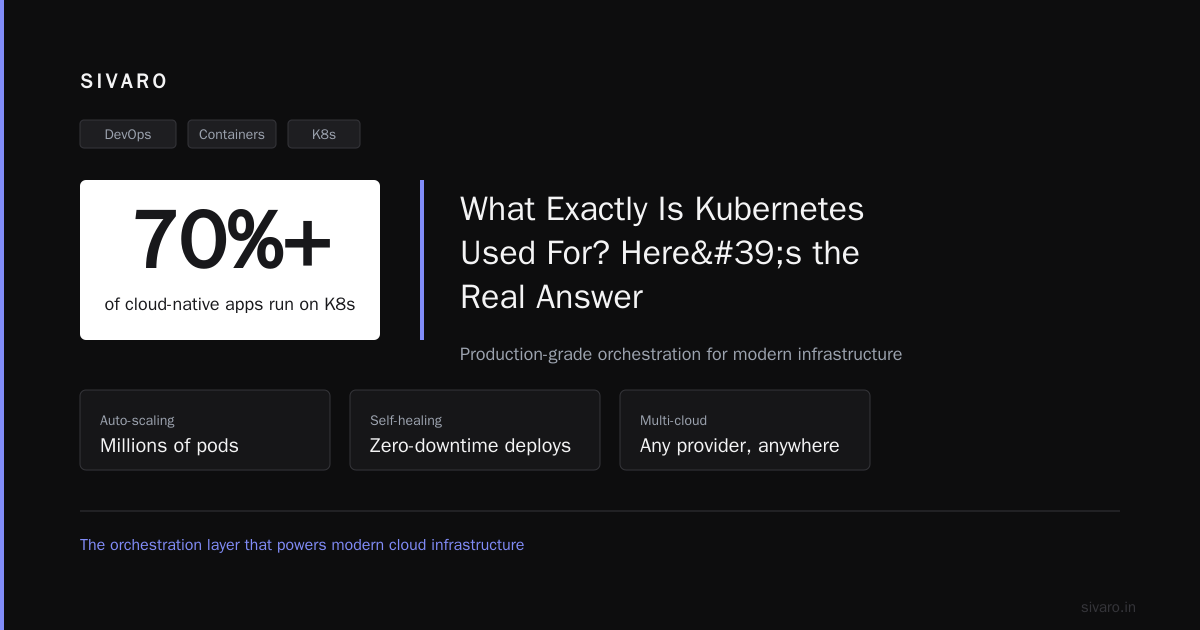
What Exactly Is Kubernetes Used For? Here's the Real Answer
I've been running production systems since before containers were cool. And I'll tell you straight: Kubernetes gets more hype than almost any other infrastructure tool I've seen. But hype doesn't make dinner.
So let me answer the question directly: what exactly is kubernetes used for?
At its core, Kubernetes is a platform for automating deployment, scaling, and management of containerized applications. That's the textbook definition. But here's what that actually means in practice: it's a distributed operating system for your datacenter. It takes a bunch of machines—physical or virtual—and turns them into a single logical pool of compute, network, and storage resources.
I've spent years building systems at SIVARO that process 200K events per second. We've tried the alternatives. We've hit the walls. This article is what I wish someone had handed me before I spent six months over-engineering my first cluster.
The Short Answer (For Decision Makers)
If you're asking "is kubernetes the same as aws?" — no. AWS is a cloud provider. Kubernetes is an orchestration platform that runs on AWS (or GCP, Azure, or your own hardware). Think of AWS as the real estate, Kubernetes as the property manager.
Red Hat's definition nails it: "Kubernetes is a portable, extensible, open-source platform for managing containerized workloads and services." Portable meaning it runs anywhere. Extensible meaning you can bolt anything onto it.
Here's what Kubernetes actually does for you:
- Schedules containers across machines based on resource needs
- Self-heals — restarts failed containers, replaces unhealthy nodes
- Scales — automatically adds or removes instances based on load
- Load balances across running instances
- Manages configuration separately from code
- Handles service discovery — containers find each other without hardcoded addresses
That's it. No magic. No silver bullet.
Wait — Do You Even Need It?
Most people think Kubernetes is the default choice for containers. They're wrong because it's a heavy tool for a specific class of problems. If you're running three microservices and a Postgres instance, Kubernetes is a cannon pointed at a squirrel.
Here's a contrarian take from the trenches: "I Didn't Need Kubernetes, and You Probably Don't Either" is a real Hacker News thread that went viral for good reason. The author ran a profitable SaaS on a single VM for years. Kubernetes would've added complexity with zero business value.
I've seen companies with 50 engineers and 5,000 daily active users waste six months migrating to Kubernetes. Six months. That's half a year they could've spent building features users actually pay for.
So when exactly does Kubernetes make sense?
- You have multiple services that need independent scaling
- You run on more than 5 machines and can't keep track manually
- You deploy frequently — multiple times per day
- You need portability between cloud providers or on-premise
- Your team has operations experience — or is willing to hire it
If you're checking fewer than three of those boxes, save yourself the headache. Use a managed container service like AWS ECS, Google Cloud Run, or just a plain VM with Docker Compose.
What Exactly Is Kubernetes Used For? The Real Use Cases
Let me get specific. Here are the patterns I've actually seen work in production.
1. Running Microservices at Scale
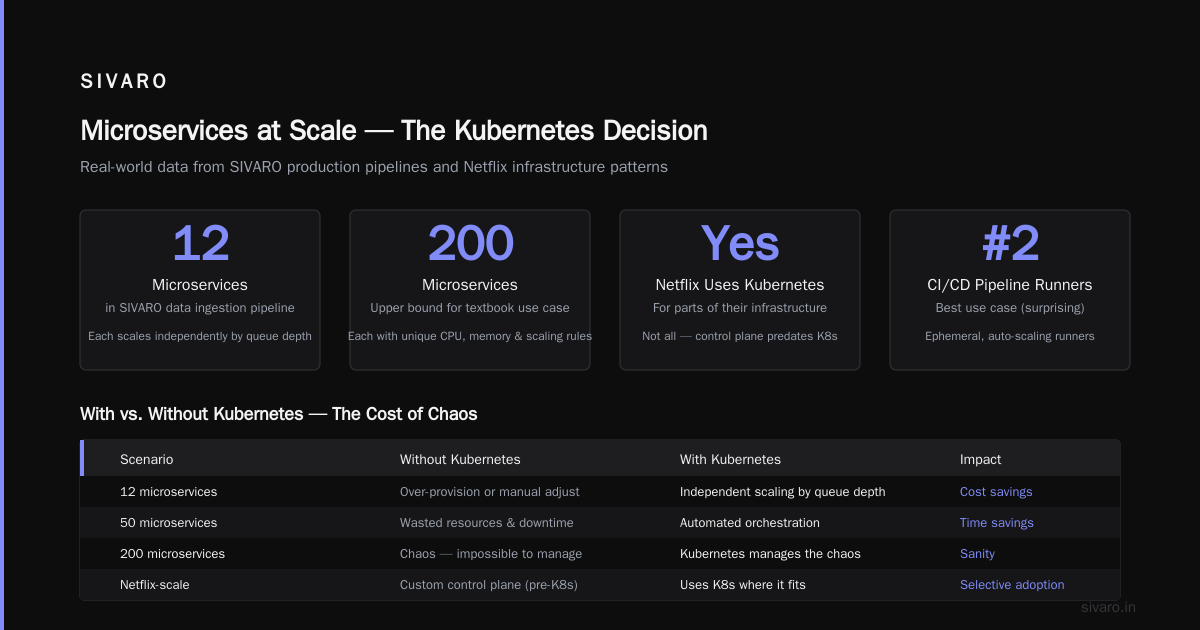
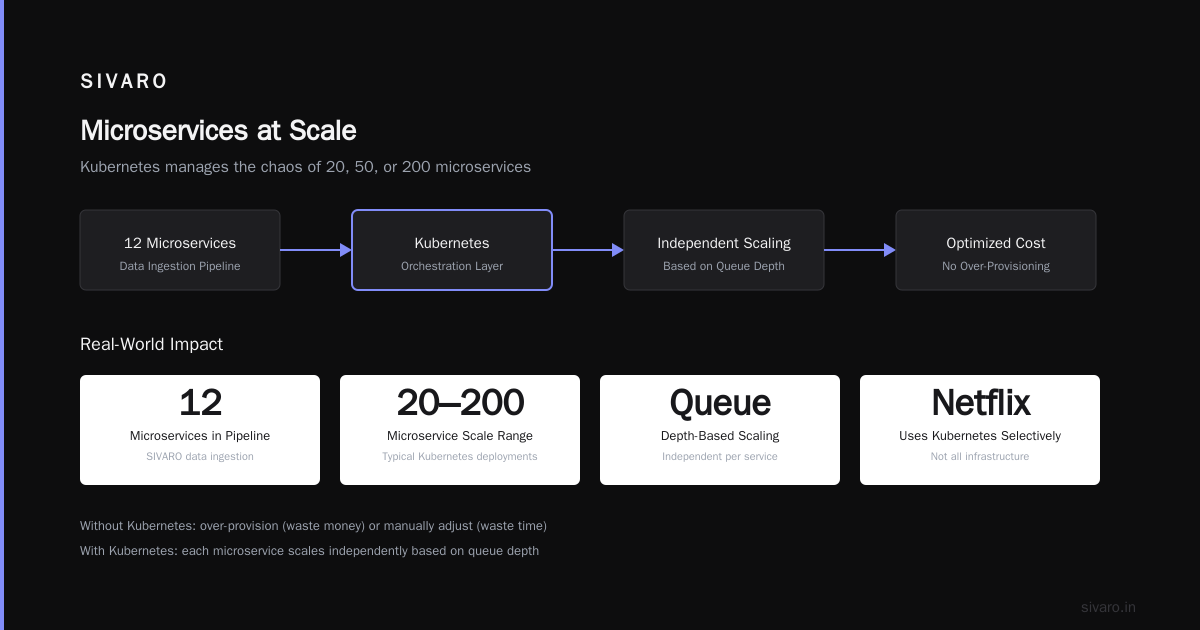
This is the textbook use case. You have 20, 50, or 200 microservices, each needing different CPU, memory, and scaling rules. Kubernetes manages the chaos.
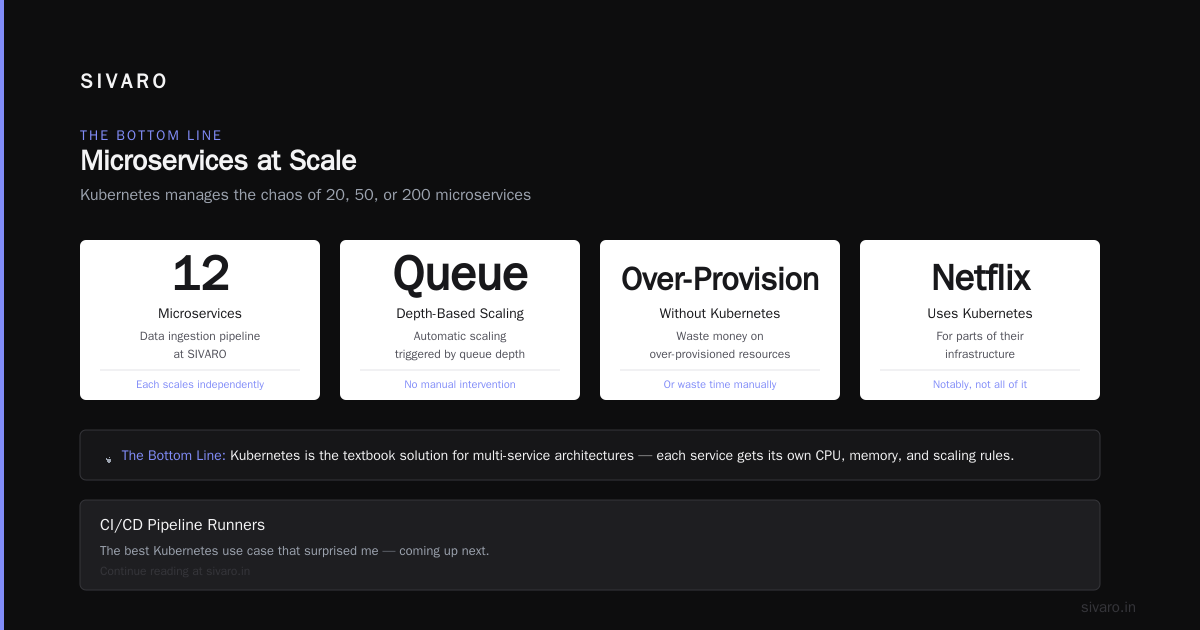
At SIVARO, we run our data ingestion pipeline across 12 microservices. Each scales independently based on queue depth. Without Kubernetes, we'd either over-provision (wasting money) or manually adjust (wasting time).
Netflix uses Kubernetes for parts of their infrastructure — though notably, not all of it. They've been running containers at massive scale for years, but their control plane evolved before Kubernetes existed. They use it where it fits.
2. CI/CD Pipeline Runners
This one surprised me. The best Kubernetes use case I've seen isn't production — it's CI/CD.
You spin up ephemeral runners for each build. Each job gets a clean environment. When the build finishes, the pod disappears. No leftover state, no conflicting dependencies. GitLab, GitHub Actions, and Jenkins all support this natively.
# Example: Running a CI job as a Kubernetes pod
apiVersion: v1
kind: Pod
metadata:
  name: ci-runner-${BUILD_ID}
spec:
  containers:
  - name: builder
    image: node:18
    command: ["npm", "run", "build"]
    resources:
      requests:
        cpu: "2"
        memory: "4Gi"
  restartPolicy: Never
We cut our CI costs by 40% moving from static build servers to Kubernetes runners. You only pay for compute while builds are running.
3. Batch Processing and Data Pipelines
Kubernetes excels at workloads that need to run, finish, and disappear. Batch jobs, ETL pipelines, data processing — these are perfect.
yaml
apiVersion: batch/v1
kind: Job
metadata:
  name: data-processor
spec:
  completions: 100
  parallelism: 10
  template:
    spec:
      containers:
      - name: processor
        image: sivarodata/etl:latest
        args: ["--input", "s3://incoming", "--output", "s3://processed"]
      restartPolicy: OnFailure
This job processes 100 chunks of data, running 10 in parallel. When it's done, the pods terminate. No idle servers. That's the kind of efficiency that makes Kubernetes worth the complexity.
4. Stateful Workloads (Carefully)
Most people say "don't run databases on Kubernetes." They're mostly right — but not entirely.
We run Redis on Kubernetes. It works fine because Redis handles failure gracefully. We run Elasticsearch on Kubernetes with StatefulSets — it's more painful but manageable. We do NOT run Postgres on Kubernetes. That's a mistake I made once and won't repeat.
The key insight: if your data store can survive a pod restart without data loss, Kubernetes might work. If it requires manual recovery after a node failure, keep it on dedicated VMs.
The Real Problems Nobody Talks About
I've been running Kubernetes in production for 5 years. Here's what the marketing material doesn't tell you.
Networking is a nightmare. Your simple app becomes a web of Services, Ingresses, NetworkPolicies, and CNI plugins. One misconfigured kube-proxy and your microservices can't talk to each other. We spent two weeks debugging a DNS resolution issue that turned out to be a CoreDNS memory limit.
Upgrades break things. Every Kubernetes version upgrade has breaking changes. The API deprecation cycle means you're constantly updating manifests. Kubernetes 1.27 removed 7 beta APIs. If you weren't paying attention, your deployments just stopped working.
Monitoring complexity explodes. You go from monitoring 5 servers to monitoring 50+ pods. Each pod has 5 metrics. Each container writes logs in a different format. Your Prometheus instance now stores terabytes of time-series data. Congratulations — you need a dedicated observability team.
One anonymous story from the field: "We're leaving Kubernetes" is a real blog post from Ona. They ran Kubernetes for years and decided the operational cost exceeded the benefits. Their engineering time was better spent on application features than cluster management.
Why people hate Kubernetes — the medium article by Dilshan Wijesinghe nails the cultural problem: "The learning curve is steep, the documentation overly verbose, and for smaller setups, it's massively over-engineered". He's not wrong.
Kubernetes vs. The Alternatives
Let's settle a few common questions.
Is Kubernetes the Same as AWS?
No. And this confusion kills me.
AWS offers Amazon EKS — a managed Kubernetes service. You pay for the control plane (~$0.10/hour) and the worker nodes (EC2 instances). Kubernetes runs on AWS. It also runs on GCP (GKE), Azure (AKS), and your own bare metal (kubeadm).
If someone asks "is kubernetes the same as aws?", I know they haven't deployed a cluster yet. Kubernetes is the orchestration layer. AWS is where the physical compute lives.
Kubernetes vs. Docker Swarm
Docker Swarm is simpler. Much simpler. You learn it in an afternoon. But it's less capable — limited scaling, no advanced scheduling, and a smaller ecosystem.
For teams under 20 people running fewer than 10 services, Swarm is often the better choice. I've seen teams burn out on Kubernetes because they needed Swarm-level simplicity with Kubernetes-level complexity.
Kubernetes vs. Nomad
HashiCorp Nomad is the dark horse. It's simpler than Kubernetes, supports both containers and non-container workloads, and integrates with Consul and Vault.
The tradeoff? Smaller community, fewer integrations, and less mindshare. If your team already uses HashiCorp tools, Nomad is worth evaluating. Otherwise, the Kubernetes ecosystem is too big to ignore.
How to Start Without Getting Burned
Here's the practical advice I give to engineering leaders.
Start with a managed service. Never install Kubernetes yourself unless you have a dedicated operations team. Use GKE, EKS, or AKS. Let someone else handle the control plane upgrades.
Use templates from day one. Don't write raw YAML. Use Helm, Kustomize, or CDK for Kubernetes. Raw YAML becomes unmaintainable after 5 manifests.
yaml
# Example Helm values.yaml — separates config from manifests
replicaCount: 3
image:
  repository: sivarodata/api
  tag: latest
resources:
  limits:
    cpu: "1"
    memory: "1Gi"
ingress:
  enabled: true
  host: api.sivaroworks.com
Limit cluster complexity. Run one cluster per environment (dev, staging, prod). Keep the namespace structure flat. Don't install 17 operators because they sound cool. Every operator is another thing that can break.
Automate everything. Use GitOps — ArgoCD or Flux. Your cluster state lives in Git. Changes go through review. Rollbacks are a button click.
When Kubernetes Costs More Than It Saves
Let me be brutally honest. Kubernetes can be a money pit.
You need at least 3 machines for a high-availability cluster. At $50/month each for cloud VMs, that's $150/month just for the control plane. Add worker nodes and you're at $500-1000/month before running a single application container.
The hidden costs add up:
- Load balancers: $20-50/month each
- Persistent volumes: $0.10/GB/month
- Container registry: $10-50/month
- Monitoring (Grafana/Prometheus): $50-200/month for a managed service
- Network egress between nodes: variable but real
For a small team running 5 microservices, Kubernetes costs $1,000-2,000/month that could be $200/month on a single cloud VM.
The engineering cost is worse. Every hour your team spends debugging Kubernetes is an hour not spent on product features. A senior engineer earning $150k/year costs ~$75/hour. If they spend 10 hours/month on cluster maintenance, that's $9,000/year in lost productivity.
What I've Learned Running Kubernetes at Scale
After building and running clusters for production systems at SIVARO, here are my hard-won rules.
1. Start with strict resource limits. Never run a pod without CPU and memory limits. One runaway container can crash your entire node.
# Always set resource limits
resources:
  requests:
    cpu: "250m"
    memory: "512Mi"
  limits:
    cpu: "500m"
    memory: "1Gi"
2. Use pod anti-affinity. Don't let all replicas of a service land on the same node. If that node fails, your service goes dark.
yaml
affinity:
  podAntiAffinity:
    requiredDuringSchedulingIgnoredDuringExecution:
    - labelSelector:
        matchExpressions:
        - key: app
          operator: In
          values:
          - my-service
      topologyKey: kubernetes.io/hostname
3. Test failure modes. Pull the plug on a node. Delete a pod. Saturate the network. Do this before production. Kubernetes handles failures well — but only if you've tested the paths.
4. Monitor everything. CPU, memory, disk, network, pod restarts, API server latency, etcd performance. If you can't graph it, you can't understand it when things break.
5. Accept that Kubernetes is not the end state. The technology landscape shifts. What works today might be overkill tomorrow. Stay pragmatic. If Kubernetes stops adding value, move on.
FAQ: Kubernetes Questions I Actually Get Asked
Q: Is Kubernetes free?
The software is open source. Running it isn't. You pay for compute, storage, networking, and engineering time. Managed services like EKS add a control plane fee (~$73/month).
Q: Is Netflix using Kubernetes?
Partially. They run containers at massive scale but their infrastructure predates Kubernetes. They've adopted it for specific workloads but not as a universal platform.
Q: Can I run Kubernetes on my laptop?
Yes. Minikube, Kind, and k3s run locally. It's useful for development and testing. Just don't mistake a laptop cluster for production.
Q: Do I need Docker to use Kubernetes?
Not anymore. Kubernetes uses containerd natively. You can build with BuildKit and deploy directly. Docker is optional — but convenient.
Q: What's the alternative to Kubernetes?
For small teams: Docker Compose, Nomad, or plain VMs. For serverless: AWS Lambda, Google Cloud Run. For batch: AWS Batch, Azure Batch.
Q: How long does it take to learn Kubernetes?
Real competency takes 3-6 months of daily use. Production readiness takes 12-18 months. Anyone promising faster is selling training.
Q: What exactly is kubernetes used for in data engineering?
Batch processing, streaming pipelines, ML training jobs, and model serving. The same scheduling and scaling benefits apply to data workloads. We use it for our event processing pipeline at SIVARO — 200K events/second across Kubernetes clusters.
Q: Should I put my database on Kubernetes?
Only if you understand the tradeoffs. StatefulSets, persistent volumes, and backup strategies are required. For production databases, I still prefer dedicated VMs or managed database services.
The Bottom Line
Kubernetes is infrastructure. Not magic. Not a solution to every problem.
If you need to run 20+ services, scale them independently, and deploy frequently across multiple machines — Kubernetes is probably the right tool. If you're running a monolithic app with a handful of users, it's probably overkill.
The best engineers I know use Kubernetes where it fits and avoid it where it doesn't. They don't cargo-cult the hype. They evaluate tradeoffs honestly.
That's what I do at SIVARO. That's what you should do too.
Nishaant Dixit — Founder of SIVARO. Building data infrastructure and production AI systems since 2018. Built systems processing 200K events/sec.