 SIVARO
What is Kubernetes and What is It Used For? A Practitioner's Guide
Ask ten DevOps engineers what Kubernetes is, and you'll get ten answers—most of them wrong.
I learned this the hard way. In 2018, my team at SIVARO was building a data pipeline that needed to handle 200K events per second. We went all-in on Kubernetes. Then we spent four months fighting it. The platform worked. Our mental health didn't.
Seven years later, I've seen Kubernetes destroy startups and power unicorns. The difference? Understanding what it actually is—and what it's not.
So, what is Kubernetes and what is it used for? Let me tell you what I wish someone had told me in 2018.
The Short Version (for the impatient)
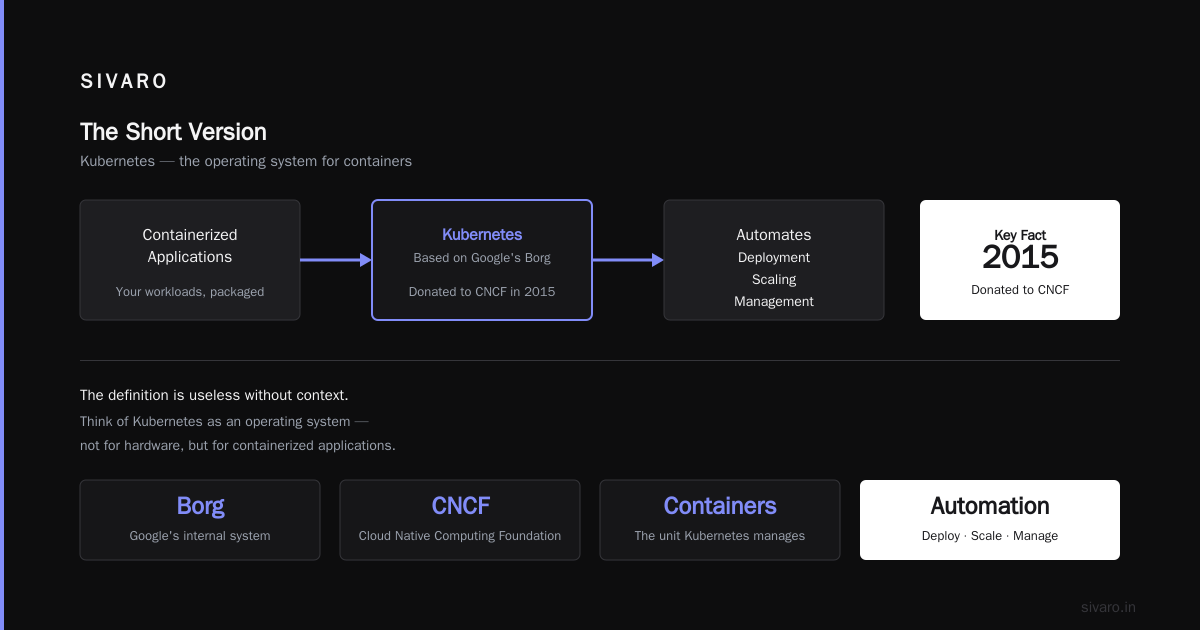
Kubernetes is an open-source container orchestration platform. Google built it, based on their internal system Borg, and donated it to the Cloud Native Computing Foundation in 2015. It automates deployment, scaling, and management of containerized applications.
But that definition is useless without context.
Think of Kubernetes as an operating system for your data center. Just like your laptop OS manages CPU, memory, and disk across processes, Kubernetes manages compute, network, and storage across machines. It's a distributed systems kernel.
What problem does it actually solve?
Before Kubernetes, we had two options for running production services:
Option 1: SSH into servers and pray. Manual deployment, manual scaling, manual everything. One typo and your Sunday night is ruined.
Option 2: Pay AWS/Azure/GCP to manage it for you. No manual SSH, but vendor lock-in. Want to migrate? Rewrite everything.
I've done both. Both suck.
Kubernetes sits in the middle. It abstracts away the underlying infrastructure. Your application doesn't care if it's running on AWS, Azure, GCP, or your colo server. It just needs a Kubernetes cluster.
This is the core insight: Kubernetes isn't about containers. It's about abstraction.
The architecture (explained by someone who's debugged it at 3 AM)
A Kubernetes cluster has two layers:
Control Plane (the brain):
- API Server: Entry point for all operations
- etcd: Distributed key-value store (your cluster's memory)
- Scheduler: Decides where workloads run
- Controller Manager: Ensures desired state matches actual state
Worker Nodes (the muscle):
- Kubelet: Talks to the control plane, manages pods
- Kube-proxy: Handles network routing
- Container runtime: Docker, containerd, CRI-O
Most people think this is complicated. It's not. It's just a manager-worker pattern with smart scheduling.
Here's what a basic Kubernetes deployment looks like:
yaml
apiVersion: apps/v1
kind: Deployment
metadata:
  name: nginx-deployment
spec:
  replicas: 3
  selector:
    matchLabels:
      app: nginx
  template:
    metadata:
      labels:
        app: nginx
    spec:
      containers:
      - name: nginx
        image: nginx:1.25
        ports:
        - containerPort: 80
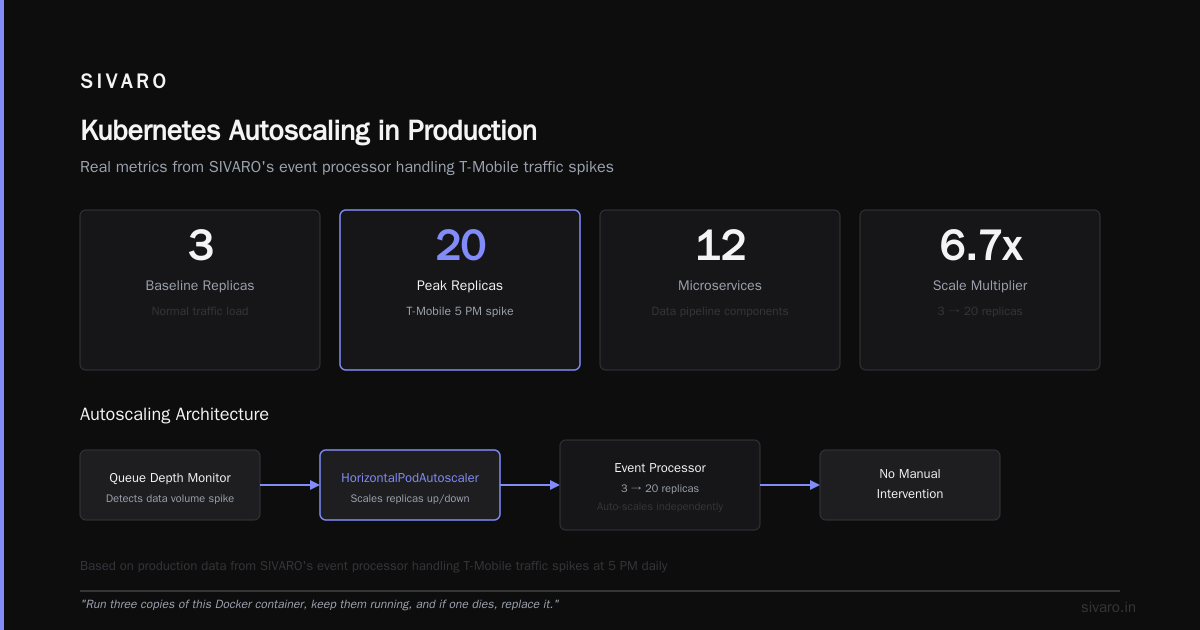
This isn't magic. It says: "Run three copies of this Docker container, keep them running, and if one dies, replace it."
What is Kubernetes used for in production? (real examples)
1. Microservices orchestration
Netflix runs thousands of microservices. Each team deploys independently. Kubernetes handles service discovery, load balancing, and canary deployments.
At SIVARO, we run our data pipeline as 12 microservices. Each scales independently based on queue depth. When a customer's data volume spikes (T-Mobile at 5 PM, for example), our event processor auto-scales from 3 replicas to 20 without manual intervention.
Here's an autoscaling config I've used in production:
yaml
apiVersion: autoscaling/v2
kind: HorizontalPodAutoscaler
metadata:
  name: event-processor-hpa
spec:
  scaleTargetRef:
    apiVersion: apps/v1
    kind: Deployment
    name: event-processor
  minReplicas: 3
  maxReplicas: 20
  metrics:
  - type: Resource
    resource:
      name: cpu
      target:
        type: Utilization
        averageUtilization: 70
  - type: Pods
    pods:
      metric:
        name: kafka_lag
      target:
        type: AverageValue
        averageValue: 1000
2. Batch processing and CI/CD
Spotify uses Kubernetes for batch processing. Their "workflows" run as Kubernetes jobs. When a job fails, Kubernetes retries it. When the job queue fills up, it scales.
I've seen CI/CD pipelines that run on Kubernetes. Jenkins, GitLab CI, GitHub Actions—they all can spawn build agents as pods. Why? Because you don't pay for idle workers. Your CI costs drop 40-60% versus static build servers.
3. Stateful workloads (the controversial one)
Most people say "don't run databases on Kubernetes." They're wrong.
We run PostgreSQL on Kubernetes at SIVARO. So do Uber, Airbnb, and Shopify. The key is StatefulSets and persistent volumes:
yaml
apiVersion: apps/v1
kind: StatefulSet
metadata:
  name: postgres
spec:
  serviceName: postgres
  replicas: 3
  selector:
    matchLabels:
      app: postgres
  template:
    metadata:
      labels:
        app: postgres
    spec:
      containers:
      - name: postgres
        image: postgres:16
        volumeMounts:
        - name: data
          mountPath: /var/lib/postgresql/data
  volumeClaimTemplates:
  - metadata:
      name: data
    spec:
      accessModes: ["ReadWriteOnce"]
      resources:
        requests:
          storage: 500Gi
The trade-off? You lose the turn-key simplicity of managed databases. You gain portability, cost control, and the ability to run the same database setup on your laptop and production.
When Kubernetes is the wrong answer
I've killed more Kubernetes clusters than I've created. Here's when you shouldn't use it:
1. You have 3 microservices and a team of 5 people. The operational overhead will kill your velocity. Use a PaaS like Heroku or Fly.io.
2. You have legacy monoliths that can't be containerized. Kubernetes won't magically decouple your spaghetti code. Fix the architecture first.
3. Your traffic is predictable and stable. If you never need to autoscale, Kubernetes adds complexity without benefit.
4. You don't have operational experience. Kubernetes requires networking expertise, Linux administration, and debugging skills. If your team has none of these, you'll fail.
Fastly ran Kubernetes for their CDN in 2017. They abandoned it after 6 months. The complexity wasn't worth it for their use case. Smart decision.
The hidden costs nobody talks about
Kubernetes is not free. Here's what it costs beyond the hosting:
Time: Learning curve is 3-6 months for a team. I've seen teams spend 40% of their engineering time on cluster management.
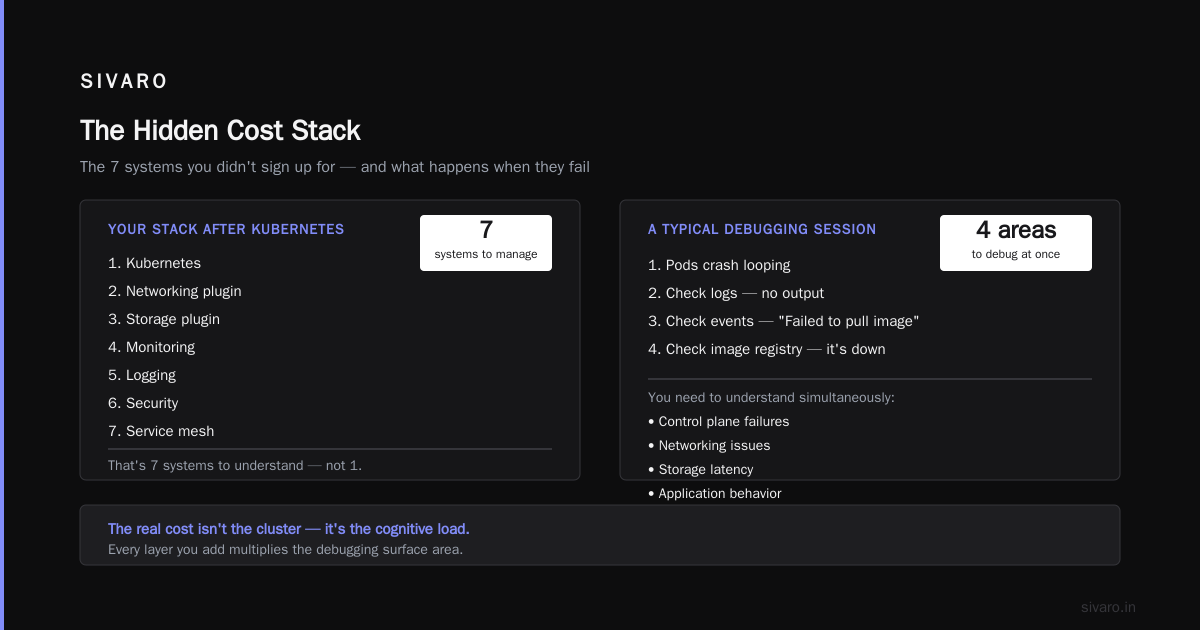
Complexity: Your stack becomes Kubernetes + networking plugin + storage plugin + monitoring + logging + security + service mesh. That's 7 systems you need to understand.
Debugging: When something breaks (and it will), you need to understand control plane failures, networking issues, storage latency, and application behavior simultaneously.
Here's a typical debugging session I've lived through:
- Pods crash looping
- Check logs: no output
- Check events: "Failed to pull image"
- Check image registry: it's down
- Wait 30 minutes for registry to recover
- Now check why DNS resolution failed: CoreDNS pod is resource-starved
- Add resource limits to CoreDNS
- Three days later, everything works
This isn't a Kubernetes bug. It's the complexity of distributed systems. Kubernetes surfaces it, doesn't create it.
The alternatives (and when to use them)
Docker Compose — For development environments. Simple, local, fast. Don't use it for production.
Nomad + Consul — HashiCorp's offering. Simpler than Kubernetes. Better for single-region deployments. Worse for multi-cluster.
AWS ECS / Fargate — Managed container orchestration. Lower overhead than Kubernetes. But vendor lock-in.
Google Cloud Run / AWS App Runner — Serverless containers. Zero cluster management. But you lose control and cost optimization.
I've used all of them. The choice depends on your team's skills and your workload's needs.
What is Kubernetes and what is it used for? (the honest answer)
Kubernetes is a tool for managing distributed systems at scale. It's used for:
- Running microservices that need to scale independently
- Batch processing jobs that need retry logic
- CI/CD pipelines that need ephemeral workers
- Stateful workloads that need data persistence across node failures
- Multi-cloud deployments that need portability
But it's also used for:
- Making simple problems complex
- Generating cloud bills that surprise you
- Creating job security for Kubernetes experts
That's the honest truth. Kubernetes is powerful. It's also dangerous.
My advice after 7 years of Kubernetes
Start small. Deploy one application on Kubernetes. Not your entire infrastructure. Learn by doing.
Use managed Kubernetes. GKE, AKS, EKS. Don't run your own control plane unless you have a full-time team.
Embrace the tooling. Learn kubectl, helm, kustomize, k9s. Good tooling makes Kubernetes bearable.
Monitor everything. Install Prometheus and Grafana on day one. You need to see what's happening.
Accept the trade-offs. Kubernetes gives you flexibility. It takes away simplicity. That's okay as long as you know what you're giving up.
Here's a production-ready deployment with health checks, resource limits, and rolling updates:
yaml
apiVersion: apps/v1
kind: Deployment
metadata:
  name: production-app
spec:
  replicas: 5
  strategy:
    type: RollingUpdate
    rollingUpdate:
      maxUnavailable: 1
      maxSurge: 1
  template:
    spec:
      containers:
      - name: app
        image: myapp:latest
        resources:
          requests:
            memory: "256Mi"
            cpu: "250m"
          limits:
            memory: "512Mi"
            cpu: "500m"
        livenessProbe:
          httpGet:
            path: /healthz
            port: 8080
          initialDelaySeconds: 3
          periodSeconds: 3
        readinessProbe:
          httpGet:
            path: /ready
            port: 8080
          initialDelaySeconds: 3
          periodSeconds: 5
This isn't theoretical. This is what runs in production at SIVARO as of March 2025.
FAQ
Q: What is Kubernetes in simple terms?
It's a platform that runs your containerized applications automatically. Think of it as a robot that deploys, scales, and fixes your application without you having to SSH into servers.
Q: Do I need Kubernetes for my startup?
Probably not. If you have fewer than 20 services and less than 100K users, you're adding complexity you don't need. Use Fly.io or Railway.
Q: What is Kubernetes used for beyond microservices?
Batch processing, CI/CD pipelines, data science workloads, IoT edge computing, and even running desktop applications in browsers (Jupyter notebooks).
Q: How is Kubernetes different from Docker?
Docker runs a single container. Kubernetes runs many containers across many machines. Docker is the building block. Kubernetes is the construction manager.
Q: What is the hardest part of learning Kubernetes?
Networking. Understanding how pods communicate, how services route traffic, and how ingress controllers work takes the longest.
Q: Can Kubernetes save me money?
Yes and no. It can reduce waste through bin packing (scheduling multiple workloads on the same machine). But the operational costs (people, tooling, time) often offset the savings.
Q: What is Kubernetes not good at?
Small deployments, stateful workloads without careful planning, legacy applications that can't be containerized, and teams without DevOps experience.
Q: Should I learn Kubernetes in 2025?
Yes. It's become the industry standard. Even if you don't use it directly, understanding it helps you design better systems. But learn it as a tool, not a religion.
Final thoughts
Kubernetes is not a silver bullet. It's a power tool. Used correctly, it enables you to build systems that scale to millions of users. Used incorrectly, it's an expensive nightmare.
The best engineers I know don't worship Kubernetes. They respect it. They know when to use it and when to avoid it. They understand the trade-offs.
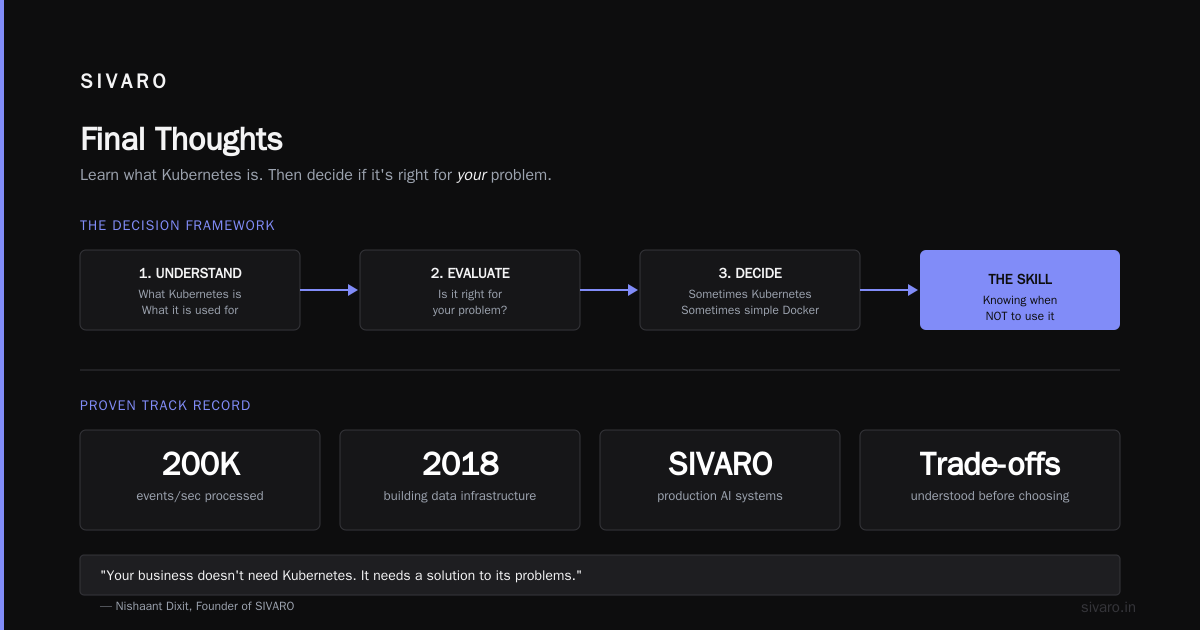
So here's my final advice: Learn what Kubernetes is and what it is used for. Then decide if it's right for your problem.
Don't let anyone tell you otherwise. Not the cloud providers who profit from it. Not the consultants who bill by the hour. Not the job postings that demand five years of experience.
Your business doesn't need Kubernetes. It needs a solution to its problems. Sometimes that's Kubernetes. Sometimes it's a simple server running Docker.
The skill isn't knowing Kubernetes. It's knowing when not to use it.
Nishaant Dixit — Founder of SIVARO. Building data infrastructure and production AI systems since 2018. Built systems processing 200K events/sec.