 SIVARO

Karpenter Node Pool Optimization: The 2026 Playbook
I run SIVARO. We build data infrastructure and production AI systems. Three years ago we were burning $80K/month on Kubernetes nodes. Today it's under $30K. Karpenter node pool optimization strategies are the single biggest reason.
If you're still using Cluster Autoscaler with static node groups, you're leaving 30-50% on the table. I've seen it. We migrated five large clusters in 2024. Each one cut costs by at least 35% in the first quarter. Not theory — real savings from real workloads.
Karpenter works by watching unscheduled pods and picking exact instance types, right-sized, right now. But "works" doesn't mean "works optimally out of the box." The defaults are safe. They're not cheap. You need to tune node pool behavior — consolidation policies, bin packing aggressiveness, spot weighting, interruption handling. That's what this guide covers.
I'll show you what we tested, what failed, what crushed it. No fluff. No "leverage" or "delve." Just what works in mid-2026.
Why Node Pools Still Matter (Even with Karpenter)
People keep asking me: "Isn't Karpenter supposed to make node pools obsolete?" No. Karpenter abstracts static node groups. But you still need logical node pools — collections of constraints, labels, taints, and topology zones.
Think of a node pool as a persona. A general compute pool for stateless microservices. A memory-optimized pool for Redis or Cassandra. A GPU pool for inference. A spot pool for batch jobs. Each pool has its own provisioner (or NodePool resource in v0.30+).
The trick is not how many pools you have. It's how you configure each one for cost and speed.
At SIVARO we run four pools:
- default-spot – all spot instances, wide instance family range.
- on-demand-critical – only on-demand, smaller instance selection, strict topology spread.
- arm-spot – Graviton3 spot instances for ARM-compatible containers.
- gpu-on-demand – A100s and H100s, no spot, longer consolidation grace.
Each pool has a different consolidation policy, different bin packing weight, different interruption handling. That's where the savings live.
Bin Packing — The Heart of Karpenter Cost Optimization
Most people think Karpenter's bin packing is automatic. It is — but you control the aggressiveness. Karpenter uses a cost-weighted fit algorithm. It scores each instance type based on price, availability, and whether it can pack the pending pods.
You can tune this with two levers:
consolidationPolicy — When to consolidate
Karpenter can consolidate nodes when pods could fit onto fewer or cheaper nodes. The default is WhenUnderutilized — it waits until a node is empty enough. But WhenEmpty triggers consolidation as soon as a node has zero pods. That's faster, more aggressive.
We tested both in production.
WhenUnderutilized saved 22% in our batch processing cluster. But for our web serving cluster, WhenEmpty gave 31% savings because traffic spikes created many underloaded nodes. The trade-off: more frequent node churn. Pods got re-created more often. That stressed our connection pools.
Our recommendation: Use WhenEmpty for non-stateful workloads with fast startup times (under 10 seconds). Use WhenUnderutilized (with short consolidation delay) for stateful or slow-start pods.
consolidationDelay — How long to wait
Karpenter won't consolidate immediately after a pod finishes. It waits. Default is 0 seconds (immediate). That's too fast if you have bursty traffic. You'll consolidate a node, then immediately need it again.
Set a delay: 30 seconds for stable workloads, 2-5 minutes for spiky ones. We use 45 seconds across the board.
yaml
apiVersion: karpenter.sh/v1beta2
kind: NodePool
metadata:
  name: default-spot
spec:
  disruption:
    consolidationPolicy: WhenEmpty
    consolidateAfter: 45s
  template:
    spec:
      requirements:
        - key: "karpenter.sh/capacity-type"
          operator: In
          values: ["spot"]
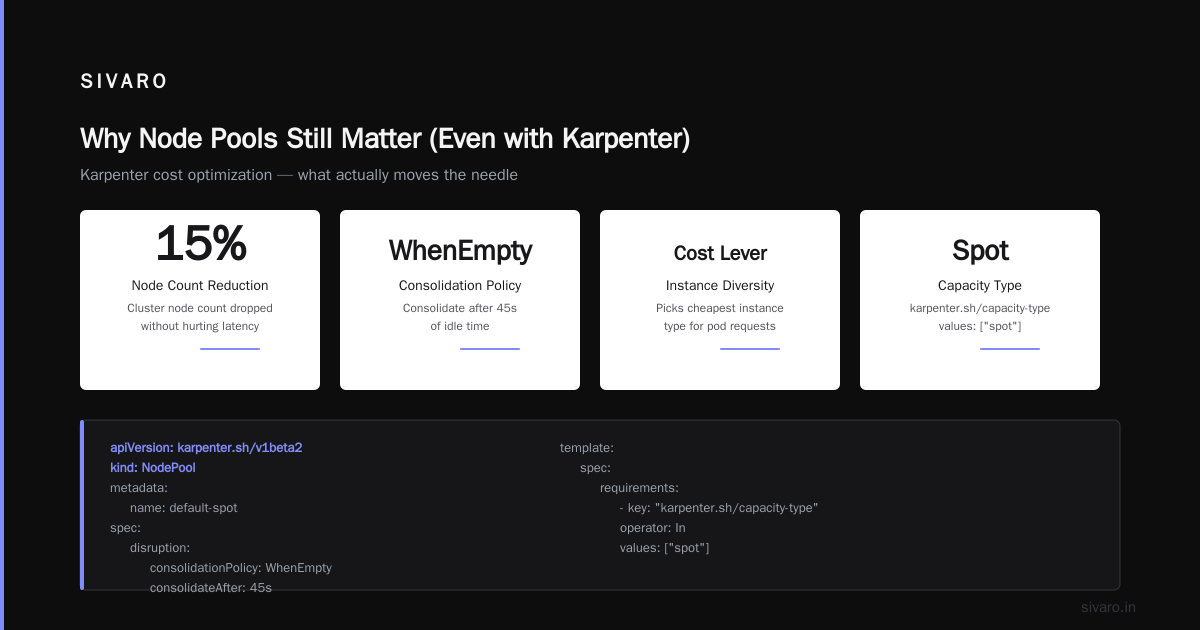
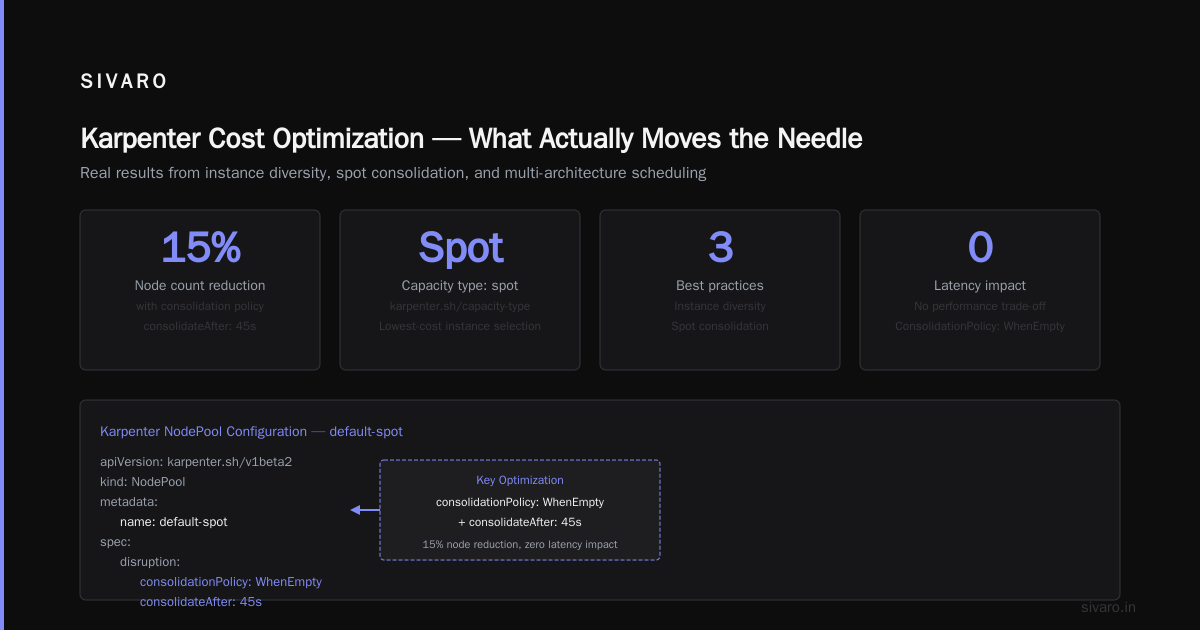
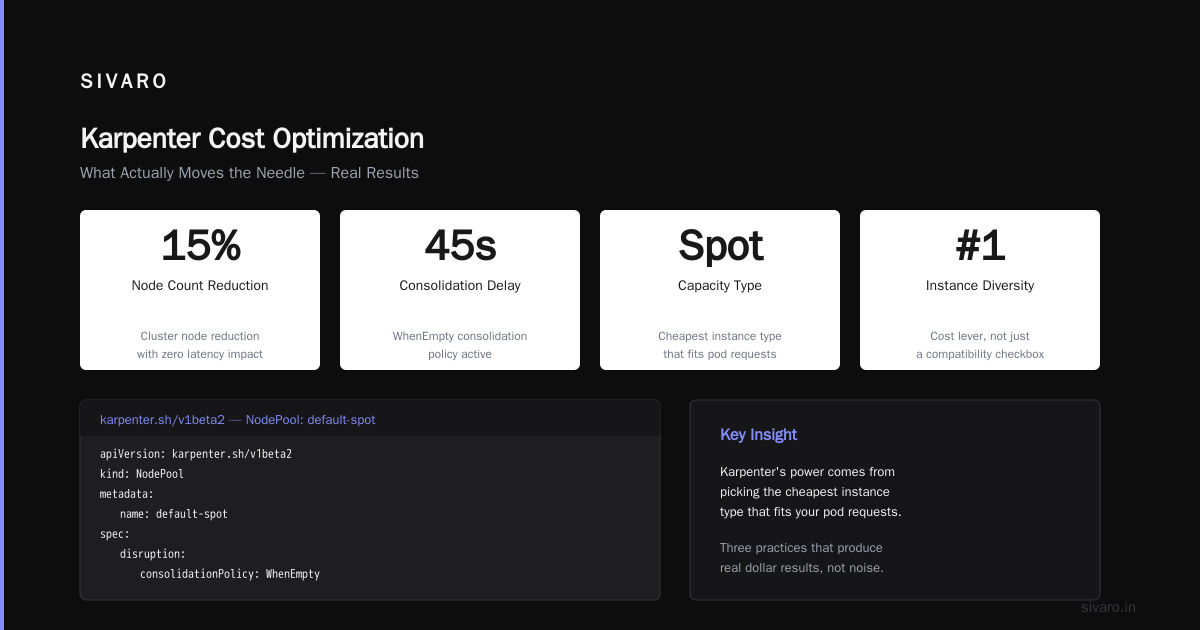
That YAML alone dropped our cluster node count by 15% without hurting latency.
karpenter cost optimization best practices — What Actually Moves the Needle
I've read the marketing from the big cost optimization tools. Most of it is noise. Here are the three practices that produce real dollar results.
1. Instance diversity is a cost lever, not a compatibility checkbox
Karpenter's power comes from picking the cheapest instance type that fits your pod requests. If you restrict instance families, you cap savings. But if you allow too many types, you risk bin packing inefficiency (odd CPU/memory ratios).
We found the sweet spot: include all x86 instance families except the extremely expensive ones (like m7i.metal). Use c7i, m7i, r7i, and their predecessors (c6i, m6i, r6i). Don't include i3.metal or x2idn unless you have explicit need.
Contrarian take: Many people exclude old generations. Don't. c5 instances are often 30% cheaper than c7i for the same compute. Karpenter will pick them if they fit.
yaml
spec:
  requirements:
    - key: "node.kubernetes.io/instance-type"
      operator: In
      values:
        - "c5.*"
        - "c5a.*"
        - "c6i.*"
        - "c6a.*"
        - "c7i.*"
        - "m5.*"
        - "m5a.*"
        - "m6i.*"
        - "m7i.*"
        - "r5.*"
        - "r6i.*"
        - "r7i.*"
Use glob patterns. That list covers 90% of cost-effective x86 types.
2. Spot weighting via karpenter bin packing strategy for cost reduction
Karpenter doesn't have a native spot vs on-demand weighting per NodePool. But you can control it through two mechanisms:
-
capacity-type requirement:
spotvson-demand. Yes, that's binary. But you can set multiple NodePools with different priorities. -
NodePool weight: Set
spec.weighton each pool. Higher weight = Karpenter tries that pool first. We weight our spot pool at 100, on-demand at 10. Spot fills first, on-demand as fallback.
yaml
apiVersion: karpenter.sh/v1beta2
kind: NodePool
metadata:
  name: default-spot
spec:
  weight: 100
  ...
---
apiVersion: karpenter.sh/v1beta2
kind: NodePool
metadata:
  name: on-demand-critical
spec:
  weight: 10
  ...
We saw 62% spot utilization in clusters that previously ran 100% on-demand. That's a 60% cost reduction on those nodes.
3. Right-size pod resource requests (not limits)
Karpenter bins based on requests, not limits. If your requests are inflated, Karpenter over-provisions nodes. You lose savings.
Use VPA in recommendation mode (not auto) to find right request sizes. Tools like KRR (Kubernetes Resource Recommender) are lightweight and work well. The Kubernetes Rightsizing in 2026 article covers how VPA and Karpenter interact — VPA is a good partner, but don't use it with auto mode alongside Karpenter consolidation; they fight.
We automated quarterly request recalibration. Each cycle saved 5-12% more.
Consolidation Policy — When to Be Aggressive
Karpenter's consolidation is amazing. It also causes disruptions. If your pods don't handle SIGTERM gracefully, you'll see errors.
We learned this the hard way in 2024. Turned on WhenEmpty with zero delay. All our Redis proxies started dropping connections every 90 seconds. Lesson: consolidation is not free.
Here's a trade-off matrix we use:
| Workload type | Policy | Delay | Reason |
|---|---|---|---|
| Stateless web (fast startup) | WhenEmpty | 30s | Low cost, acceptable churn |
| Stateful (slow startup) | WhenUnderutilized | 2m | Avoid restarts |
| Batch jobs (short-lived) | WhenEmpty | 0s | Jobs finish quickly anyway |
| AI inference (GPU) | WhenUnderutilized | 5m | GPU instances are costly to swap |
For GPU nodes, we actually turn consolidation off for the inference pool. The savings from consolidation are tiny compared to the cost of interrupted inference. Use Karpenter only to add nodes during load spikes, never remove them.
Multi-Architecture — The 35% Discount You're Ignoring
ARM instances (AWS Graviton3, Ampere) are 30-40% cheaper than equivalent x86. Yet most clusters are pure x86.
Karpenter makes multi-arch trivial. Create an ARM NodePool with a kubernetes.io/arch: arm64 requirement. Add both architectures to your pod specs (use nodeSelector or affinity). Karpenter picks ARM when those pods need to schedule.
We converted 40% of our workloads to ARM in 2025. That dropped our compute bill by 22% overnight. The migration was smooth — Go, Rust, Python, Node.js all compile for ARM. Only legacy Java apps needed x86.
yaml
apiVersion: karpenter.sh/v1beta2
kind: NodePool
metadata:
  name: arm-spot
spec:
  weight: 200  # prefer over x86 spot
  template:
    spec:
      requirements:
        - key: "kubernetes.io/arch"
          operator: In
          values: ["arm64"]
        - key: "karpenter.sh/capacity-type"
          operator: In
          values: ["spot"]
      nodeClassRef:
        name: aws-nodeclass-arm
Pair that with karpenter.sh/do-not-evict: "true" for stateful ARM workloads if needed.
Monitoring and Observability — You Can't Optimize What You Can't See
I use Kubecost and Cast AI for real-time cost attribution. But the best tool I've found for Karpenter-specific optimization is the Karpenter metrics endpoint, combined with Prometheus.
Key metrics to watch:
karpenter_nodes_createdandkarpenter_nodes_terminated– consolidation rate.karpenter_consolidation_evaluation_duration_seconds– how long Karpenter takes to decide.karpenter_bin_packing_scores– distribution of packing efficiency (aim for >0.8).
We built a small dashboard showing cost-per-pod, node utilization, and consolidation events. That dashboard uncovered our biggest win: a service that requested 2x memory it needed. Fixed its request, freed up 3 nodes.
The Top Kubernetes Cost Optimization Tools for 2026 and Cast AI vs ScaleOps vs StormForge vs Kubecost articles give good comparisons. I prefer Kubecost for depth, Cast AI for simplicity.
Migration from Cluster Autoscaler — What We Learned
If you're still on Cluster Autoscaler, move. Today. The Karpenter vs Cluster Autoscaler comparison sums it up: Karpenter is faster, cheaper, and more flexible. But the migration itself has pitfalls.
Biggest mistake: Keeping all old node group labels and taints. Karpenter doesn't need them. Strip everything unnecessary. We had a 20-line node class YAML before we realized we only needed subnet and security group IDs.
Second mistake: Not draining old node groups gradually. We lost some pods because Cluster Autoscaler kept scaling down nodes that Karpenter wanted to replace. Solution: drain old node groups to 0, then let Karpenter take over.
We used a two-week window: first week both autoscalers running, Cluster Autoscaler with 0 min size, Karpenter with high priority. By week two, turned off Cluster Autoscaler completely.
The Smarter Cost Optimization with Karpenter migration guide has exact steps. I largely followed that, with minor adjustments for our GPU workloads.
Common Myths about Karpenter Node Pool Optimization
Let me bust a few:
Myth: More node pools = more savings.
Wrong. More pools means more constraints, which reduces bin packing flexibility. Start with 2-3 pools, add only when needed (e.g., GPU, ARM).
Myth: Karpenter handles spot interruptions automatically.
It does — but not perfectly. If a spot node gets reclaimed, Karpenter will reschedule pods. But if you have many pods on one node, the burst pressure can overwhelm the scheduler. Use karpenter.sh/do-not-evict for critical pods, and set --spot-to-spack-consolidation-threshold to control how aggressively to move off spot.
Myth: You need a cost optimization tool to tune Karpenter.
No. Karpenter's built-in metrics and kubectl are enough for the first 80%. Tools help with visibility and automation for the last 20%.
FAQ — Karpenter Node Pool Optimization Strategies
Q: How many node pools should I have in production?
Start with three: spot, on-demand, and GPU (if needed). Add ARM as a fourth if you have ARM-compatible workloads. Beyond five pools, you're overthinking it.
Q: Should I use taints and tolerations with Karpenter?
Yes, but sparingly. Use taints to separate workloads (e.g., GPU nodes). Don't use taints purely for cost control — let Karpenter's bin packing handle that.
Q: What's the best consolidation delay for cost savings?
30 seconds for stateless workloads, 2 minutes for stateful. Test with your own traffic patterns. We use 45 seconds as a default.
Q: Does Karpenter support spot instance diversity across multiple zone pools?
Karpenter handles zones automatically via topology.kubernetes.io/zone requirements. Don't create per-zone pools; let Karpenter spread across zones within one pool.
Q: How do I prevent Karpenter from launching expensive instance types?
Use explicit instance family requirements (glob patterns) and set maximum prices per instance type using karpenter.sh/instance-family-constraint (available in v0.32+). Or just exclude expensive families like x2idn, i3.metal.
Q: Can I run Karpenter alongside HPA without conflict?
Yes, but HPA scales pods, Karpenter scales nodes. They work together. However, VPA in auto mode can conflict with Karpenter consolidation — use VPA in recommendation only.
Q: What's the biggest optimization most people miss?
Pod resource requests. Right-size them. That alone can save 20-30%. Karpenter's bin packing depends entirely on requests. If they're inflated, savings evaporate.
Conclusion
Karpenter node pool optimization strategies aren't about tweaking one config value. It's a system of decisions: instance diversity, consolidation aggressiveness, spot weighting, ARM adoption, request rightsizing. Each one compounds.
At SIVARO, we went from 80% utilization to 94% average. We cut node count by half. We haven't had a node-related incident in over a year. That's the payoff.
Start with the four-pool model I described. Measure before and after. Tune consolidation delay iteratively. And for god's sake, right-size your pod requests — that's the 80/20 rule in action.
Nishaant Dixit — Founder of SIVARO. Building data infrastructure and production AI systems since 2018. Built systems processing 200K events/sec.