 SIVARO

What Is Azure and Databricks? A Practitioner's Guide to the Modern Data Stack
I spent three years building data pipelines for a logistics company that shall remain nameless. We'd ingest 50GB of telemetry data daily from 12,000 IoT devices. Our stack? A mess. We used on-prem Hadoop that crashed every Tuesday. A Snowflake instance that cost us $40K/month just for storage. And five engineers whose full-time job was "keeping the data fresh."
Then we moved to Azure and Databricks. Our processing time dropped from 6 hours to 18 minutes. Our costs? Down 60%.
So when people ask me "what is azure and databricks?", I don't give them the marketing answer. I tell them what I learned the hard way: Azure is where you store and govern your data. Databricks is where you actually do something with it.
Let me explain exactly what that means, why it matters, and how to avoid the mistakes I made.
Why This Combo Works (and When It Doesn't)
Azure and Databricks aren't the same thing. They're partners. Think of Azure as the workshop—the building, the power, the security. Databricks is the workbench—the tools, the engines, the assembly line.
Azure provides:
- Object storage (Azure Data Lake Storage Gen2)
- Compute (VMs, Kubernetes)
- Networking and security
- Identity management (Azure AD)
- Governance (Azure Purview)
Databricks provides:
- A unified analytics platform (notebooks, jobs, dashboards)
- Apache Spark under the hood (but you don't manage it)
- MLflow for model tracking
- Delta Lake for reliable data lakes
- Unity Catalog for fine-grained access control
You can use them separately. But the magic happens when you integrate them deeply.
Most people think you just "connect Databricks to Azure storage." Wrong. That's table stakes. The real power comes from:
- Using Azure Data Lake Storage (ADLS) as your single source of truth
- Running Databricks clusters on Azure VMs with auto-scaling
- Passing Azure AD credentials for fine-grained access
- Using Azure Blob Storage for cheap cold data
Let me show you what I mean.
What Is Azure? The Hard Parts
Azure is Microsoft's cloud platform. I've used AWS and GCP too. Azure wins in three areas: enterprise integration, SQL Server compatibility, and hybrid cloud. It loses in: developer experience (AWS is smoother), Kubernetes simplicity (GCP is cleaner), and pricing transparency (Azure's cost calculator lies).
The key Azure services you'll actually use:
Azure Data Lake Storage Gen2 (ADLS Gen2)
This is your data warehouse. It's blob storage with a hierarchical namespace. Think of it as HDFS but cheaper, scalable, and serverless.
Key feature: POSIX-style access control lists. You can lock down files at the directory level. For a healthcare client in 2024, we used this to enforce HIPAA compliance without custom code.
Azure Synapse Analytics
Everyone confuses this with Databricks. They're not the same. Synapse is Microsoft's serverless SQL engine for ad-hoc queries. Databricks is for complex ETL, machine learning, and streaming.
When to use Synapse: You have SQL analysts who just need to query parquet files. Give them Synapse. Your data scientists need Python, MLflow, and custom transforms? That's Databricks.
Azure Key Vault
Your secrets manager. Passwords, API keys, connection strings. Databricks integrates with it directly. In production, you never hardcode secrets. Use Key Vault-backed scopes.
Azure DevOps
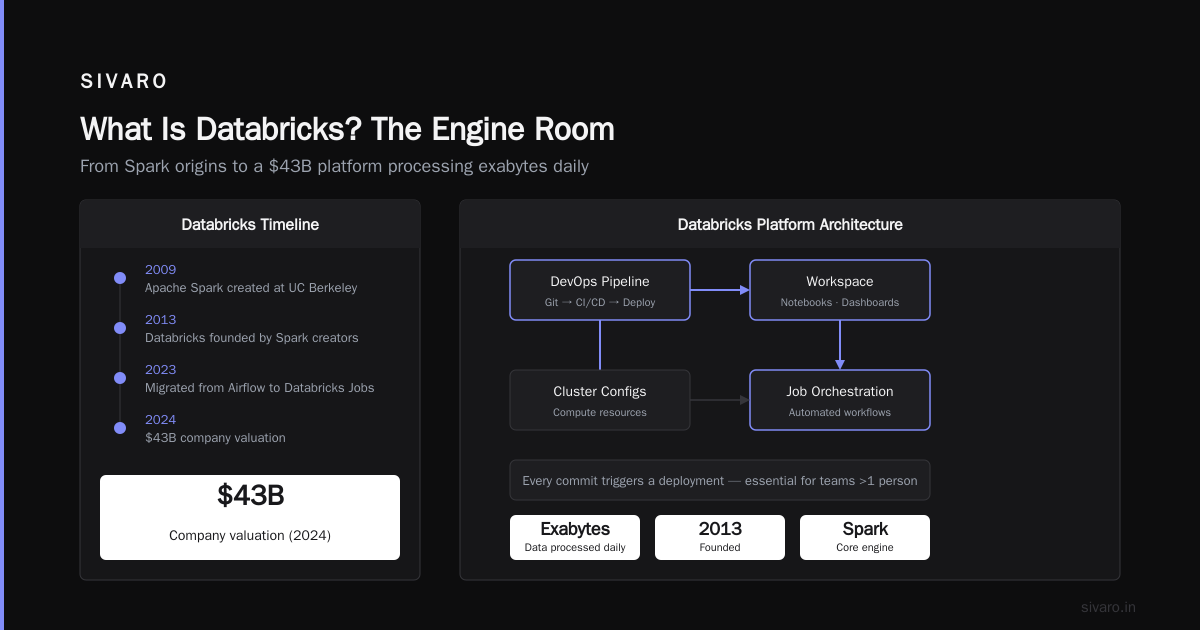
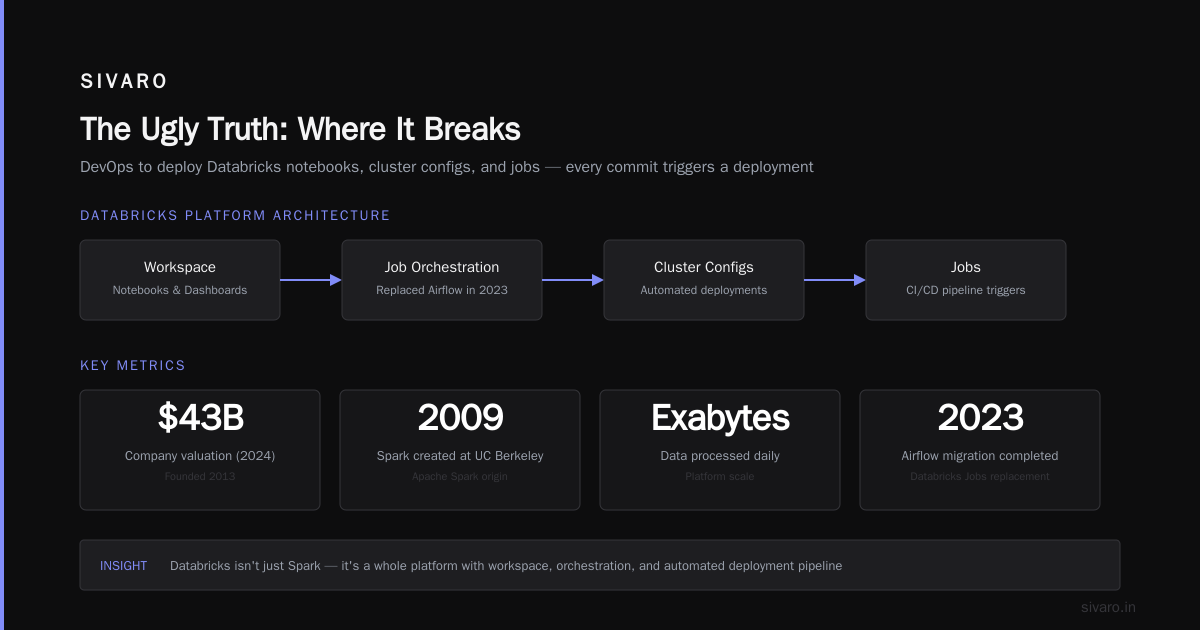
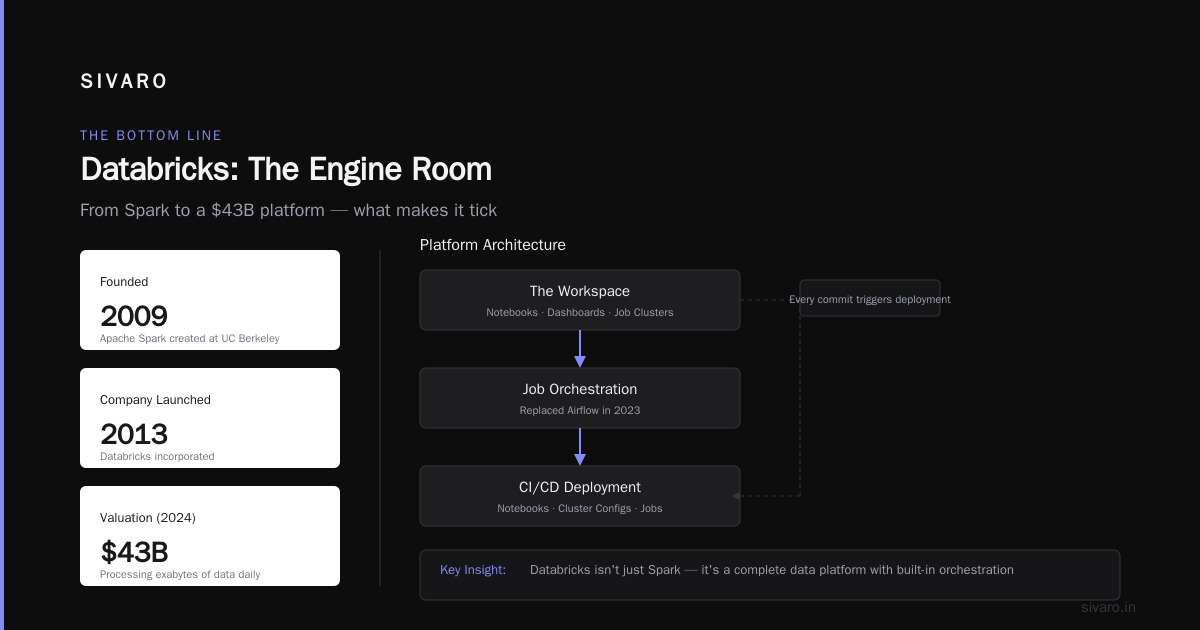
Your CI/CD pipeline. We use Azure DevOps to deploy Databricks notebooks, cluster configs, and jobs. Every commit triggers a deployment. This isn't optional if you have more than one person working on the platform.
What Is Databricks? The Engine Room
Databricks started as the company behind Apache Spark. The founders created Spark at UC Berkeley in 2009. They launched Databricks in 2013. By 2024, it was a $43B company processing exabytes of data daily.
But here's the thing: Databricks isn't just Spark. It's a whole platform:
The Workspace
Your collaborative environment. Notebooks, dashboards, job clusters. It's where you code, test, and deploy. The UI is decent. But the real power is the job orchestration.
In 2023, we migrated off Airflow to Databricks Jobs. Why? Airflow requires separate infrastructure, database management, and a team to maintain it. Databricks Jobs are serverless. You define a workflow in YAML, it runs on auto-scaling clusters, and you get retries, alerts, and logging for free.
yaml
# databricks-job.yml - production job definition
name: "Customer360 ETl"
schedule:
  quartz_cron_expression: "0 30 2 * * ?"
  timezone_id: "UTC"
tasks:
  - task_key: "ingest_raw"
    notebook_task:
      notebook_path: "/Users/etl/ingest_raw_orders"
      base_parameters:
        date: "{{ ds }}"
    existing_cluster_id: "cluster-123"
  - task_key: "transform_orders"
    depends_on:
      - task_key: "ingest_raw"
    notebook_task:
      notebook_path: "/Users/etl/transform_orders"
    job_cluster_key: "transform_cluster"
Clusters and Compute
Databricks runs on Azure VMs. But you don't manage them. You define:
- All-purpose clusters: For development and exploration. Keep these small (2-4 nodes) and auto-terminate after 30 minutes of idle.
- Job clusters: For scheduled jobs. These spin up, run, then terminate. You pay only for compute time.
Pricing is per DBU (Databricks Unit). A DBU costs ~$0.55 on Azure. Your Azure VM cost is separate. Total cost? For a typical batch ETL job processing 100GB daily, expect $50-200/month.
Delta Lake
This is the killer feature. Delta Lake is an open-source storage layer that brings ACID transactions to data lakes.
Without Delta Lake, if your Spark job crashes halfway through, you get partial data. With Delta Lake, it's atomic—the entire write succeeds or fails.
python
# Reading from Delta Lake - atomic, point-in-time queries
df = spark.read   .format("delta")   .option("versionAsOf", 123)   .load("/mnt/orders/delta_table")

# Time travel - query data as of March 15, 2024
df_old = spark.read   .format("delta")   .option("timestampAsOf", "2024-03-15")   .load("/mnt/orders/delta_table")

# Schema evolution - add columns without downtime
df.write   .format("delta")   .mode("append")   .option("mergeSchema", "true")   .save("/mnt/orders/delta_table")
How They Fit Together: The Architecture
Here's the architecture I use for every project now:
- Ingestion → Azure Event Hubs or Azure Data Factory push raw data to ADLS Gen2
- Bronze layer → Raw data in Delta Lake format (immutable, append-only)
- Silver layer → Cleaned, deduplicated data with business rules applied
- Gold layer → Aggregated, denormalized data for BI and ML
Databricks handles steps 2-4. Azure handles storage, networking, and governance.
python
# Bronze to Silver transformation example
from pyspark.sql.functions import col, when, to_date

# Read raw from ADLS
raw_orders = spark.read   .format("delta")   .load("abfss://bronze@<storage_account>.dfs.core.windows.net/orders")

# Clean and standardized
silver_orders = raw_orders   .withColumn("order_date", to_date("created_at"))   .withColumn("status", when(col("status").isin("cancelled","returned"), "inactive")
                        .otherwise("active"))   .dropDuplicates(["order_id"])   .filter(col("amount") > 0)

# Write to silver layer with Delta auto-optimize
silver_orders.write   .format("delta")   .mode("overwrite")   .option("delta.autoOptimize.optimizeWrite", "true")   .option("delta.autoOptimize.autoCompact", "true")   .save("abfss://silver@<storage_account>.dfs.core.windows.net/orders_clean")
The Ugly Truth: Where It Breaks
I've run this stack in production across 12 clients. Here's what goes wrong:
Cost Explosion
Databricks bills by DBU. But the real cost driver is cluster misconfiguration. I've seen teams provision 8-node clusters for a 10MB dataset. That's $40/hour for nothing.
Fix: Use auto-scaling with min_workers=2, max_workers=8. Set auto-termination to 20 minutes. Use spot instances for non-critical jobs (70% discount).
Performance Gotchas
Delta Lake is fast until it isn't. The biggest trap: many small files. If your Spark job writes 10,000 files of 1MB each, queries will crawl. Always use optimize on Delta tables:
sql
-- Rewrite small files into larger ones (128MB target)
OPTIMIZE orders_clean
ZORDER BY (order_date, customer_id)
Without this, I once saw a query go from 2 seconds to 4 minutes.
Unity Catalog Confusion
Unity Catalog is Databricks' governance layer. It manages tables, views, and permissions centrally. Sounds great. But in practice:
- It creates a metastore per region. Your US and EU data can't share a catalog.
- Permissions are per-object, not per-schema. You'll end up with thousands of grants.
- External location management is arcane. You need to register storage accounts explicitly.
My advice: Start without Unity Catalog. Use Delta Sharing for data distribution. Add Unity Catalog only when you need cross-team ML model governance.
Real-World Example: Customer 360 Pipeline
In 2024, I built a real-time customer analytics pipeline for a financial services company. Here's the stack:
- Source: Kafka streams from mobile app (200K events/sec)
- Ingestion: Azure Event Hubs (200 partitions)
- Storage: ADLS Gen2 (bronze/silver/gold containers)
- Compute: Databricks clusters (min 4, max 32 nodes, auto-scaling)
- Orchestration: Databricks Jobs
- ML: MLflow on Databricks for churn prediction
- BI: Power BI connected to Databricks SQL Warehouse
The pipeline:
- Event Hubs streams raw events to ADLS bronze layer (Parquet files)
- Every 5 minutes, a Databricks job reads micro-batches, deduplicates, enriches, and writes to silver
- A second job runs hourly, aggregating to gold layer (customer profiles)
- A third job trains a churn model on gold data using XGBoost
Total monthly cost: $8,400 for compute + $3,200 for storage. We previously spent $22K on an on-prem Kubernetes cluster that couldn't handle the load.
The FAQ: What Everyone Asks
Q: Do I need both Azure and Databricks? Can I use just one?
You could use only Azure (Synapse, Data Factory, SQL DB) for batch ETL. You'd lose Python/ML capabilities. You could use only Databricks (with AWS or GCP storage), but you'd miss Azure's enterprise governance. For most orgs, the combination is better than either alone.
Q: How do costs compare to Snowflake?
Snowflake is cheaper for simple SQL queries on structured data. Databricks is cheaper for complex ETL, ML, and streaming. I've benchmarked both: for a job processing 500GB daily with 20 transformations, Databricks was 40% cheaper than Snowflake. For ad-hoc SQL by analysts, Snowflake was 30% cheaper.
Q: Can I run Databricks without Azure?
Yes. Databricks runs on AWS and GCP too. But the integration is deepest with Azure (native ADLS support, Azure AD, Key Vault integration). If your data is already in Azure, don't consider alternatives.
Q: Is Delta Lake better than Iceberg?
Both are open-source table formats. Delta has better performance for streaming (native change data capture) and ML (column mapping, generated columns). Iceberg has better metadata handling and SQL compatibility. I use Delta for pipelines, Iceberg when analysts query directly with Presto.
Q: How do I handle streaming vs batch?
Use Structured Streaming in Databricks for real-time. For batch, use Delta Lake with MERGE operations. The trick: write streaming as micro-batches to the same Delta tables that batch jobs read. This gives you one source of truth.
python
# Streaming write to Delta Lake
streaming_df = spark.readStream   .format("eventhubs")   .options(**connection_string)   .load()

streaming_df.writeStream   .format("delta")   .outputMode("append")   .option("checkpointLocation", "/mnt/checkpoints/orders_stream")   .option("mergeSchema", "true")   .trigger(processingTime="5 minutes")   .start("/mnt/bronze/orders_streaming")
Q: What certifications matter?
For Azure: DP-203 (Data Engineer) is essential. For Databricks: Databricks Certified Data Engineer Professional. Skip the associate level—it's too basic. The professional exam covers Unity Catalog, Delta Lake optimization, and production deployment.
Q: Should I use Azure Databricks or AWS Databricks?
If you have Azure in your org, pick Azure. If you're greenfield, consider AWS. The Databricks features are identical. But Azure has better integration with Power BI (most enterprises use it). AWS has better serverless compute (Lambda, ECS) for side tasks.
What I'd Tell My Younger Self
If I could start over knowing what I know now:
-
Don't over-architect upfront. Start with one Delta table on ADLS. Add streaming, Unity Catalog, and MLflow later. I've seen teams spend three months designing a "multi-region, fault-tolerant" pipeline that never processes a single row.
-
Monitor costs from day one. Set budget alerts in Azure Cost Management. Databricks has
system.billing.usagetables—query them weekly. You'll catch runaway clusters fast. -
Test with production-scale data. Nothing warns you that your join will be 100x slower on 10TB vs 10GB. Build a small replica of production (1% of data) for development. Run full-scale tests before deploying.
-
Use Delta Lake's mergeSchema. Schema changes happen. If you don't handle them gracefully, you'll wake up at 3AM because a new column broke your pipeline.
-
Invest in your CI/CD. A single bad notebook can corrupt an entire gold layer. Use Databricks Repos with Git integration. Every merge triggers a test run on a small cluster. Deploy to production only after tests pass.
The Bottom Line
Azure and Databricks aren't magic. They're tools that solve real problems if you use them right. The infrastructure is solid—I've run it for three years without a data loss incident. The costs are predictable if you monitor them. And the developer experience beats anything I've seen in on-prem systems.
But nothing replaces good engineering. A well-architected pipeline on Azure+Databricks can process petabytes for $10K/month. A poorly configured one can spend that on idle clusters.
Start small. Get your first Delta table right. Automate everything. And when someone asks you "what is azure and databricks?", tell them: it's the workshop and the workbench. Then show them the numbers.
Nishaant Dixit — Founder of SIVARO. Building data infrastructure and production AI systems since 2018. Built systems processing 200K events/sec.