Here’s what we’ll cover: what makes a GPU good for a cluster node (spoiler: raw speed isn’t it), how to pick between current and upcoming hardware (H100, B200, MI300X…), and where the industry stands in mid-2026. We’ll also tackle the practical side — how to set up a GPU cluster for deep learning, and whether you should even own hardware vs renting on platforms like Vast.ai.
Let’s start with the question everyone asks.
The “Best GPU” Depends on Your Workload — Not the Spec Sheet
Most people think the answer is “NVIDIA H100 80GB”. Two years ago, that was true. Today? It depends.
A team can discover too late that its models are memory-bandwidth bound, not compute bound, and its GPUs sit underused. GPU Cluster Explained breaks this down: cluster performance is a systems problem, not a GPU-only one.
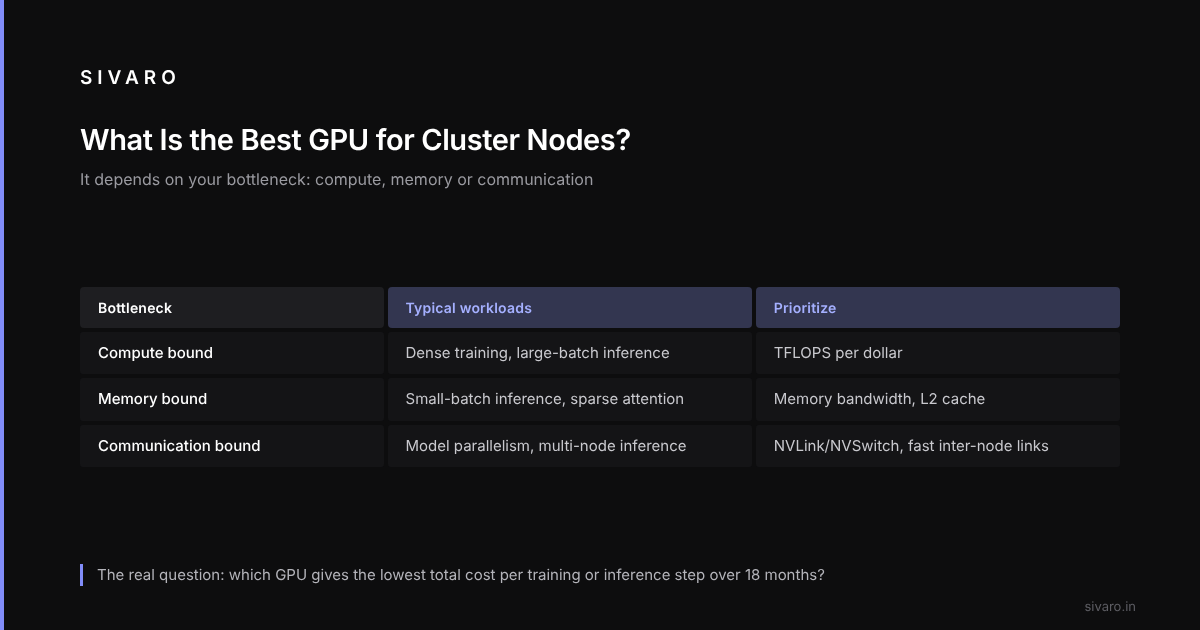
The real question isn’t “which GPU is fastest”. It’s “which GPU makes my total cost per inference or training step lowest over the next 18 months”.
So let’s walk through a decision framework.
Know Your Bottleneck First
I classify workloads into three buckets:
- Compute bound — large matrix multiplies (training dense models, large-batch inference)
- Memory bound — small-batch inference, graph neural networks, sparse attention
- Communication bound — distributed training with model parallelism, multi-node inference
Each bucket favors different GPU attributes.
| Bucket | Key metric | Best GPU (mid-2026) |
|---|---|---|
| Compute bound | TFLOPS/$, HBM capacity | NVIDIA B200 (FP8) |
| Memory bound | Memory bandwidth, L2 cache | AMD MI300X (5.2 TB/s) |
| Communication bound | NVLink/NVSwitch + fast inter-node | NVIDIA H100 SXM (NVLink 4.0) |
What Is the Best GPU for Cluster Nodes? (Current Gen, Mid-2026)
Here’s my unfiltered ranking for new clusters deployed today (July 2026):
1. NVIDIA B200 (Blackwell)
Shipping since late 2025. 2.5x the FP8 TFLOPS of H100. 192 GB HBM3e memory. This is the king of large training runs — if you have the cooling and power. Drawback: power draw hits 1200W per GPU. Your data center might need liquid cooling. Exxact’s guide lists power density as the #1 limiting factor for new clusters. They’re right.
2. NVIDIA H100 (Hopper)
Still a workhorse. 80GB HBM3, 3.35 TB/s bandwidth, solid NVLink 4.0. If you’re building a cluster today for mixed workloads (training + inference + data processing), H100 remains the safe bet. But don’t pay MSRP — prices have dropped 40% since 2024. I’d only buy H100 SXM, not PCIe (the SXM has better interconnects).
3. AMD MI300X
192 GB HBM3, 5.2 TB/s memory bandwidth — crushes H100 in bandwidth. Software is mature now (ROCm 6.x works with PyTorch 2.6). Contrarian take: For inference clusters serving large models (Llama 4, GPT-like), MI300X often beats H100 on latency-per-dollar. But training? Still behind because of less optimized collective operations. Pick your poison.
4. Intel Gaudi 3
Underdog. 24GB HBM2e per die (128GB total with 8 dies). Cheaper than NVIDIA, but the ecosystem is small. For most startups? Avoid unless you’re willing to invest in custom operators.
How to Set Up a GPU Cluster for Deep Learning — The Practical Bits
You’ve picked a GPU. Now the real work begins.
Interconnects: The Silent Performance Killer
“Is microservices a distributed system?” The same logic applies inside a cluster. Each node is a microservice for compute. If they can’t talk fast, your training dies.
For multi-node training, you need NVLink (within node) and InfiniBand or RoCEv2 (between nodes). InfiniBand NDR400 gives 400 Gbps per port, while RoCEv2 (on Broadcom or NVIDIA ConnectX-8) can hit similar numbers with careful tuning. Don’t use standard 100GbE unless you’re doing data-parallel only with huge batch sizes. This NVIDIA developer discussion has a thread from a small company that learned this the hard way — they bought 25GbE switches and their 8-node cluster ran slower than a single H100.
Here’s a minimal Slurm configuration for a 4-node cluster (adjust for your topology):
# slurm.conf (excerpt) for a 4-node GPU cluster
NodeName=node[01-04] CPUs=64 Boards=1 SocketsPerBoard=2 CoresPerSocket=16 ThreadsPerCore=2 RealMemory=512000 Gres=gpu:a100:4
PartitionName=gpu Nodes=node[01-04] Default=YES MaxTime=INFINITE State=UP
Storage: Everyone Forgets This
A GPU cluster without fast storage is like a Ferrari with bicycle tires. You need:
- NVMe local SSDs (4-8 TB per node) for dataset caching
- Parallel filesystem (Lustre, GPFS, or WekaFS) for shared data
GPUs can spend much of their time waiting on I/O. GreenNode’s article warns about this — they recommend at least 10 GB/s per node read bandwidth for training large models.
Software Stack
You need more than pip install torch. Here’s a typical install for a new cluster:
# Cluster setup (Ubuntu 24.04)
sudo apt install nvidia-driver-550 nvidia-cuda-toolkit nvidia-fabricmanager
pip install torch==2.5.0+cu121 torchvision torchaudio --extra-index-url https://download.pytorch.org/whl/cu121
pip install deepspeed megatron-energon
# For AMD clusters:
pip install torch==2.6.0+rocm6.2 --extra-index-url https://download.pytorch.org/whl/rocm6.2
And a simple distributed training launcher:
# launcher.py
import os, subprocess
world_size = 8  # 2 nodes x 4 GPUs each
cmd = f"torchrun --nnodes=2 --nproc_per_node=4 --rdzv_endpoint=node01:29500 train.py"
subprocess.run(cmd, shell=True, env=os.environ)
Should You Buy or Rent? (The 2026 Reality)
There’s a third option that most engineers overlook: hybrid.
In early 2026, Vast.ai has over 50,000 GPUs listed, including A100s at $1.20/hr and H100s at $2.80/hr. For short-lived experiments, renting is a no-brainer. But for sustained workloads (>6 months), ownership wins — especially if you negotiate hardware discounts (H100 nodes now go for ~$40K each).
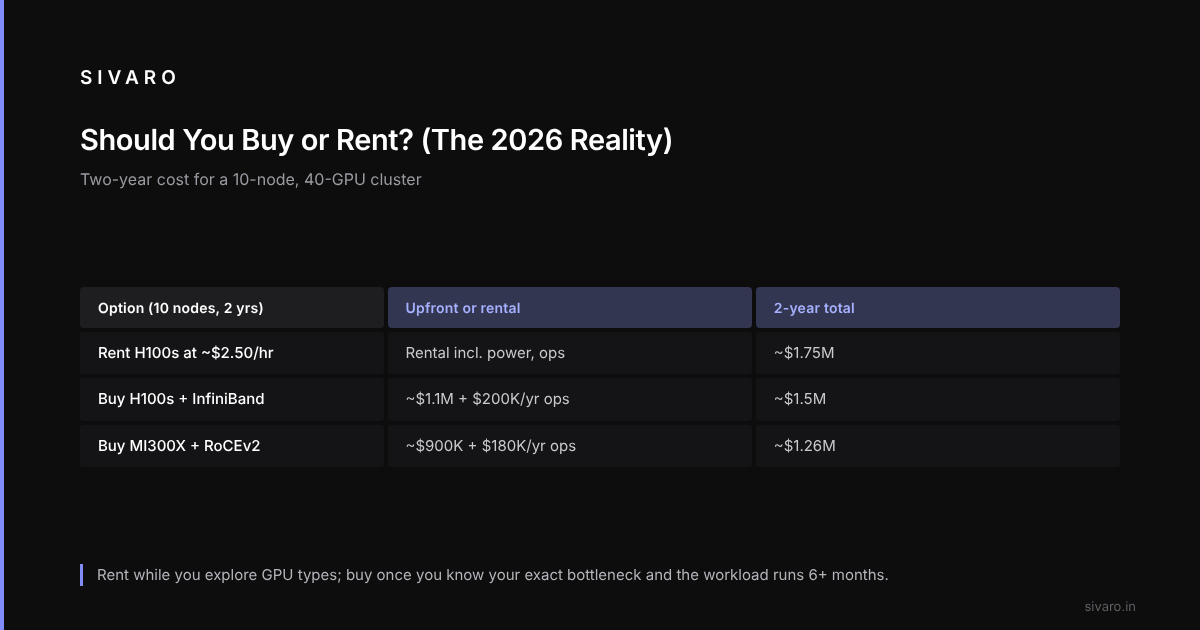
My rule of thumb: rent for “what is the best gpu for cluster nodes” exploration (you’ll try multiple GPU types), buy once you know your exact bottleneck.
Here’s a quick cost comparison for a 10-node cluster (40 GPUs) over 2 years:
| Scenario | Cost | Notes |
|---|---|---|
| Rent H100 (Vast.ai) @ ~$2.50/hr | ~$1.75M | Includes power, cooling, ops |
| Buy H100s + InfiniBand + racks | ~$1.1M | + $200K/year ops = ~$1.5M |
| Buy MI300X + RoCEv2 | ~$900K | + $180K/year ops = ~$1.26M |
For many midsize companies, the break-even is 8-10 months.
The Network Topology Decision: Flat vs Hierarchical
One topic that rarely gets enough airtime: how you wire the GPUs.
For clusters under 32 nodes, a flat fat-tree works fine. Beyond that, you need hierarchical topologies (e.g., 3-tier Clos). Scale Computing has a good diagram of a 2-tier topology connecting 8 nodes per leaf switch.
An oversubscribed switch kills all-to-all communication. You want non-blocking at the leaf level — every GPU can talk to every other GPU at full bandwidth.
For a 4-node cluster with 8 GPUs each:
Node 1: GPU0..3 -> NVSwitch -> GPU4..7
Node 2: GPU0..3 -> NVSwitch -> GPU4..7
... (all nodes connected via IB NDR 400)
Frequently Asked Questions
What is the best GPU for cluster nodes for small companies?
If you have fewer than 8 nodes, get H100 SXM with NVLink. They hold resale value better than AMD, and the ecosystem is simpler. But if your budget is tight and you’re doing inference-heavy work, AMD MI300X gives better memory bandwidth per dollar.
Can I mix GPU types in a single cluster?
Technically yes, practically no. You’ll have to disable fastest-GPU optimizations or use heterogeneous parallelism, which adds complexity. Stick to one model per cluster.
What about Intel Gaudi 3?
For large-scale training with massive batches, Gaudi 3 can be cost-effective. But I wouldn’t recommend it for production unless you have a dedicated team to write custom kernels.
Do I need liquid cooling for B200?
Almost certainly. The air-cooled version struggles beyond 70°C under full load. If your data center can’t support liquid cooling, H100 SXM remains the safer bet.
How many GPUs per node is optimal?
For most models, 4-8 GPUs per node is sweet spot. 8 allows model parallelism within one box without inter-node communication. More than 8 per node increases power density too much.
Is microservices a distributed system? Why does this matter for clusters?
Yes — and your cluster is a microservices architecture for compute. Each GPU runs a “microservice” (a model shard or data loader). If your inter-service communication (NVLink, InfiniBand) is slow, your distributed system performs poorly. The same principles apply.
How to set up a GPU cluster for deep learning on a budget?
Rent first on Vast.ai to validate workloads. Then buy refurbished A100s ($15K each) with InfiniBand from secondary markets. Build a 4-node cluster for ~$120K, including storage and networking.
One Final Nuance: The GPU You Buy Today Might Not Be the Best Tomorrow
The Blackwell Ultra (B300) is rumored for late 2026. It’s supposed to double memory bandwidth again. And AMD is launching MI400 in 2027.
So you have two strategies:
- Buy the fastest now and plan to replace nodes in 24 months.
- Buy the most versatile (H100) and keep for 36+ months.
I lean toward the first for training-first shops. The pace of GPU improvement is still exponential. The H100 you buy in 2026 may be obsolete for new models by 2028. But for inference clusters, older GPUs remain valuable.
Conclusion: What Is the Best GPU for Cluster Nodes? Your Workload Tells You.
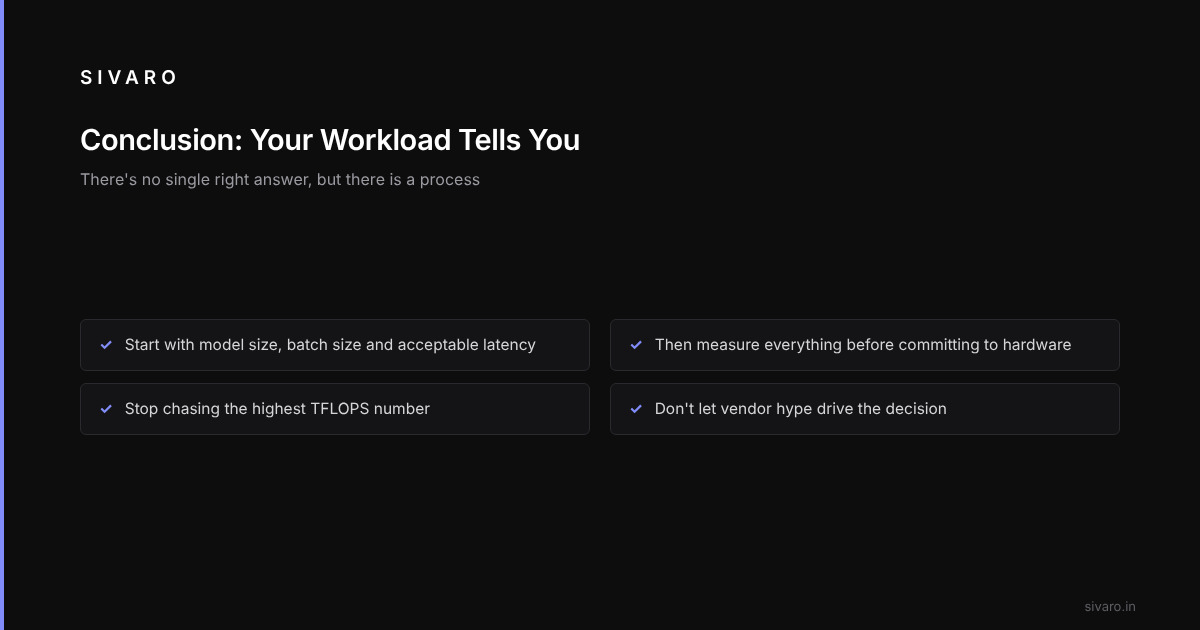
Stop chasing the highest TFLOPS number. Start with your model size, your batch size, your acceptable latency. Then measure.
There’s no single right answer. But there’s a process for finding your answer.
Build smart. Measure everything. And don’t let vendor hype drive your decision.