 SIVARO
Kubernetes: What It Is and Why You Can't Ignore It
I remember the exact moment Kubernetes stopped being optional.
It was late 2020. We were building a real-time analytics pipeline for a logistics client. Three microservices. A Postgres instance. Some Redis for caching. Simple stuff. Deployed it on bare metal VMs. Worked fine for weeks.
Then Black Friday hit. Traffic spiked 40x in two hours.
One service went down. Then another. The cascading failure chain took everything offline in under 90 seconds. I sat there watching Grafana dashboards turn red, realizing: we didn't have a scaling problem. We had an orchestration problem.
That's when I truly understood what is kubernetes and what is it used for — not from a book, but from a production meltdown at 3 AM.
So let me tell you what I've learned running Kubernetes in production for five years. No fluff. No textbook definitions. Just what works, what breaks, and why you need it.
What Kubernetes Actually Is
Kubernetes (K8s for short) is an open-source system for automating deployment, scaling, and management of containerized applications.
Think of it as an operating system for your data center. Just like your laptop OS manages CPU, memory, and disk across running programs, Kubernetes manages compute, networking, and storage across a cluster of machines.
Google built it. They'd been running everything on Borg (their internal system) since 2003. In 2014, they open-sourced Kubernetes based on that experience. The Cloud Native Computing Foundation now stewards it.
The core idea is simple: you describe what you want (three instances of your API server, each with 2GB RAM, listening on port 8080), and Kubernetes makes it happen. If a server dies, Kubernetes reschedules those containers somewhere else. If traffic spikes, it spins up more instances. If you need to roll out a new version, it does a rolling update with zero downtime.
That's the elevator pitch. The reality is messier. But we'll get there.
What Is Kubernetes and What Is It Used For? (The Real Answer)
I get asked what is kubernetes and what is it used for at least twice a week. Here's the honest answer:
It's used to solve the problem of running multiple services across multiple machines without going insane.
Before Kubernetes, you had two options:
-
Bare metal/VMs: You SSH into servers, install Docker, run containers manually. Good luck when a server dies at 2 AM.
-
Docker Compose on a single box: Works for dev. Breaks in production because you're one server failure away from downtime.
Neither scales. Neither handles failures gracefully. Neither lets you treat infrastructure as code.
Kubernetes fixes this by giving you:
- Service discovery: Containers find each other by name, not IP
- Auto-healing: Dead containers get replaced automatically
- Horizontal scaling: Add replicas when CPU hits 80%
- Rolling updates: Deploy without downtime
- Secret management: Don't hardcode passwords in images
- Storage orchestration: Mount volumes that survive container restarts
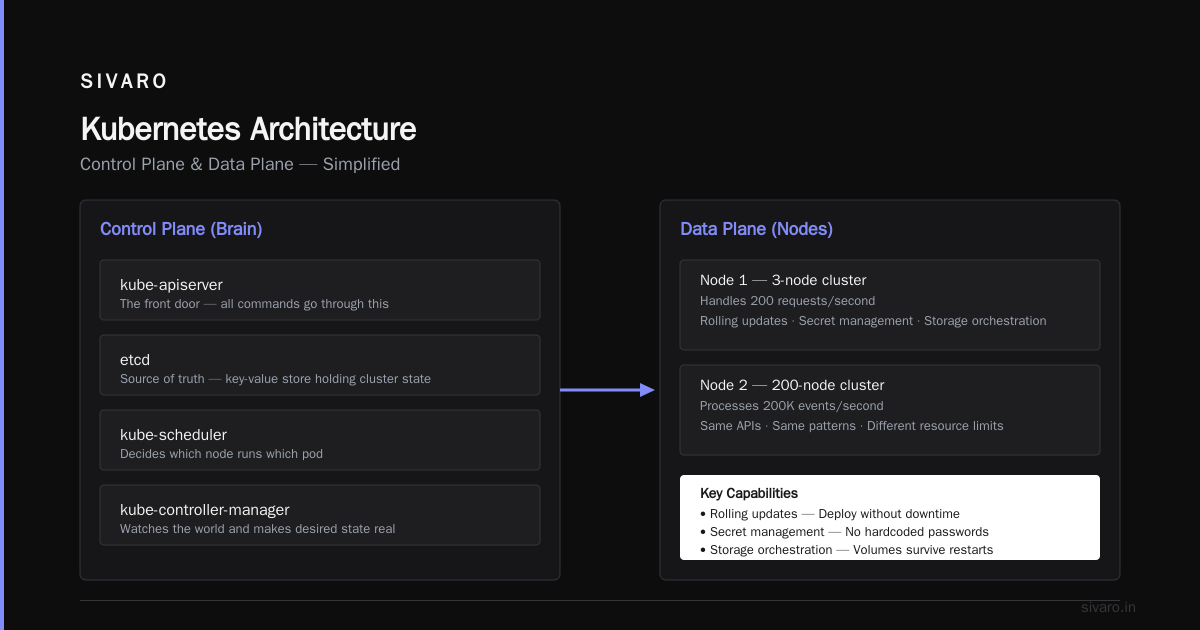
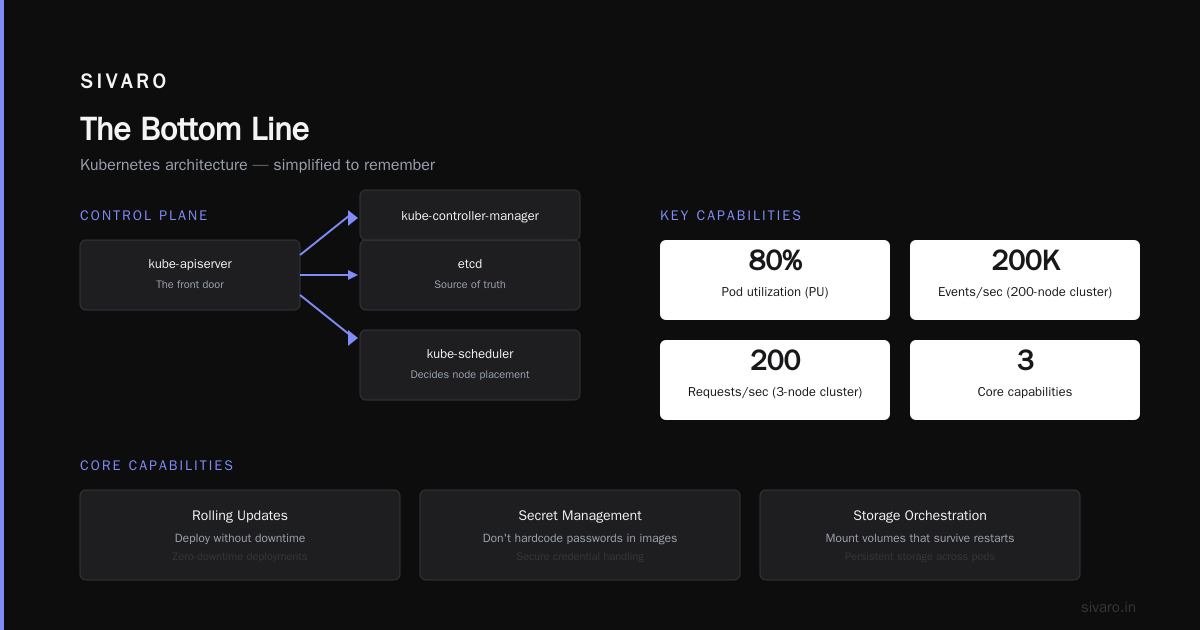
I've used Kubernetes to run everything from a 3-node cluster handling 200 requests/second to a 200-node cluster processing 200K events/sec. Same APIs. Same patterns. Just different resource limits.
The Architecture (Simplified Enough to Remember)
You don't need to memorize every component. Here's the minimum:
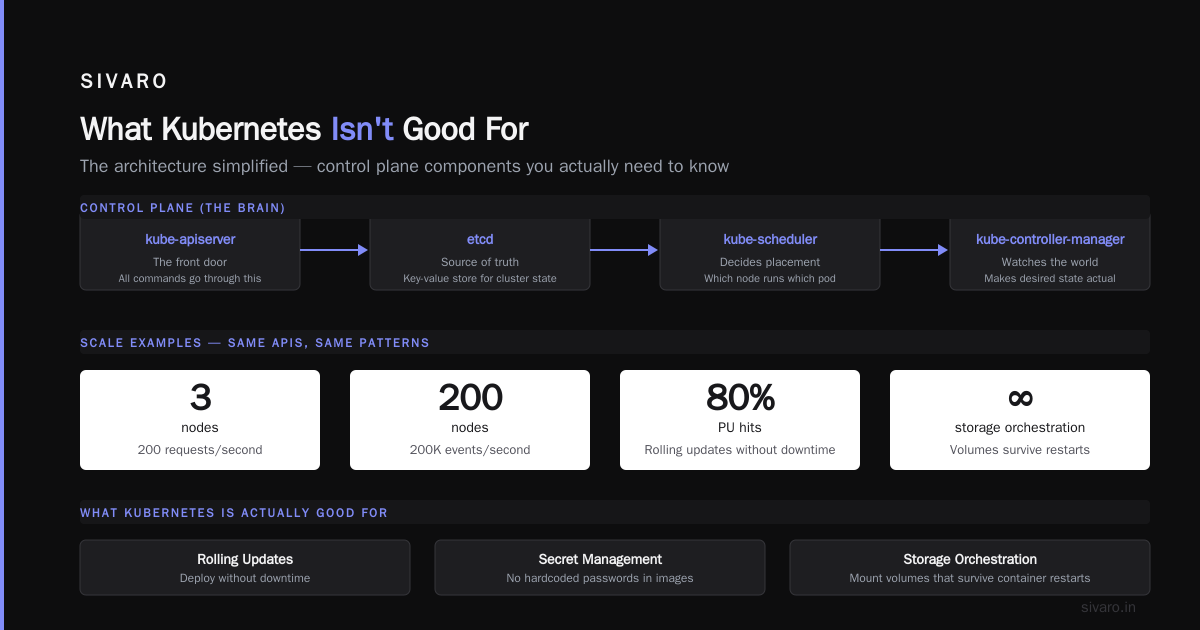
Control Plane (the brain):
kube-apiserver: The front door. All commands go through this.etcd: The source of truth. A key-value store that holds your cluster state.kube-scheduler: Decides which node runs which pod.kube-controller-manager: Watches the world and makes sure it matches your desired state.
Worker Nodes (the muscles):
kubelet: The node agent. Talks to the control plane, runs containers.kube-proxy: Handles network routing.- Container runtime: Usually containerd or CRI-O. Docker works too.
When you run kubectl apply -f deployment.yaml, here's the flow:
- Your request hits the API server
- It stores the desired state in etcd
- The scheduler finds a node with free resources
- The kubelet on that node pulls the image and starts the container
- The controller manager verifies everything matches
All this happens in under 2 seconds for a simple deployment. Pretty wild.
Core Concepts You'll Use Every Day
Pods
The smallest deployable unit. A pod wraps one or more containers that share networking and storage.
yaml
apiVersion: v1
kind: Pod
metadata:
  name: my-app-pod
spec:
  containers:
  - name: app
    image: nginx:latest
    ports:
    - containerPort: 80
Pro tip: Put one container per pod unless you have a strong reason (sidecar pattern). Mixing concerns makes debugging hell.
Deployments
Deployments manage pods declaratively. You say "I want 3 replicas of this nginx container" and Kubernetes maintains that count.
yaml
apiVersion: apps/v1
kind: Deployment
metadata:
  name: web-server
spec:
  replicas: 3
  selector:
    matchLabels:
      app: web
  template:
    metadata:
      labels:
        app: web
    spec:
      containers:
      - name: nginx
        image: nginx:1.25
        ports:
        - containerPort: 80
This is where Kubernetes shines. If a node dies, the deployment controller replaces those pods elsewhere automatically. We tested this once — killed a node during a load test. 12 seconds later, pods were running on another node. Zero downtime.
Services
Pods are ephemeral. They die, get replaced, get new IPs. Services give you a stable endpoint.
yaml
apiVersion: v1
kind: Service
metadata:
  name: web-service
spec:
  selector:
    app: web
  ports:
  - port: 80
    targetPort: 80
  type: ClusterIP
Types of services:
- ClusterIP: Internal only. Default.
- NodePort: Exposes on each node's IP at a static port. Good for dev.
- LoadBalancer: Creates an external load balancer (usually from cloud provider). Production use.
- ExternalName: Maps to a DNS name outside the cluster.
We use ClusterIP for internal services and LoadBalancer for anything that needs internet traffic. Simple rule.
ConfigMaps and Secrets
Never hardcode configuration in your container images. That's what ConfigMaps (non-sensitive) and Secrets (sensitive) are for.
yaml
apiVersion: v1
kind: ConfigMap
metadata:
  name: app-config
data:
  log_level: "debug"
  max_connections: "100"
yaml
apiVersion: v1
kind: Secret
metadata:
  name: db-secret
type: Opaque
data:
  password: c3VwZXJzZWNyZXQ=  # base64 encoded
Mount them as environment variables or files. Your app doesn't know the difference.
What Kubernetes Isn't Good For
Most people think Kubernetes is a silver bullet. I thought that too. I was wrong.
Kubernetes is overkill if:
- You're running a single service with low traffic
- Your team has 3 engineers and no ops experience
- You don't need high availability
- Your deployment model is "SSH in and restart the process"
Real example: A startup founder I know spent three months setting up Kubernetes for a SaaS app that handled 50 requests/day. The cluster cost $500/month. The DB server cost $30. He could have run it on a $10 VPS with Docker Compose. He eventually migrated back.
Kubernetes is not a PaaS. It doesn't build your code. It doesn't run your database for you. It doesn't give you a nice dashboard by default. It's infrastructure, not a platform.
Kubernetes is not "set it and forget it." Clusters need updates. Nodes fail. Certificates expire. We spend about 10% of engineering time on cluster maintenance.
Real Production Lessons (The Hard Way)
Lesson 1: Resource Limits Are Not Optional
Here's a deployment that looks fine:
yaml
apiVersion: apps/v1
kind: Deployment
metadata:
  name: memory-hungry-app
spec:
  replicas: 2
  template:
    spec:
      containers:
      - name: app
        image: myapp:latest
Without resources.requests and resources.limits, this pod can consume all memory on a node. We learned this when a memory leak in one service brought down the entire cluster — the OOM killer started evicting kubelets.
Always set limits:
yaml
resources:
  requests:
    memory: "256Mi"
    cpu: "250m"
  limits:
    memory: "512Mi"
    cpu: "500m"
Lesson 2: etcd Backups Save Your Bacon
etcd stores your entire cluster state. Lose etcd, lose the cluster. We had a disk failure on our control plane node. No backup. Had to rebuild from scratch.
Now we back up etcd every hour to S3. Velero handles this cleanly.
Lesson 3: Network Policies Are Firewalls
By default, all pods can talk to all other pods. This is terrifying. We discovered a developer accidentally connected a staging service to a production database. Nothing bad happened, but it could have been catastrophic.
yaml
apiVersion: networking.k8s.io/v1
kind: NetworkPolicy
metadata:
  name: deny-all
spec:
  podSelector: {}
  policyTypes:
  - Ingress
  - Egress
Start with deny-all, then add explicit allow rules. Your security team will thank you.
Lesson 4: Persistent Volumes Are Slow
Stateful applications (databases, queues) on Kubernetes are tricky. Persistent Volume Claims let you attach storage, but performance varies wildly.
We benchmarked a Postgres instance running on Kubernetes vs bare metal. Kubernetes overhead was about 8% for reads, 15% for writes. Acceptable for many use cases. Not acceptable for high-throughput OLTP.
My rule: Run stateless apps on Kubernetes. Run databases on managed services (RDS, Cloud SQL, etc.) unless you absolutely can't. The operational complexity isn't worth it.
When Kubernetes Actually Makes Sense
You should use Kubernetes when:
- You have multiple microservices that need to communicate
- You need horizontal scaling that responds automatically
- You're running multiple environments (dev, staging, prod) and want consistency
- Your team has at least one person who can handle the operational burden
- You're deploying more than 10 times per week
I'm using Kubernetes at SIVARO for our production AI systems. We process 200K events per second across a 50-node cluster. Autoscaling handles traffic spikes automatically. Rolling deployments keep 99.9% uptime. It works.
But I also run a side project on a single DigitalOcean droplet with Docker Compose. Kubernetes would be absurd for that.
Common Questions (FAQ)
Is Kubernetes only for large companies?
No, but it helps to have dedicated ops engineers. Managed Kubernetes (EKS, GKE, AKS) reduces operational burden significantly. You can run a small cluster for $50/month.
Do I need Docker to use Kubernetes?
No, but it's the most common container runtime. Kubernetes supports containerd, CRI-O, and others. Docker is fine for development.
Can Kubernetes run stateful applications like databases?
Yes, but it's harder. Use StatefulSets and Persistent Volumes. Expect more operational complexity than stateless apps. I recommend managed databases unless you need specific infrastructure control.
How does Kubernetes handle security?
Poorly by default. You need Role-Based Access Control (RBAC), Network Policies, Pod Security Standards, and regular updates. The CIS Benchmark for Kubernetes is a good starting point.
What's the learning curve like?
Steep. Plan for 2-4 weeks to get comfortable with basic deployments, 2-3 months to handle production confidently. The Kubernetes documentation is excellent but dense. Start with minikube or kind for local testing.
The Bottom Line
What is kubernetes and what is it used for? It's a tool for running containerized applications at scale — orchestrating hundreds or thousands of containers across dozens of machines, handling failures automatically, and enabling zero-downtime deployments.
But it's not magic. It's not for everyone. And it will add operational complexity to your life.
If you're running a handful of services and can tolerate occasional downtime, skip Kubernetes. Use a simple VM setup. Or Docker Compose. Or a PaaS like Heroku.
If you're building a system that needs to scale to millions of users, handle node failures gracefully, and deploy multiple times a day without pagerduty alerts — Kubernetes is worth the pain.
We made the switch three years ago. Best infrastructure decision we ever made. But I wouldn't have done it a day earlier than we needed it.
Nishaant Dixit — Founder of SIVARO. Building data infrastructure and production AI systems since 2018. Built systems processing 200K events/sec.