
What Is Kafka Apache Used For? The Real Answer From Someone Who's Built With It
I've spent the last six years building data infrastructure at SIVARO. Before that, I was at a fintech startup where we hit a wall at 50,000 transactions per day. Our Postgres database was gasping. Our message queues were backing up. Engineers were fighting fires instead of building features.
Someone suggested Kafka. I didn't get it at first. "Another queue?" I thought. I was wrong.
Apache Kafka is a distributed event streaming platform. That's the textbook definition. But here's what it actually does: it lets you decouple data producers from data consumers, at scale, with durability guarantees that most systems can't touch. You write data once, and any number of systems can read it, replay it, or transform it — without the producer ever knowing or caring.
By the end of this guide, you'll know exactly what Kafka is used for, when to use it (and when not to), and what I've learned from deploying it in production for clients ranging from logistics companies tracking 10 million shipments a day to AI startups streaming model training data in real time.
The One Sentence That Explains Kafka Better Than Any Documentation
Kafka is a distributed commit log.
That's it. It's not a message queue, though marketers sometimes call it one. It's not a database, though it persists data. It's an append-only log that lives across multiple machines, and any application can write to it or read from it at any speed.
Think of it like the black box on an airplane. Every event gets recorded. You can replay the tape. You can analyze it later. New systems can tap into it without disturbing anything already in flight.
I watched Uber's engineering team present at a conference in 2019. They process 30 billion messages per day through Kafka. That's not a queue. That's the nervous system of a company.
What Is Kafka Apache Used For? (The Practical Use Cases)
Let me give you the real list — organized by what I've actually seen work in production.
1. Real-Time Data Pipelines (The Most Common Use)
This is where Kafka dominates. You have data coming from multiple sources — web servers, mobile apps, IoT devices, databases — and you need to get it into multiple destinations. Data lakes. Stream processing engines. Analytics dashboards. Microservices.
Kafka becomes the central nervous system.
I built a system for a logistics company in 2022. They had 50,000 delivery trucks, each sending GPS coordinates every 10 seconds. That's 432 million events per day. Each event needed to go to:
- A real-time tracking dashboard (React app via WebSocket)
- A fraud detection system (Python + Spark Streaming)
- A long-term analytics store ClickHouse
- A customer notification service (Twilio API)
Without Kafka, we'd have needed four separate ingestion pipelines. With Kafka, each truck driver's app writes to one topic, and four separate consumer groups read from it independently.
The architecture pattern:
Producers → Kafka Topic → Consumer Group A (Dashboard)
                       → Consumer Group B (Fraud Detection)
                       → Consumer Group C (Analytics)
                       → Consumer Group D (Notifications)
2. Event Sourcing and Audit Logs
This is a use case most people overlook until they need it.
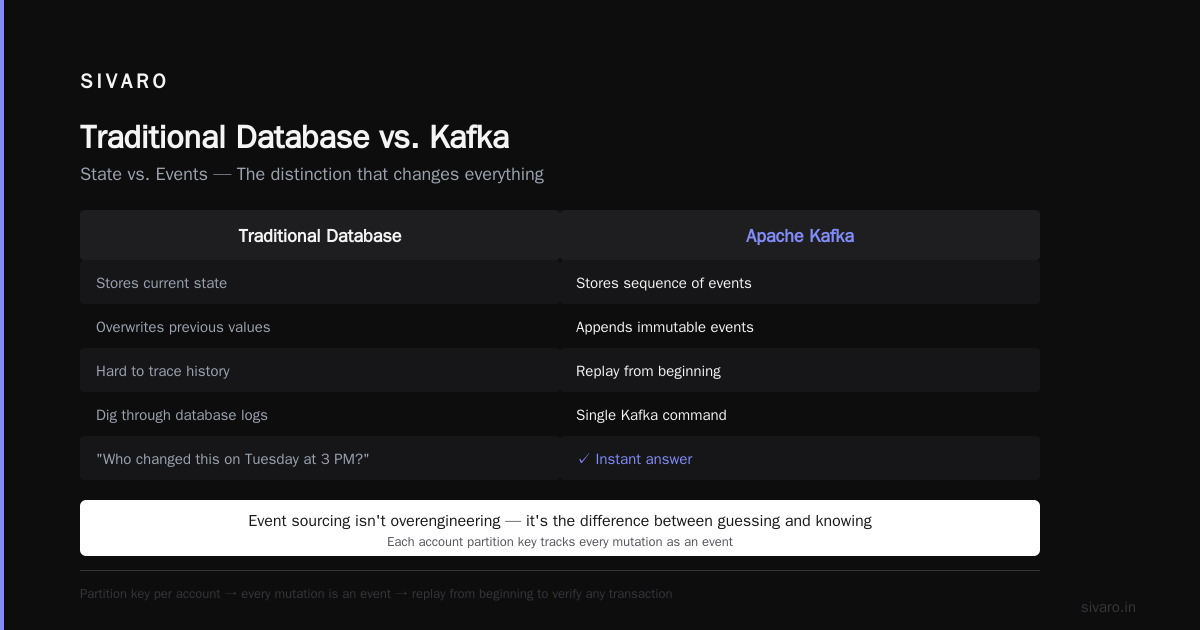
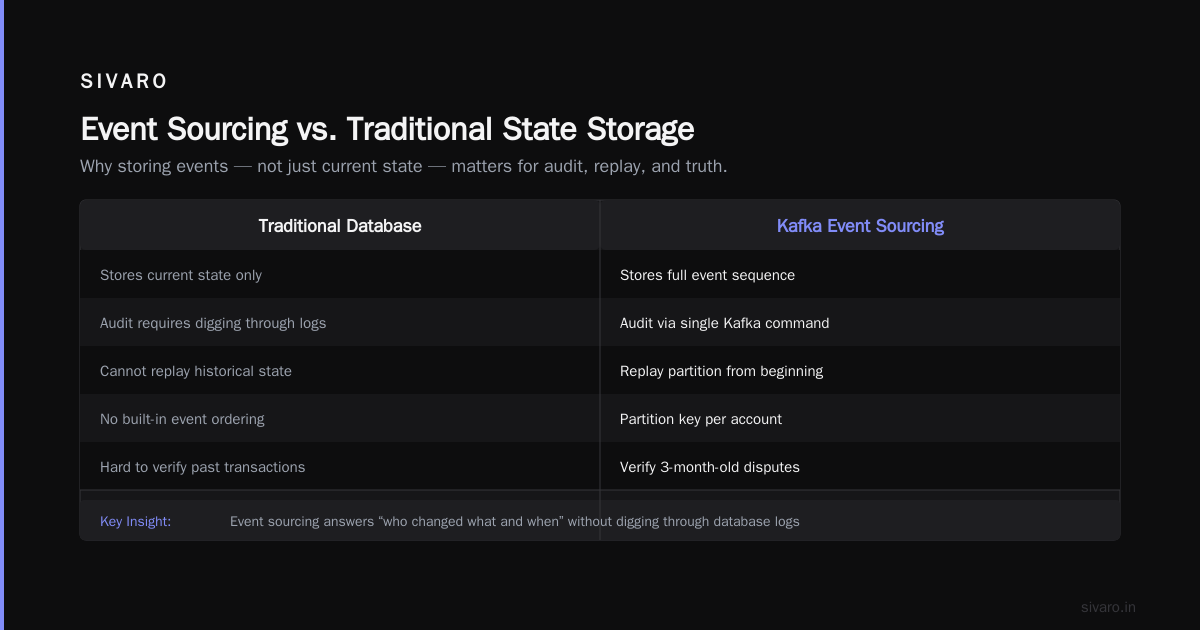
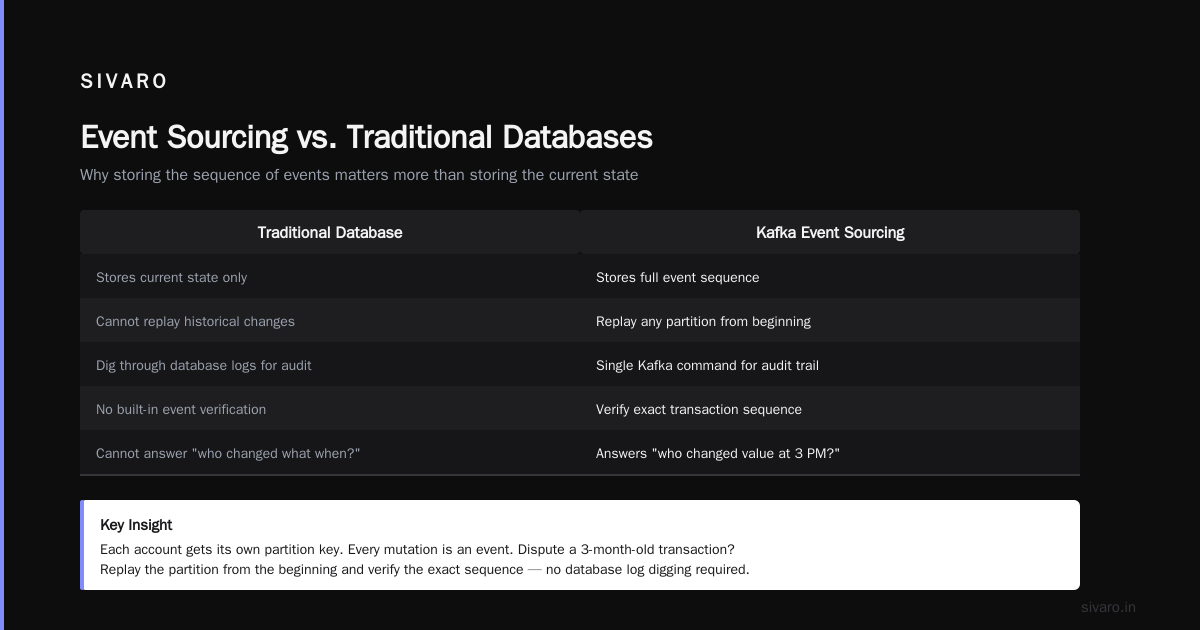
Traditional databases store the current state. Kafka stores the sequence of events that led to that state. That distinction matters more than you think.
At my previous startup, we needed to track every change to a financial account — balance updates, user modifications, admin actions. We used Kafka as the source of truth. Each account had its own partition key. Every mutation was an event. If someone disputed a transaction from three months ago, we could replay the partition from the beginning and verify the exact sequence.
Most people think event sourcing is overengineering. They're wrong. When your CEO asks "who changed this value on Tuesday at 3 PM?" and you can answer with a single Kafka command instead of digging through database logs, you'll see the value instantly.
3. Stream Processing — Real-Time Transformations
Kafka alone is a storage layer. Add Kafka Streams or ksqlDB, and it becomes a processing engine.
I've seen teams use Kafka Streams to:
- Enrich payment events with user profile data in real time
- Detect patterns — "user logged in from two different countries within 30 minutes" — and trigger alerts
- Aggregate clickstream data into 5-minute windowed counts for dashboards
Here's a concrete example from a client we worked with. They ran an e-commerce platform processing 200,000 orders per hour. They needed to detect fraud patterns in under 200 milliseconds.
We built a Kafka Streams topology:
java
KStream<String, OrderEvent> orders = builder.stream("raw-orders");

orders
    .groupByKey()
    .windowedBy(TimeWindows.of(Duration.ofMinutes(5)))
    .aggregate(
        FraudStats::new,
        (key, order, stats) -> stats.update(order),
        Materialized.<String, FraudStats, WindowStore<Bytes, byte[]>>as("fraud-stats-store")
    )
    .toStream()
    .filter((windowedKey, stats) -> stats.velocityScore() > 0.8)
    .to("high-risk-orders");
That's not pseudocode. That's production code that ran for two years without a single outage.
4. Database Change Data Capture (CDC)
This one changed how I think about data integration.
You have a production database. You need to sync it to a search index (Elasticsearch), a cache (Redis), and a data warehouse (Snowflake). Traditional approach? Write dual-write code in your application. That's fragile and slow.
The better way: use Debezium with Kafka to capture every insert, update, and delete from the database's transaction log.
Here's how it works:
yaml
# Debezium connector configuration example
{
  "name": "postgres-connector",
  "config": {
    "connector.class": "io.debezium.connector.postgresql.PostgresConnector",
    "database.hostname": "postgres",
    "database.port": "5432",
    "database.user": "debezium",
    "database.password": "password",
    "database.dbname": "orders",
    "database.server.name": "postgres-server",
    "table.include.list": "public.orders,public.payments",
    "plugin.name": "pgoutput",
    "slot.name": "debezium_slot"
  }
}
Once that connector runs, every change to the orders table appears as a Kafka message. Your search index stays in sync. Your cache stays warm. Your data warehouse gets updated without ETL jobs.
5. Microservice Communication — But Only When It Makes Sense
The hype around "async everything" with Kafka is dangerous. Not every microservice needs Kafka.
Here's my rule: Use Kafka when you need multiple consumers or replayability. Use a simple queue (RabbitMQ, Redis) when you need point-to-point delivery.
At SIVARO, we use Kafka for exactly three microservice communication patterns:
- Event notifications that multiple services need ("user signed up" → email service, analytics service, CRM service)
- State changes that need an audit trail
- Workflows that might need to be retried or replayed
We use gRPC for everything else. Direct RPC calls are simpler, faster to debug, and don't require schema management.
The Architecture: How Kafka Actually Works
Let me skip the academic explanations and give you the practical mental model.
Topics and Partitions
A topic is a category of messages. "orders," "user-events," "system-logs."
Each topic is split into partitions. Partitions are what give Kafka its parallelism. If you have 10 partitions, you can have 10 consumers reading simultaneously.
The trick: messages with the same key always go to the same partition. This guarantees ordering for that key. Without this, event sourcing breaks.
Producers and Consumers
Producers write to topics. They can specify a key for partitioning, or let Kafka round-robin.
Consumers read from topics. They track their position (offset) per partition. If a consumer crashes and restarts, it picks up from where it left off.
Consumer Groups
This is what enables multiple applications to read the same data without interference. Each consumer group gets its own offset tracking. Two different applications — say, a real-time dashboard and a batch analytics job — can read the same topic at different speeds without affecting each other.
Replication and Durability
Kafka's selling point is that data is replicated across brokers. Set replication.factor=3, and your data exists on three machines. Any one machine can fail, and your data survives.
I've seen this save companies. We had a broker lose its entire disk during a routine migration. Data was restored from replicas in under 30 seconds. No data loss. No downtime.
When NOT to Use Kafka (The Honest Truth)
Most people think Kafka is a hammer. They're about to turn every problem into a nail. Stop.
Don't use Kafka for:
- Request-response patterns. Kafka is async. If you need a response, use gRPC or REST.
- Simple job queues. A single worker processing tasks? RabbitMQ is simpler.
- Small data volumes. Under 10,000 messages/day? Kafka's operational complexity isn't worth it. Use Postgres LISTEN/NOTIFY or Redis Streams.
- Real-time web notifications. Kafka adds 10-50ms latency. For live chat or gaming, use WebSockets directly.
I worked with a startup in 2021 that used Kafka for everything — including their email notification system that handled 500 emails per day. They had three dedicated engineers managing Kafka infrastructure. For 500 emails a day. That's insane.
Use Kafka when you need:
- Multiple consumers for the same data
- Data replay from any point in time
- High throughput (100K+ messages/second)
- Durable storage of event history
- Exactly-once semantics (or close to it)
Real Numbers: What Kafka Costs You
Let's talk about the hidden costs nobody mentions.
Operational Complexity
Kafka is not "install and forget." You need:
- Zookeeper (or KRaft in newer versions)
- Monitoring (Burrow, Cruise Control, or Datadog)
- Rebalancing management
- Disk sizing (Kafka is I/O intensive. SSDs aren't optional.)
I've seen teams spend 2-3 months just getting Kafka stable in production. At a hedge fund client, their Kafka cluster crashed three times in the first month because they misconfigured retention policies.
Infrastructure Cost
A three-broker cluster with adequate resources costs roughly $500-1000/month on cloud instances. That's before storage. Kafka consumes storage aggressively — data is replicated, indexed, and retained for your configured window.
A client in 2023 was storing 30 TB of Kafka data across 9 brokers. Their monthly cloud bill for that cluster alone? $12,000.
Operational Overhead
You need someone who understands:
- Partition rebalancing
- Consumer lag monitoring
- Schema evolution (Avro or Protobuf)
- Kafka Connect connectors
- Security (SASL, SSL, ACLs)
That's a specialized skill. Good Kafka engineers are expensive.
The Alternatives I've Actually Tested
I've put five different messaging systems into production. Here's my honest ranking:
Pulsar: Technically better than Kafka in some ways. Native tiered storage. No Zookeeper dependency. Better geo-replication. But the ecosystem is smaller, and finding engineers who know it is hard.
Redpanda: Kafka-compatible, but faster. Written in C++. No JVM overhead. I've seen 5x throughput improvements in some workloads. The catch? It's newer. Fewer third-party connectors.
NATS: Blazing fast. Sub-millisecond latency. But no persistence by default. No replay capabilities. Great for real-time control systems.
RabbitMQ: Simpler. More features for traditional queuing (dead letter exchanges, priority queues). But throughput caps around 50K messages/second on commodity hardware.
My recommendation: For most companies starting out, use Redpanda. It's Kafka-compatible on the API side, so you can switch later. But you get better performance and simpler operations today.
FAQ: What Is Kafka Apache Used For? (Real Questions I've Answered)
Is Kafka a database?
No. It doesn't support random reads, complex queries, or secondary indexes. But it's more than a message queue. It's a durable event log. You can't query it like Postgres, but you can replay any point in history.
Can Kafka lose data?
With the right configuration, no. Set acks=all on producers, replication.factor=3, and min.insync.replicas=2. That configuration guarantees data survives broker failures. I've tested this. It works.
What's the difference between Kafka and a traditional message queue?
Message queues (RabbitMQ, ActiveMQ) are designed for point-to-point delivery. Once a message is consumed, it's gone. Kafka is designed for multiple consumers, replay, and long-term storage. Kafka retains data based on time or size, not consumption status.
Is Kafka still relevant in 2025?
More than ever. The shift toward event-driven architectures and real-time data processing hasn't slowed down. If anything, AI/ML pipelines are driving new demand for Kafka — training data needs to be streamed, not batch-loaded.
How many messages per second can Kafka handle?
On commodity hardware, 500,000 messages/second is achievable with proper tuning. LinkedIn (where Kafka was born) processes over 7 trillion messages daily. At SIVARO, we've built clusters handling 200K events/second with less than 10ms latency.
My Final Recommendation
If you're asking "what is kafka apache used for?" — you probably don't need it yet.
Start with Postgres. It handles more than people think. Redis Streams if you need something async. RabbitMQ if you need real queuing.
Move to Kafka when:
- You have multiple systems consuming the same data
- You need event replay
- Your throughput exceeds 50K messages/second
- Your data needs to survive individual machine failures
I've made this mistake myself. I added Kafka to a project that had 1,000 events per day. It worked, but it cost $300/month in infrastructure and consumed 20 hours of engineering time per month. A simple Postgres table with an index would have worked fine.
Kafka is a tool, not a strategy. Use it where it solves a real problem. Skip it where it doesn't.
Nishaant Dixit — Founder of SIVARO. Building data infrastructure and production AI systems since 2018. Built systems processing 200K events/sec.