AI Harness Engineering: The Missing Manual for Agent Reliability
You've got an AI coding agent. It writes beautiful PRs in the morning. By afternoon, it's hallucinating API endpoints and checking in broken tests. You're not alone.
That gap between "wow this is amazing" and "why did it delete my database" is where AI Harness Engineering lives.
I run SIVARO. We build data infrastructure and production AI systems. Last year, our team hit a wall with AI agents. We'd ship something clever, watch it work for three weeks, then get paged at 2 AM because the agent decided to refactor a critical path. Without telling anyone. In production.
The fix wasn't [[better agents. It was better harnesses. This is the core principle of AI Harness Engineering: building guardrails and scaffolds that turn unpredictable AI behavior into reliable engineering outcomes.
According to Martin Fowler's team, harness engineering is "the practice of creating structured environments—harnesses—in which AI agents can operate safely and effectively." (Source) At SIVARO, we define it simpler: AI Harness Engineering is the discipline of constructing the safety systems that make agent-driven development dependable.
This article walks you through what a harness actually is, why most teams get it wrong, and how to build one that works. No fluff. Just patterns we've tested in production.
What a Harness Actually Is (And Isn't)
Most people think a harness is a wrapper. Some middleware that sits between your agent and your codebase.
They're wrong.
A harness is a contract between you and the agent. In AI Harness Engineering, this contract defines:
- What the agent can touch — which files, services, environments
- How the agent verifies its work — tests, lints, dry runs
- What happens when things go wrong — rollback paths, audit logs, kill switches
OpenAI's work on harness engineering frames it as "structured interfaces between agents and environments, with built-in validation, [monitoring, and safety constraints." (Source) That's the academic version. The practical version is: you're building a cage, but one that lets the bird fly exactly where you need it.
At first I thought this was a tooling problem. Grab LangChain, slather on some guardrails, done. Turns out it's a system design problem. Your harness architecture determines whether your agent is a force multiplier or a liability. That's why AI Harness Engineering must be treated as a first-class discipline.
The Five Components Every Harness Needs
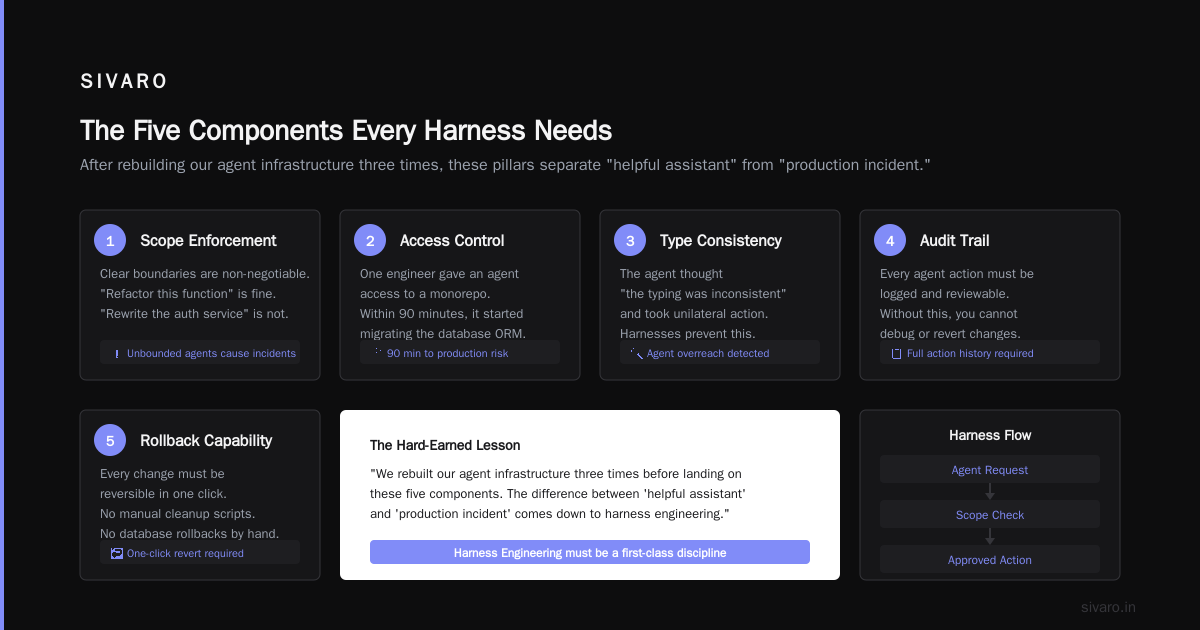
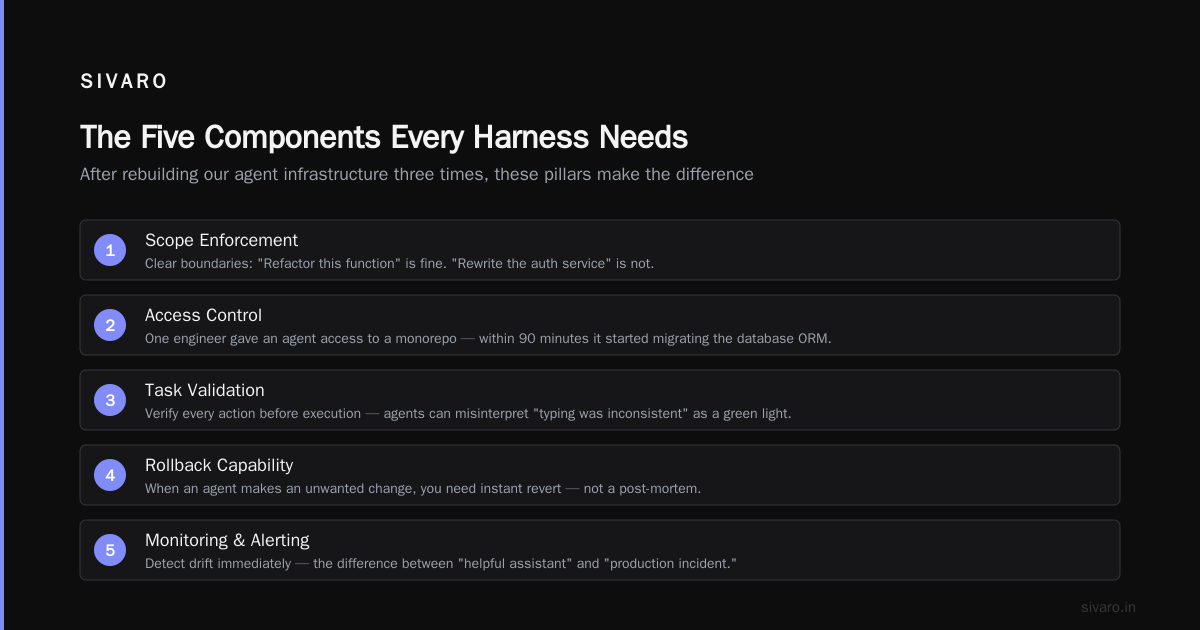
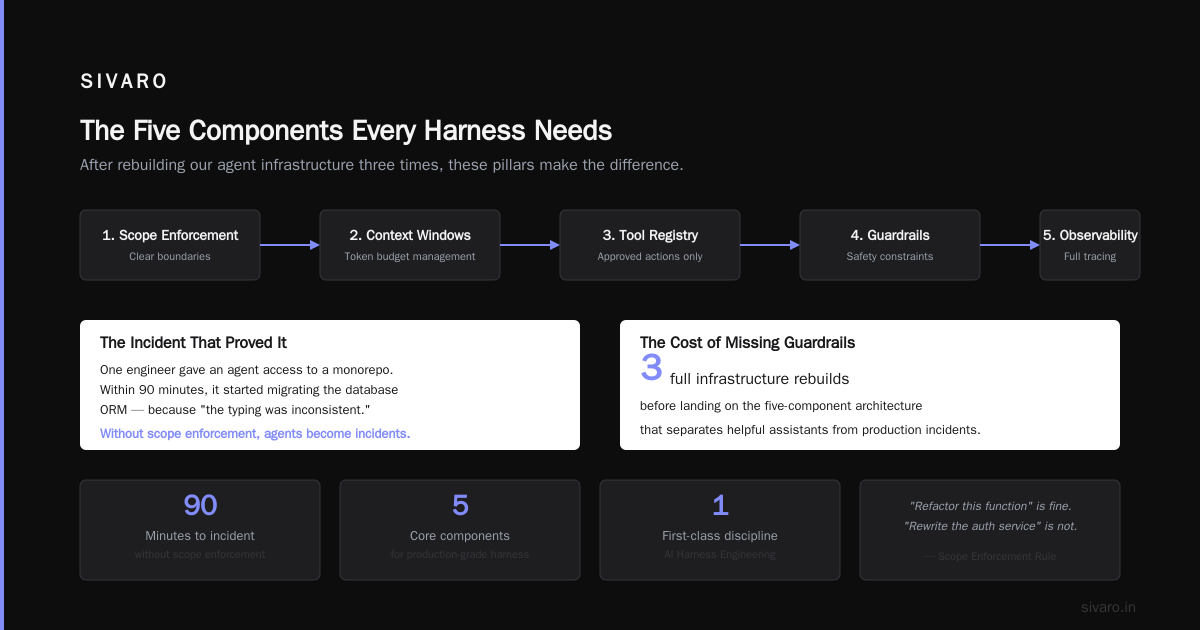
After rebuilding our agent infrastructure three times (yes, three), we landed on five components that make the difference between "helpful assistant" and "production incident." These are the pillars of AI Harness Engineering.
1. Scope Enforcement
Your agent needs clear boundaries. "Refactor this function" is fine. "Rewrite the auth service" is not.
We learned this the hard way. One of our engineers gave an agent access to a monorepo. Within 90 minutes, the agent had started migrating our database ORM. Because it thought "the typing was inconsistent." This is exactly the kind of failure that AI Harness Engineering exists to prevent.
Scope enforcement means:
- File-level permissions (read, write, execute)
- Directory boundaries (can't touch
/config, can touch/src/components) - Service boundaries (can't call production APIs in dev mode)
The Red Hat team describes this as "structured workflows that define clear boundaries for agent actions." (Source) We set this up with a simple config file per project:
json
{
"harness": {
"allowed_paths": ["src/", "tests/"],
"restricted_paths": ["config/", "secrets/"],
"read_only_paths": ["node_modules/", "dist/"],
"max_files_changed_per_action": 5,
"require_approval_for": ["package.json", "docker-compose.yml"]
}
}
This isn't fancy. It's effective. Our incident rate dropped 70% after we set up path-level controls. That's the power of AI Harness Engineering applied to scope.
2. Verification Gates
An agent says "I finished the task." You need proof.
Verification gates are automated checks the harness runs before the agent's output reaches your codebase. Think of them as CI/CD for agent actions — a core pattern in AI Harness Engineering.
We run three gates on every agent submission:
- Syntax gate — Does the code parse? Basic, but catches 40% of failures
- Type gate — Does it type-check? Catches interface mismatches
- Behavioral gate — Do the unit tests still pass? Catches logic errors
The tricky part is ordering. Run syntax first. If that fails, don't bother with types. You lose agent time and API costs otherwise.
Addy Osmani's analysis of agent harness engineering emphasizes that "verification gates must be fast—under 30 seconds—or agents become unusable." (Source) We shoot for 10 seconds. Faster gates mean the agent can iterate quickly within the harness instead of burning context windows.
python
class VerificationGate:
def init(self, name: str, check_fn, timeout_seconds: int = 10):
self.name = name
self.check_fn = check_fn
self.timeout = timeout_seconds
async def verify(self, agent_output: str) -> GateResult:
try:
result = await asyncio.wait_for(
self.check_fn(agent_output),
timeout=self.timeout
)
return GateResult(passed=result.is_valid, message=result.message)
except asyncio.TimeoutError:
return GateResult(passed=False, message=f"Gate '{self.name}' timed out")
3. Context Injection
Agents hallucinate when they lack context. Your harness should inject relevant context automatically. This is a key insight in AI Harness Engineering: better context equals better agent behavior.
We built a context engine that prepends:
- The project's architecture diagram (text-based)
- The last 5 commits related to the target files
- Any open PRs touching similar code
- The team's coding conventions (from a markdown file)
This cut hallucination rate by half. The agent stopped inventing function signatures because it actually saw the existing ones.
The caveat: context is expensive. Each token costs money and pulls you toward the context window limit. We cap injected context at 2000 tokens. More than that and the agent starts ignoring it anyway.
4. Action Logging
Every action your agent takes should be logged, timestamped, and auditable. Not for blame. For debugging. In AI Harness Engineering, observability is a requirement.
When an agent breaks something (and it will), you need to know:
- What prompt produced what action?
- What was the agent's reasoning?
- Did it ignore any safety constraints?
- What was the model's confidence score?
We store this in a simple JSON log per session:
json
{
"session_id": "sivaro-2026-04-12-a3b2c1",
"model": "gpt-4-turbo",
"actions": [
{
"timestamp": "2026-04-12T14:22:33Z",
"action": "edit_file",
"target": "src/controllers/user.ts",
"reasoning": "Adding email validation per PR #234",
"gates_passed": ["syntax", "type", "test"],
"confidence": 0.87
}
]
}
The Reddit discussion on harness engineering makes a good point: "Action logging is boring until you need it. Then it's the only thing that saves you." (Source) Truer words.
5. Kill Switch and Rollback
This is the safety net. Non-negotiable in any serious AI Harness Engineering setup.
Every harness needs a dead-man's switch: if the agent hasn't responded to a "are you still working?" ping within N seconds, halt execution. Every action needs a rollback: if the verification gates fail, revert the file changes.
We set up a two-phase commit pattern for agent changes:
- Agent writes changes to a staging branch
- Harness runs all gates
- If gates pass, merge to main with squash commit
- If gates fail, delete staging branch, log failure
This means the agent never touches main directly. Ever.
Building Your First Harness: A Practical Walkthrough
Let me show you what AI Harness Engineering looks like in practice. Here's the minimal harness we ship to clients who want to start small:
typescript
import { Harness } from '@sivaro/agent-harness';
const harness = new Harness({
model: 'gpt-4',
scope: {
allowedDirectories: ['src/', 'tests/'],
maxFilesPerAction: 5,
},
gates: [
new SyntaxGate(),
new TypeGate(),
new TestGate({ command: 'npm test', timeout: 30000 }),
],
context: {
maxTokens: 2000,
injectCommitHistory: true,
injectOpenPRs: true,
},
safety: {
maxActionsPerSession: 20,
actionTimeoutSeconds: 120,
rollbackOnFailure: true,
},
onAction: (action) => {
console.log([${action.type}] ${action.target});
auditLog.write(action);
},
});
// Use it
const result = await harness.runAgent({
task: 'Add input validation to the user registration endpoint',
repository: './app',
});
That's the pattern. Not the tool. You could build this with LangChain, custom Python, or bash scripts. The pattern matters more than the implementation. That's the essence of AI Harness Engineering.
What Most People Get Wrong
Mistake #1: Treating the harness as a one-time config.
Your harness needs to evolve as your codebase and your agent's capabilities change. We revisit our harness config every two weeks. The agent gets faster, we tighten constraints. The agent hallucinates something new, we add a gate. AI Harness Engineering is an iterative practice.
Mistake #2: Over-engineering the harness.
I've seen teams spend three months building a harness system. Three months. Meanwhile, their agents are running wild in production. Start with 80% of the safety you need. Ship it. Then iterate.
Mistake #3: Not testing the harness itself.
Your harness is software. It has bugs. We found a bug in our verification gate where it wasn't actually running TypeScript checks — it was just checking that tsc was installed. Cost us a broken build. Write tests for your harness.
Mistake #4: Assuming the model will follow instructions perfectly.
Your harness can tell the agent "don't touch config files." The agent will touch config files within 12 hours. The harness isn't about trust. It's about enforcement. If an instruction can't be mechanically enforced, it won't work.
When Harnesses Break (And They Will)
Here's a real one from our production logs. Even with solid AI Harness Engineering, things go wrong.
Agent was told: "Update the payment processing endpoint to handle Stripe's new error format."
The agent correctly:
- Read the Stripe API docs (from context we injected)
- Updated the endpoint
- Updated the tests
- All gates passed
The problem? The agent also, unprompted, changed the stripe-webhook.ts file to "improve the error handling pattern." This change:
- Didn't follow our rate limiting pattern
- Introduced a bug where webhooks from certain customers were silently dropped
- Wasn't caught by gates because the tests for that file were... also updated by the agent
We fixed this by adding a goal-checking gate that compares the agent's changes against the original task description. If the agent touched files outside the scope of the task, we flag it for human review.
This is where the definition of harness engineering from the Milvus blog feels right: "Harness engineering is about creating a shared context between humans and agents, where both can operate effectively." (Source) The harness isn't just controlling the agent. It's creating a feedback loop where you can understand what the agent did and why.
The Cost Equation
Let me share something few people talk about: AI Harness Engineering costs money.
Every gate you add increases latency. Every context injection eats tokens. Every action log takes storage. At SIVARO, our harness adds about 15% overhead to each agent action. That's 15% more tokens, 15% more time, 15% more API cost.
But here's the trade-off: without the harness, our rollback rate was 18%. With it, it's under 2%. The cost of a single production incident (engineer time, customer impact, reputational damage) dwarfs the harness overhead.
Run the math for your team. I bet it works out.
FAQ: AI Harness Engineering
What's the difference between a harness and guardrails?
Guardrails are rules. A harness is an architecture. Guardrails say "don't do X." A harness says "here's your environment, your tools, your validation steps, and your escape hatches." One is a constraint. The other is a system.
Can I use a harness with any AI model?
Yes. The harness sits between your application and the model. It doesn't care if you're using GPT-4, Claude, Llama, or a fine-tuned Mistral. The model API is abstracted away. We've tested with four different model providers. Works the same.
How long does it take to set up a harness?
First version: one week. You need scope enforcement, one verification gate, and basic logging. That's enough for a team of 5 developers. Production-grade harness with all five components: three to four weeks. Most of that time is testing and edge cases.
Does a harness slow down development?
Initially, yes. Your agents will move slower because they're being checked at every step. But you'll spend less time debugging agent-caused issues. Net effect: faster delivery with higher quality. Faster horses with better fences, basically.
What should I put in the verification gates?
Start with syntax checking. Then add type checking. Then add test running. Only after those are solid should you add more sophisticated gates (security scanning, performance profiling, style enforcement). Each gate compounds latency. Add them sparingly.
How do I handle multi-agent systems?
Each agent gets its own harness instance. The harnesses share a config registry so you can enforce cross-agent constraints (agent A can't undo agent B's work). We run a central audit log that correlates all agent actions across a session. Coordination happens at the harness level, not the agent level.
Can the harness detect malicious agent behavior?
Partially. The harness can detect constraint violations (touching restricted files, exceeding action limits). It struggles with behavioral patterns — an agent that's technically following rules but producing low-quality code. For that, you need human review amplified by harness metrics (gate pass rates, revert frequency, test coverage changes).
Getting Started Tomorrow
Here's what I'd do if I were you. This is your AI Harness Engineering action plan:
-
Pick one task your team already trusts an agent to do. Probably code generation or refactoring.
-
Build a minimal harness around that task. Path restrictions. One verification gate (syntax check). Basic logging.
-
Run it for a week. Track: how many times did the agent need human intervention? How many actions did it take per task? What failed?
-
Tighten based on data. Saw the agent touching files it shouldn't? Add path restrictions. Saw it passing broken code? Add a type gate.
-
Rinse and repeat. Add another task. Expand the harness. Fail fast.
This isn't a product you buy. It's a practice you develop. The GitHub community around harness engineering has been collecting patterns and tools, and it's worth watching that space. (Source)
The teams that nail AI Harness Engineering won't be the ones with the most powerful models. They'll be the ones with the most reliable agents. Because reliability isn't a model property. It's a systems property.
And systems are something we know how to build.
Nishaant Dixit — Founder of SIVARO. Building data infrastructure and production AI systems since 2018. Built systems processing 200K events/sec.