AI Model Inventory Template for SOC2 Auditors: CC6.1 Mapping Download
You're staring at a SOC 2 audit request. The auditor wants to know every AI model in [[[[[[production)](/articles/temporal-workflow-engine-comparison-what-actually-works-in)](/articles/temporal-workflow-engine-comparison-what-actually-works-in)](/articles/temporal-workflow-engine-comparison-what-actually-works-in)](/articles/temporal-workflow-engine-comparison-what-actually-works-in)](/articles/deepseek-v4-pro-api-pricing-the-real-cost-of-production-ai), who can access it, how it's deployed, and whether you've locked it down under CC6.1. And they want evidence. Not promises.
I've been there. At SIVARO, we build data infrastructure for companies running AI in production. When our clients started getting SOC 2 audit requests that specifically called out AI models as assets needing access controls, I realized something: most teams don't have a proper AI model inventory. They have a spreadsheet someone started in a panic. Maybe a Notion page. Neither works for an auditor.
So I built a template. One that maps each model directly to the CC6.1 control requirements. This walks you through what it is, why it matters, and exactly how to use it.
By the end, you'll know how to build your own inventory, map it to CC6.1, and hand it to an auditor without that sinking feeling.
What Actually Is an AI Model Inventory?
An AI model inventory is a structured record of every machine learning model your organization operates in production. But for SOC 2 auditors, it's more than a list. It's evidence.
According to SOC 2 Controls List (2026), auditors expect organizations to maintain "a complete inventory of system components"—and that includes AI models. The control CC6.1 specifically requires logical and physical access controls for all system components.
Most people think an inventory is just model names and versions. They're wrong. An auditor-ready inventory needs:
- Model ID and version
- Deployment environment (dev, staging, production)
- Data sources and training data lineage
- Access controls applied (RBAC, IAM roles, API keys)
- Logging and [monitoring configuration
- Change history and approval records
- Risk classification (low, medium, high impact)
The template I'm sharing covers all of this, mapped directly to what CC6.1 auditors look for.
Why CC6.1 Is the Hardest Control for AI Teams
CC6.1 is about logical and physical access controls. Sounds straightforward. It's not.
The control states: "The entity sets up logical access controls to protect system components from unauthorized access." (SOC 2 CC6.1: Logical & Physical Access | ISMS.online)
But AI models aren't like databases or servers. They're weird. Here's why CC6.1 is a nightmare for AI:
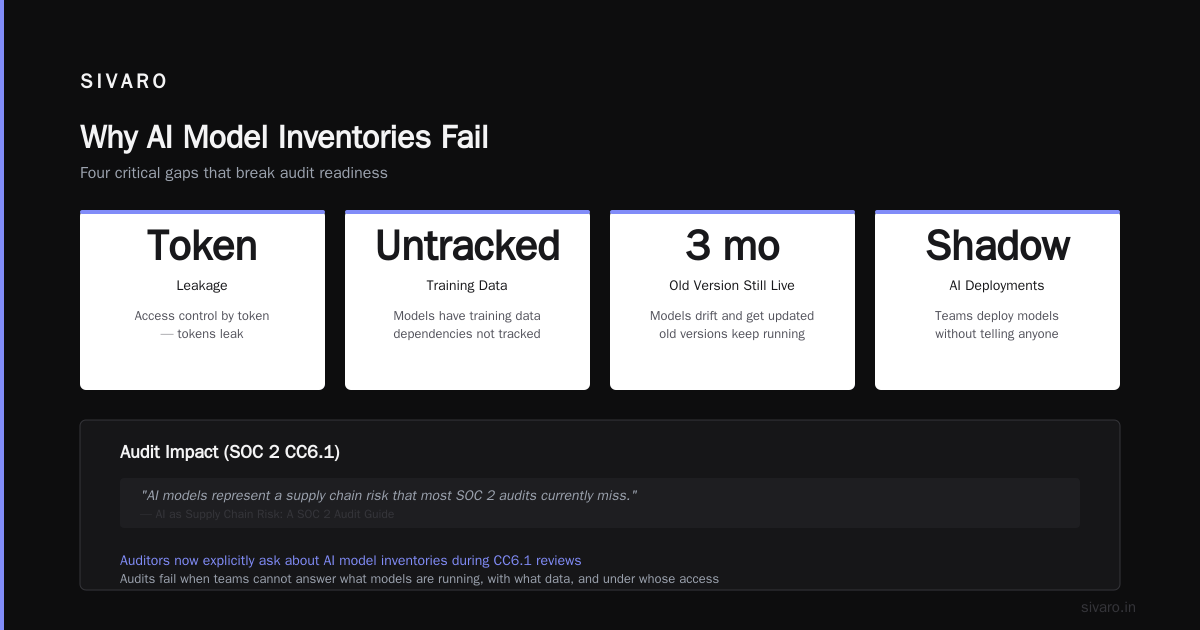
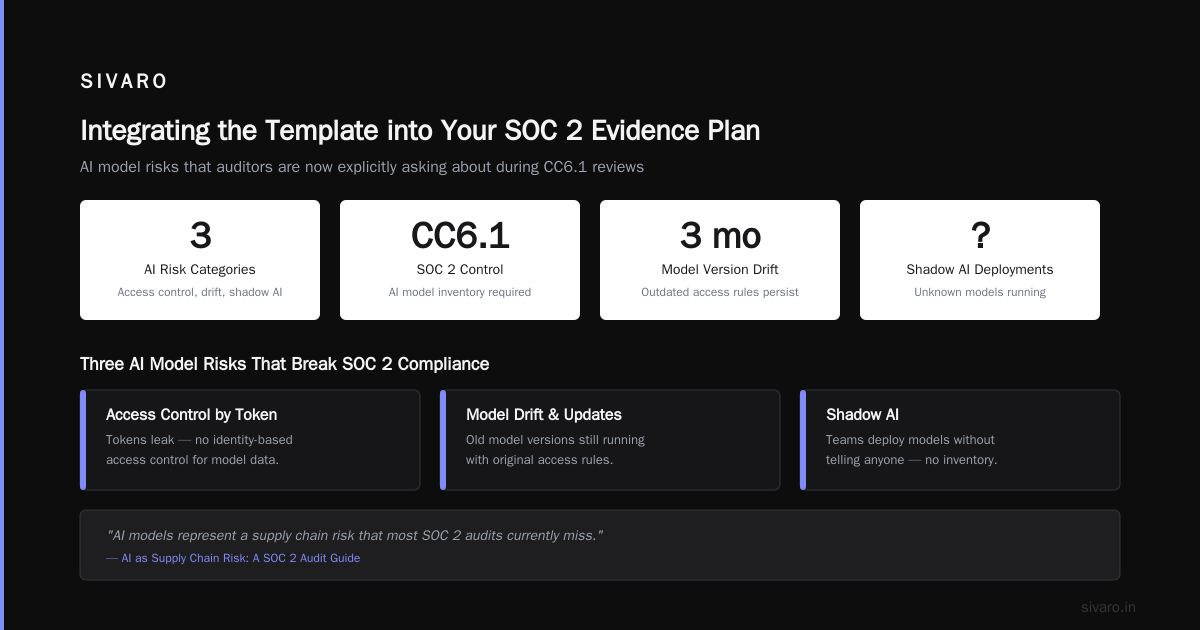
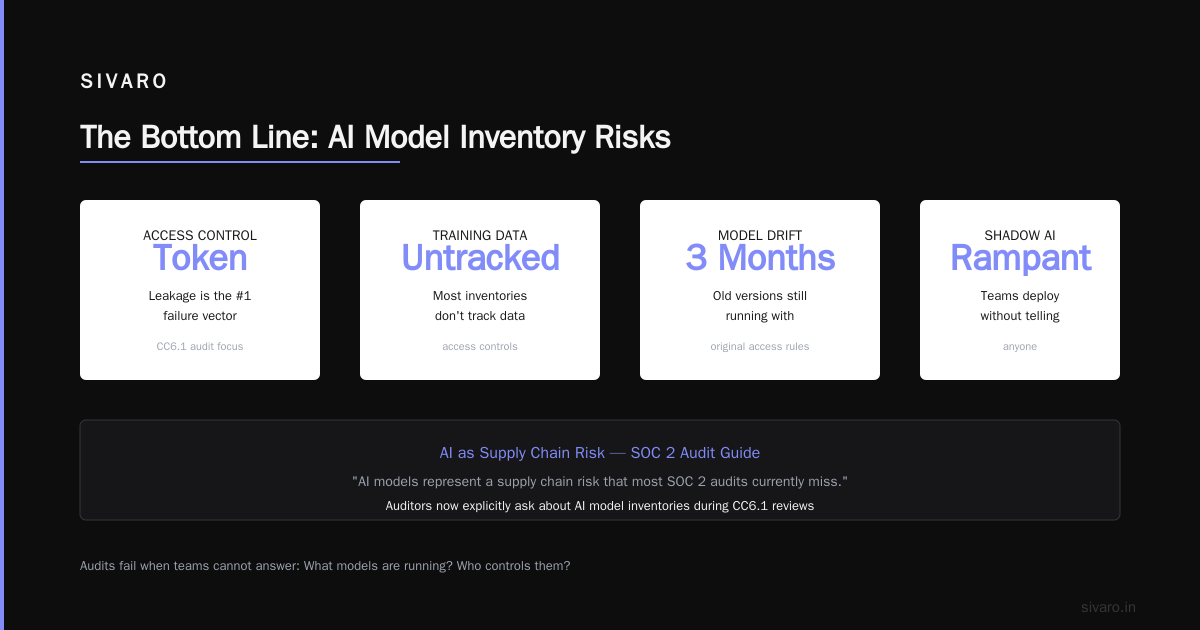
Models are deployed as APIs. Anyone with the endpoint URL and a valid API key can call them. That's access control by token—and tokens leak.
Models have training data dependencies. That data needs access controls too, but most inventories don't track it.
Models drift and get updated. A model version from three months ago might still be running, with its original access rules.
Shadow AI is rampant. Teams deploy models without telling anyone. By the time the auditor asks, you don't even know what's running.
According to AI as Supply Chain Risk: A SOC 2 Audit Guide, "AI models represent a supply chain risk that most SOC 2 audits currently miss." The guide emphasizes that auditors are now explicitly asking about AI model inventories during CC6.1 reviews.
I've seen audits fail because the team couldn't answer: "Show me every AI model in production, who has access, and how you know it's secure."
What the Template Includes
The template covers these fields, organized for auditor review:
Core Model Metadata
- Model name and unique identifier
- Version number and deployment date
- Model type (classification, regression, LLM, computer vision, etc.)
- Framework (PyTorch, TensorFlow, scikit-learn, custom)
- Owner (team and individual)
Access Control Mapping (CC6.1)
- Authentication method (API key, OAuth, IAM, mTLS)
- Authorization model (RBAC, ABAC, per-user)
- Network restrictions (VPC, IP whitelist, private endpoint)
- Rate limiting configuration
- Audit logging enabled (yes/no, retention period)
- Last access review date
Deployment Information
- Infrastructure (Kubernetes, serverless, dedicated servers)
- Environment label (dev/staging/production)
- Data sources connected (database, data lake, streaming)
- Training data sensitivity classification
- Model registry used (MLflow, custom, none)
Compliance Artifacts
- Risk assessment score
- Approval record (who signed off, when)
- Last security review date
- Incident history (access violations, data exposure)
Every field in this template is designed for auditor evidence collection.
How to Map Your Models to CC6.1
Mapping isn't hard. But most teams skip the important parts.
Here's the process I use at SIVARO:
Step 1: Discover everything running in production.
Use your deployment infrastructure to list all model endpoints. If you're on Kubernetes, run:
bash
kubectl get deployments -n production | grep -i model
kubectl get services -n production | grep -i inference
If you use a model registry like MLflow, dump the registry:
python
import mlflow
client = mlflow.tracking.MlflowClient()
for model in client.search_registered_models():
print(model.name, model.latest_versions)
You'll be surprised what you find. One client discovered 47 models running in production they didn't know about. Shadow AI is real.
Step 2: Classify every model by risk.
Not all models are equal. A model that recommends products is different from a model that approves loans. Classify as:
- Low: Internal tools, no PII (personally identifiable info), no financial impact
- Medium: Customer-facing, processes PII but not decisions
- High: Financial decisions, healthcare, access to critical infrastructure
Auditors care most about medium and high. Document the classification logic in your inventory.
Step 3: Map access controls per model.
For each model, document:
yaml
model_id: loan-approval-v3
authentication: IAM roles with STS tokens
authorization: RBAC (admin, reviewer, api-consumer)
network: VPC private subnet, no public endpoint
rate_limit: 100 req/s per API key
logging: CloudTrail + model access logs, 90-day retention
last_review: 2025-11-15
This directly maps to CC6.1 requirements. According to SOC 2 Controls: Full List, Use Cases, and What Auditors Expect, "Auditors expect to see evidence that access controls are applied consistently across all system components—including AI models."
Step 4: Check for gaps.
Common gaps I've seen:
- Models with no audit logging enabled
- Shared API keys across teams
- Public endpoints for "internal" models
- No rate limiting on high-risk models
- Training data accessible from any IP
Each gap becomes a finding. Fix them before the auditor shows up.
Integrating the Template into Your SOC 2 Evidence Plan
A template is useless if it sits in a Google Drive folder nobody touches. Your inventory must be a living document.
At SIVARO, we integrate the inventory into the SOC 2 evidence collection process. Modern SOC 2 compliance software can help automate this. According to SOC 2 Compliance Software: The Complete 2026 Buyer's Guide, "Leading platforms now integrate AI model discovery and inventory management into their evidence collection workflows."
The key is making the inventory live. Not a static export. Connect your template to:
- Your model registry (MLflow, Kubeflow, custom)
- Your infrastructure (Kubernetes, AWS, GCP)
- Your identity provider (Okta, Azure AD, AWS IAM)
- Your SIEM (security info/event management) or logging platform
When a new model deploys, it auto-registers in the inventory. When access controls change, it logs the update. When an auditor asks for evidence, you export a timestamped report.
Pro tip: Run a monthly reconciliation. Compare your inventory against actual running services. Flag discrepancies. I run this as a cron job:
python
import boto3
import json
Fetch all SageMaker endpoints
sagemaker = boto3.client('sagemaker')
endpoints = sagemaker.list_endpoints()
Compare against inventory database
inventory = load_inventory_from_db()
running = {e['EndpointName'] for e in endpoints['Endpoints']}
inventoried = {m['deployment_name'] for m in inventory}
missing_from_inventory = running - inventoried
if missing_from_inventory:
alert_team(f"Found {len(missing_from_inventory)} unregistered models!")
Do this monthly. Your auditor will love it.
Common Mistakes and How to Avoid Them
I've reviewed dozens of AI model inventories for SOC 2 audits. Here's what goes wrong most often.
Mistake 1: Only documenting production models.
Auditors care about staging and dev too. Why? Because staging often mirrors production access patterns but has weaker controls. If a developer can access staging models with a weak API key, that's a CC6.1 gap.
Mistake 2: Forgetting training data.
Your model is only as secure as the data it was trained on. CC6.1 covers all system components. Training data pipelines, data lakes, and feature stores all need inventory entries.
Mistake 3: No version history.
Models change. If you update a model but don't record the change, the auditor assumes the worst. Keep a changelog within the inventory.
Mistake 4: Treating the inventory as a one-time exercise.
This is the biggest one. An inventory created six months ago is worthless. Build processes that keep your inventory current.
According to a LinkedIn post by Adam Kopec, "AI inventory is now essential for SOC 2 audit compliance—teams that treat it as a living document pass audits faster and with fewer findings."
Sample Template Structure (Ready to Use)
Here's the JSON structure I recommend. It's designed for automated ingestion and auditor review:
json
{
"inventory_version": "2.0",
"last_updated": "2025-12-01",
"organization": "SIVARO",
"models": [
{
"model_id": "fraud-detection-v4",
"name": "Fraud Detection",
"version": "4.2.1",
"type": "classification",
"framework": "XGBoost",
"owner": "risk-team",
"deployment": {
"environment": "production",
"infrastructure": "Kubernetes",
"endpoint_type": "REST API",
"region": "us-east-1"
},
"access_controls": {
"authentication": "AWS IAM with STS",
"authorization": "RBAC (admin, operator, consumer)",
"network_restriction": "VPC private subnet",
"rate_limit": "500 req/s per key",
"audit_logging": true,
"log_retention_days": 90,
"last_access_review": "2025-11-20"
},
"data": {
"training_data_source": "s3://fraud-training-data/",
"data_classification": "PII (PCI-DSS Level 1)",
"feature_store": "Feast"
},
"compliance": {
"risk_classification": "high",
"approval_date": "2025-08-15",
"approved_by": "security-team-lead",
"last_security_review": "2025-10-01",
"incident_history": []
}
}
]
}
Export this as CSV or PDF for auditors. Include a cover sheet that maps each field to the relevant CC6.1 sub-control. This structure is ready to go.
FAQs
Q: Which AI models need to be in a SOC 2 inventory?
All models in production, staging, and dev environments that handle customer data, make decisions affecting customers, or are part of a system that processes sensitive information. If it touches PII or financial data, it must be inventoried.
Q: How often should I update the inventory?
At minimum, monthly. But best practice is real-time updates connected to your CI/CD pipeline. Every model deployment, update, or retirement should automatically trigger an inventory update.
Q: What if I find unregistered models during the audit prep?
Document them immediately. Classify their risk. Apply access controls. And note in the inventory that they were discovered during remediation. Auditors appreciate transparency over hiding.
Q: Can I use automated tools to build the inventory?
Yes. Infrastructure-as-code scanners, cloud asset discovery tools, and model registries can automate 80% of the inventory. The remaining 20%—risk classification, access control details, approval records—requires human input.
Q: How does this differ from a standard asset inventory?
AI models have unique attributes: data dependencies, model drift, versioning, API access patterns. A standard asset inventory (servers, databases) doesn't capture these. You need a dedicated AI model inventory.
Q: Does CC6.1 require physical access controls for AI models?
Not typically, unless your models run on-premise hardware. For cloud deployments, the physical access control layer is handled by the cloud provider (AWS, GCP, Azure). Your responsibility is logical access—API keys, IAM roles, network segmentation.
Q: What if I use third-party AI models (APIs from OpenAI, Anthropic, etc.)?
Those need inventory entries too. Document which models you consume, how you authenticate, what data you send, and what contract terms cover data handling. According to AI-Powered SOC 2 Evidence Collection Explained, "Third-party AI models represent a shared responsibility model that auditors are increasingly scrutinizing under CC6.1."
Q: How many models is "too many" for an inventory?
There's no limit. But if you have more than 200 models, you need automated discovery. Manual inventories break at scale. One client had 1,200 models—their manual spreadsheet had 47. That's a finding waiting to happen.
The Bottom Line
An AI model inventory mapped to CC6.1 isn't a luxury. It's a requirement for any organization deploying AI in production under SOC 2.
The audit landscape is shifting. In 2026, expecting auditors to accept "we have a spreadsheet somewhere" won't work. They want structured, automated, evidence-backed inventories that map directly to controls.
I've seen teams spend months scrambling during audits because they didn't have this. I've also seen teams pass with zero findings because they built it right from the start.
Download the template. Customize it. Automate it. Your future self—and your auditor—will thank you.
Nishaant Dixit — Founder of SIVARO. Building data infrastructure and production AI systems since 2018. Built systems processing 200K events/sec.