 SIVARO
What Exactly Is Kubernetes Used For? The Real Answer, Not The Hype
You're staring at a cluster of servers. Maybe 10. Maybe 1000. Each one running containers — Docker, Containerd, maybe Podman. And you're thinking: "I need to manage this mess."
That's what Kubernetes does. But let me be specific about what exactly is kubernetes used for, because the marketing has gotten so thick you'd think it's a miracle cure for bad code. It's not.
Kubernetes is a container orchestrator. Full stop. It takes your containers — those lightweight, packaged applications — and decides where they run, how they restart when they crash, how they find each other, and how they scale when traffic spikes. Red Hat calls it "an open-source platform for automating deployment, scaling, and management of containerized workloads." That's accurate. Boring. But accurate.
I've been building production systems since 2018. At SIVARO, we process 200K events per second through Kubernetes clusters. Here's what I've learned: Kubernetes solves exactly two real problems well, and creates about three new ones for every one it solves. The trick is knowing which problems are worth trading.
The Five Things Kubernetes Actually Does
Let me skip the architecture diagrams. You've seen the control plane, the nodes, the etcd cluster. Here's what those pieces do in practice:
1. Scheduling — "Run this container here, not there"
You give Kubernetes a YAML file saying "Run 3 copies of my web server." The scheduler looks at your cluster — 5 machines with different CPU/RAM — and places those containers intelligently. If one machine is at 90% memory, it doesn't put another container there. Google Cloud explains this as "automatic bin packing." It's correct.
yaml
apiVersion: apps/v1
kind: Deployment
metadata:
  name: web-server
spec:
  replicas: 3
  selector:
    matchLabels:
      app: web
  template:
    metadata:
      labels:
        app: web
    spec:
      containers:
      - name: nginx
        image: nginx:1.25
        resources:
          requests:
            memory: "256Mi"
            cpu: "250m"
          limits:
            memory: "512Mi"
            cpu: "500m"
That's it. Three nginx containers, each guaranteed 256MB but allowed up to 512MB. Kubernetes places them across your nodes automatically. If a node dies, it recreates them elsewhere. This is the core answer to what does kubernetes actually do? — it takes your scheduling problem and turns it into a YAML problem.
2. Service Discovery — "My frontend needs to talk to my backend"
In the old world, you hardcoded IP addresses. Or used a load balancer. Or prayed. Kubernetes gives you a DNS-based service mesh. Your frontend pod queries backend-service.default.svc.cluster.local and Kubernetes routes it to any available backend pod.
yaml
apiVersion: v1
kind: Service
metadata:
  name: backend-service
spec:
  selector:
    app: backend
  ports:
    - protocol: TCP
      port: 8080
      targetPort: 3000
This took me two hours to debug the first time. Turns out the targetPort has to match what your container listens on, not the service port. Obvious in hindsight. Painful in practice.
3. Self-Healing — "My container crashed. Kubernetes fixes it."
This is the feature that sells Kubernetes. A pod dies. The ReplicaSet controller sees the count dropped from 3 to 2. It creates a new pod. The node dies? All its pods get rescheduled on healthy nodes. Kubernetes.io calls this "desired state management." You declare "I want 3 copies running" and Kubernetes makes reality match that declaration.
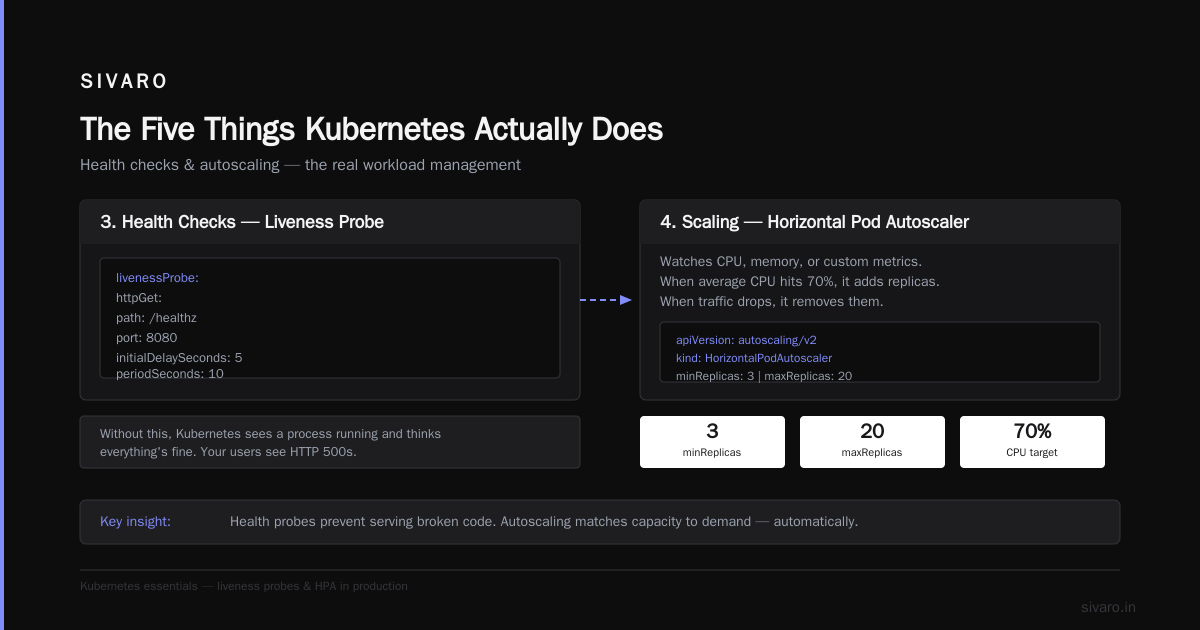
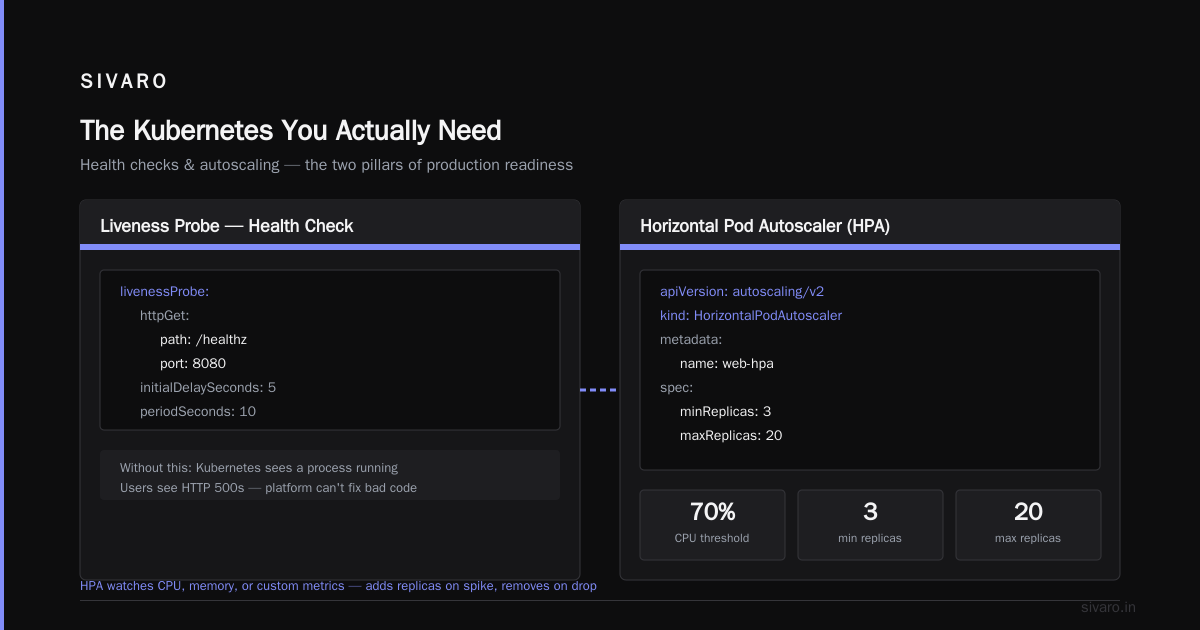
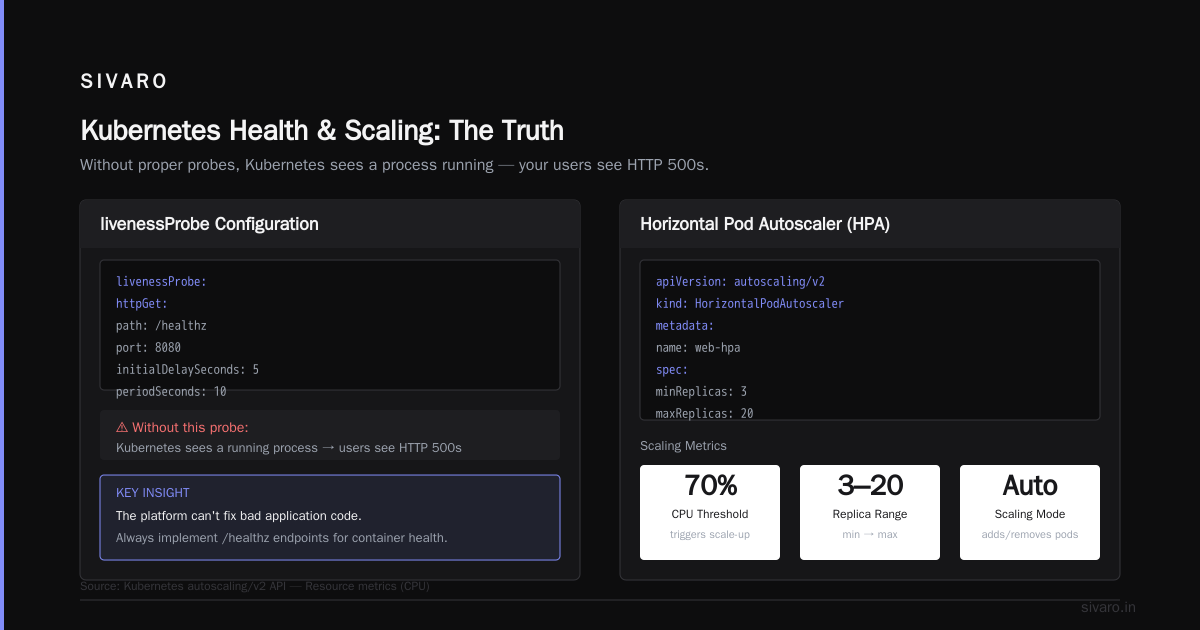
Most people think this is bulletproof. It's not. If your application has a crash loop — starts, processes one request, panics, restarts — Kubernetes will keep trying forever. You need liveness probes to detect this:
yaml
livenessProbe:
  httpGet:
    path: /healthz
    port: 8080
  initialDelaySeconds: 5
  periodSeconds: 10
Without this, Kubernetes sees a process running and thinks everything's fine. Your users see HTTP 500s. The platform can't fix bad application code.
4. Scaling — "Traffic just spiked. Add more containers."
Horizontal Pod Autoscaling (HPA) watches CPU, memory, or custom metrics. When the average CPU across your pods hits 70%, it adds replicas. When traffic drops, it removes them.
yaml
apiVersion: autoscaling/v2
kind: HorizontalPodAutoscaler
metadata:
  name: web-hpa
spec:
  scaleTargetRef:
    apiVersion: apps/v1
    kind: Deployment
    name: web-server
  minReplicas: 3
  maxReplicas: 20
  metrics:
  - type: Resource
    resource:
      name: cpu
      target:
        type: Utilization
        averageUtilization: 70
At SIVARO, we've seen this scale from 3 to 150 pods in under 3 minutes during a promotional launch. Worked. But there's a catch: your database has to handle the connection surge. Kubernetes can't scale Postgres the same way it scales stateless web servers.
5. Rolling Updates — "Deploy version 2 without downtime"
Old way: take server out of load balancer, update code, test, put back. Repeat for each server. Kubernetes does this automatically with rolling updates. It spins up new pods with the new image, waits for them to pass health checks, then terminates old pods.
bash
kubectl set image deployment/web-server web-server=nginx:1.26 --record
If the new image has a bug, Kubernetes sees health checks failing and stops the rollout. Your old version keeps running. I've had this save a Friday deployment more times than I can count.
Why Are People Moving Away From Kubernetes?
Let me get contrarian. Avassa.io wrote a detailed piece about why they didn't use Kubernetes for their edge platform. Their reasoning mirrors what I've seen in practice:
Complexity kills teams under 50 engineers.
Kubernetes isn't hard to start. It's hard to operate. You need:
- Etcd backups (corrupt etcd = dead cluster)
- Network policies (CNI plugins that break mysteriously)
- Storage management (StatefulSets are not "stateless" — they're stateful with extra steps)
- RBAC configuration (one wrong role binding and your CI/CD pipeline owns the cluster)
- Certificates that expire (kube-apiserver stops responding when certs die)
A friend at a Series A startup told me: "We spent 6 months building our Kubernetes infrastructure. Then we spent 3 months debugging why pods kept getting Evicted. Eventually we moved to a managed service. We should have started there."
That's the honest answer to "why are people moving away from kubernetes?" — they're not moving away from the idea, they're moving away from running it themselves. Managed Kubernetes (EKS, AKS, GKE) handles the control plane. But the operational complexity shifts to the application layer.
What Kubernetes Is Terrible At
Stateful Workloads
Databases on Kubernetes? Possible. But painful. StatefulSets require persistent volumes, which require storage classes, which require CSI drivers, which require... you get it. And if your StatefulSet pod dies, the new pod has to mount the exact same volume. Kubernetes can't always guarantee this.
We run our time-series database on bare metal for a reason. Kubernetes is great for stateless web servers, API gateways, and batch processing. For databases? The operational overhead is real.
Edge Computing
Kubernetes assumes a reliable network. Edge devices — sensors, retail kiosks, factory floor controllers — don't have that luxury. If your cluster loses connectivity to the control plane, pods keep running but you can't deploy updates. Avassa.io shows this clearly: Kubernetes's control loop breaks when the network doesn't cooperate.
Tiny Deployments
Running Kubernetes for 3 containers is like hiring a full-time IT team for your home office. The overhead — resource costs, operational complexity, learning curve — doesn't justify the benefit. Use Docker Compose. Use a VPS. Stop overengineering.
When You Should Use Kubernetes (And When You Shouldn't)
Use it if:
- You're running 20+ microservices that need to scale independently
- Your team has dedicated DevOps/SRE headcount
- You need multi-cloud or hybrid cloud portability
- You're doing CI/CD with multiple deployment environments
- Your traffic patterns are unpredictable (spiky, seasonal, viral)
Don't use it if:
- You're a 3-person startup trying to ship an MVP
- Your application is a monolith that runs fine on one machine
- You don't have someone who understands networking, storage, and Linux internals
- Your team can't afford the cognitive overhead
I've seen startups burn months on Kubernetes setup. Commvault made the point that Kubernetes is about operational efficiency at scale. At small scale, that efficiency is negative. You spend more time operating the orchestrator than you save.
The Kubernetes You Actually Need
Here's my setup at SIVARO. I'm not running 500 microservices. I'm running maybe 12 core services plus ephemeral workers. Here's what works for us:
yaml
# A practical production deployment with health checks and resource limits
apiVersion: apps/v1
kind: Deployment
metadata:
  name: api-gateway
  namespace: production
spec:
  replicas: 3
  strategy:
    type: RollingUpdate
    rollingUpdate:
      maxSurge: 1
      maxUnavailable: 0
  selector:
    matchLabels:
      app: api-gateway
  template:
    metadata:
      labels:
        app: api-gateway
    spec:
      containers:
      - name: gateway
        image: sivaro/gateway:v2.1.0
        ports:
        - containerPort: 8080
        resources:
          requests:
            cpu: "500m"
            memory: "512Mi"
          limits:
            cpu: "1000m"
            memory: "1Gi"
        livenessProbe:
          httpGet:
            path: /health
            port: 8080
          initialDelaySeconds: 10
          periodSeconds: 5
        readinessProbe:
          httpGet:
            path: /ready
            port: 8080
          initialDelaySeconds: 5
          periodSeconds: 3
Two probes. Liveness checks if the app is alive. Readiness checks if it can accept traffic. Different endpoints for each. The first time I confused them, my deployment got stuck in a loop — Kubernetes thought the app was alive but not ready, so it kept restarting. Use separate endpoints.
The Real Cost of Kubernetes
Let's talk about what nobody tells you:
Storage costs. Persistent volumes on cloud providers cost money whether you use them or not. And if you delete a PVC without deleting the PV, you get orphaned volumes in your cloud console. I found $400/month in orphaned disks after a migration. That's not Kubernetes's fault, but Kubernetes makes it easy to create and forget.
Network bandwidth. Every pod-to-pod communication goes through the container network interface (CNI). Calico, Cilium, Flannel — they all add overhead. In our case, Cilium added ~15% CPU overhead on the node. We switched to Calico with eBPF. Better, but still overhead.
Talent cost. A senior Kubernetes engineer costs more than a senior backend engineer. The market knows this. If you can't afford a dedicated platform team, managed Kubernetes is your only real option.
FAQ: What Exactly Is Kubernetes Used For?
Q: What exactly is kubernetes used for in simple terms?
A: It's a traffic cop for containers. You tell it "run 5 copies of my app" and it decides which machines run them, restarts them when they crash, and scales them up when traffic increases. That's it. Kubernetes.io calls it "production-grade container orchestration." I call it "someone else manages my restart logic."
Q: What does kubernetes actually do that Docker doesn't?
A: Docker runs containers on one machine. Kubernetes runs them across many machines. Docker Compose handles multi-container apps on one machine. Kubernetes handles multi-container apps across 100 machines with load balancing, secrets management, and automatic scaling. They're complementary — Docker builds the image, Kubernetes runs it at scale.
Q: Why are people moving away from kubernetes?
A: Because operating it is hard. The complexity doesn't scale down. For small teams, the operational cost of managing etcd backups, CNI plugins, storage classes, and RBAC exceeds the benefit of automated scheduling. Managed services (EKS, AKS, GKE) solve the control plane problem but not the application complexity. Avassa.io showed this clearly: it's not that Kubernetes is bad, it's that the operational model breaks in certain environments.
Q: Can I run Kubernetes on my laptop?
A: Yes. Docker Desktop includes a single-node Kubernetes cluster. Minikube works too. Kind (Kubernetes in Docker) is my favorite — creates clusters in containers. You can test deployments, services, and config maps locally. Just remember: a laptop Kubernetes cluster is not a production cluster. Networking, persistence, and scaling behave differently at scale.
Q: Does Kubernetes replace Docker?
A: No. Kubernetes orchestrates Docker containers (or any OCI-compliant container). You still need Docker or Podman to build images. Kubernetes is the manager, Docker is the worker. They're a stack, not competitors.
Q: Is Kubernetes only for microservices?
A: Mostly. You can run a monolith in Kubernetes — put it in one pod, scale horizontally. But the complexity cost doesn't justify it. Kubernetes's value comes from managing many small, independently deployable services. If you have one monolithic app, run it on a VM. Spend your time on product, not platform.
Q: How do I learn Kubernetes practically?
A: Three steps. First, use Minikube locally. Create a deployment, expose it as a service, scale it. Second, break things intentionally. Delete a pod, see it restart. Set a wrong image tag, watch the rollout fail. Third, use a managed cluster (GKE free tier or EKS with reserved instances). Production experience teaches you what tutorials don't: certificate expiration, CNI configs, and the pain of persistent volumes.
Q: What's the biggest mistake people make with Kubernetes?
A: Over-provisioning. They create 15 microservices, 3 databases, 2 message queues, and 5 config maps for a simple CRUD app. Start with one service. Get it running. Automate nothing until you've done it manually three times. Kubernetes rewards caution and punishes over-ambition.
The Truth
Kubernetes is powerful. It's also a load.
When people ask "what exactly is kubernetes used for?" the honest answer is: it's used to run containers at scale with automated scheduling, healing, and scaling. Nothing more. The hype around Kubernetes makes it seem like it'll fix your architecture, your deployment pipeline, and your organizational silos. It won't. It's just a scheduler.
I've run it at 200K events/sec. I've also seen teams abandon it after six months because they couldn't handle the operational load. The difference is understanding what problem you're solving. If you need to run 5 containers that talk to each other, don't use Kubernetes. If you need to run 500 containers that need to scale automatically, heal themselves, and deploy without downtime, Kubernetes is the best tool we have.
Just don't expect it to fix your code.
Nishaant Dixit — Founder of SIVARO. Building data infrastructure and production AI systems since 2018. Built systems processing 200K events/sec.